Dealer and Distributor Portal for Institutional food suppliers
Let authorised institutional buyers submit food indents and review their own commercial and delivery records.
Does this function belong in your operation?
Use when institutions place recurring food orders through authorised customer accounts; a reseller or dealer relationship is not required.
A mess, kitchen or canteen buyer prepares an indent or checks a previous supply.
For this trade, configure the portal for authorised institutional buyers rather than assuming a dealer network. A mess manager submits an indent for the hostel, a canteen buyer checks its applicable rates and a warden reviews delivery evidence. Keep access tied to the institution and its permitted locations; submission is a request until the supplier accepts it.
Bring the records the workflow depends on.
- Institution accounts, authorised mess or procurement contacts and permitted delivery locations.
- Customer-specific rate lists, standing indents and order submission rules.
- Approved visibility for delivery notes, order status and account information.
Outputs to check
- Institution-attributed indent with its named submitter and accepted order reference when confirmed.
- Restricted customer view of applicable rates and delivery evidence for that account.
Follow the dealer and distributor portal workflow.
Use this sequence to compare your current process with the proposed module. Agree the owner, permission and exception at each step.
Who uses the module, and who approves?
Keep responsibilities distinct even when one person holds more than one role.
Decide how exceptions are handled.
These business rules belong in configuration and testing. A normal transaction alone does not demonstrate that the workflow is ready.
Can this work independently?
Customer identity, dated price lists and accepted order records underpin this portal. Delivery evidence and balances come from their owning processes through agreed connections or controlled imports. An indent does not confirm stock, credit clearance, delivery or payment.
Systems and records it connects with
- Customer account records: Authorised institutional contacts and delivery locations.
- Price lists and order management: Applicable terms and accepted supply commitments.
- Delivery and accounts records: Signed delivery references and approved account visibility.
Configure, test and introduce the workflow.
- Map the institution, kitchen and buyer permissions with sample customer accounts.
- Try an indent using a contract rate and a separately dated market-rate item.
- Check duplicate submissions, missing stock and credit review before exposing order status.
- Reconcile the portal view with accepted orders and signed delivery records before authorising wider use.
Check the result before rollout.
Apply these checks to a sample from the agreed workflow, then repeat with an exception. Keep the expected result beside the test record.
- A hostel login cannot retrieve another institution's rates, signed delivery notes or balance.
- An indent remains distinguishable from an accepted order and does not imply stock reservation or dispatch.
- The order desk can trace every accepted submission to the named institutional contact and delivery location.
How the business operates.
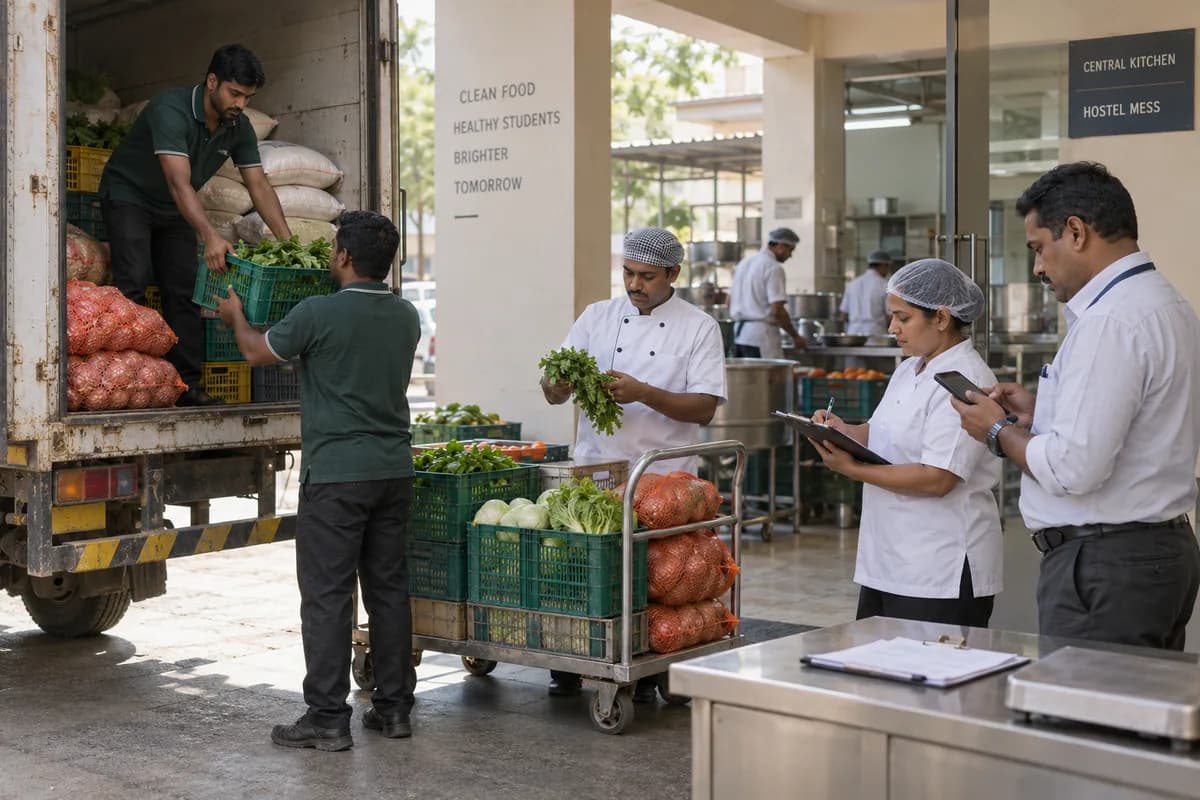
You supply the kitchen, not the shelf. Each hostel, hospital ward kitchen or caterer sends an indent, expects the sacks and crates at a fixed hour, and weighs them on its own platform scale before signing.
The records that hold the operation together.
- Institution, delivery location and authorised buyer
- Indent, standing requirement and effective rate contract
- Route picking and loading record
- Signed delivery note, weight difference and rejection
Operational bottlenecks to check
Daily indents arrive by call, message and sheet
Calls, voice notes and photographed sheets all reach the order desk in different layouts, and one item is missed. The cook finds out at the gate.
Contract rates drift from billed rates
A rate agreed for a tender period lives in a letter, and bills are raised at the last price used. The customer’s auditor notices before you do.
How work flows across this business
This module sits within a wider operating process. Use the sequence to identify the other teams and records affected by a change.
1. Confirm the indent
Record the institution’s requirement and delivery location. Retain changes to standing quantities rather than silently overwriting the earlier request.
2. Source and prepare the route
Confirm availability and any proposed substitution, then prepare the route pick list using the agreed units.
3. Record receiving-gate decisions
Capture the quantity accepted, short supply and rejected items against the delivery note. Keep the receiving person’s acknowledgement with the record.
4. Resolve quantity and rate differences
Apply the contract version effective for the delivery and review unapproved substitutions or disputed weights before billing.
5. Consolidate and collect
Build the agreed billing statement from supported deliveries, with each adjustment traceable to its source. Reconcile receipts and unresolved deductions.
Industry reports to connect with
- Indents and standing quantities awaiting supply
- Route shortages, rejections and delivery differences
- Delivered quantities against contract-rate versions
- Consolidated bills, deductions and outstanding balances
Questions before implementation.
When should institutional food suppliers consider dealer and distributor portal?
Use when institutions place recurring food orders through authorised customer accounts; a reseller or dealer relationship is not required. A mess, kitchen or canteen buyer prepares an indent or checks a previous supply.
What should we bring to the requirements discussion?
Bring anonymised examples of Institution accounts, authorised mess or procurement contacts and permitted delivery locations.; Customer-specific rate lists, standing indents and order submission rules.; Approved visibility for delivery notes, order status and account information. Show who creates, checks and changes each record. Use only records from an activity that meets the suitability conditions above.
Does this replace our existing business software?
The starting point is your current system and the gap you need to close. Let authorised institutional buyers submit food indents and review their own commercial and delivery records. Configuration, a connected module or a custom build are evaluated against that gap before a replacement is proposed.
What is outside this module?
Stock promises, payments and external system connections depend on the agreed scope.
How are scope, price and rollout decided?
The proposal follows a review of your records, user roles, branches and existing software. Data migration, connections, training and support are scoped separately where needed. A hostel login cannot retrieve another institution's rates, signed delivery notes or balance. Use this check when reviewing the first working version.
Related functions for institutional food suppliers.
Discuss dealer and distributor portal for your business.
Tell us which workflow needs attention and which systems your team uses. The next step is a requirements discussion and a written scope.
What happens after you share your requirements
- We review your brief and the systems you already use.
- We clarify the workflow, missing information and the work to consider first.
- The proposed scope sets out the deliverables, responsibilities and dependencies.
- Review the scope and commercial terms before deciding whether to proceed.
Start with your requirements
Describe your current process, the people involved and the change you need. Start with the details you know; we can clarify the rest together.
Share your requirements