Business solutions for Pathology labs
Explore software for work such as “Routine panels: thyroid, lipid, liver, kidney and sugar”. Review each business function below, including when it fits and what to check before implementation.
How the business operates.
A neighbourhood pathology lab handles walk-in patients, home collection, samples from partner collection centres and work sent by nearby nursing homes.
The records that hold the operation together.
- Patient registration and test orders. Register patients with age, sex, referring doctor and the tests or profiles ordered, and find a returning patient by phone number.
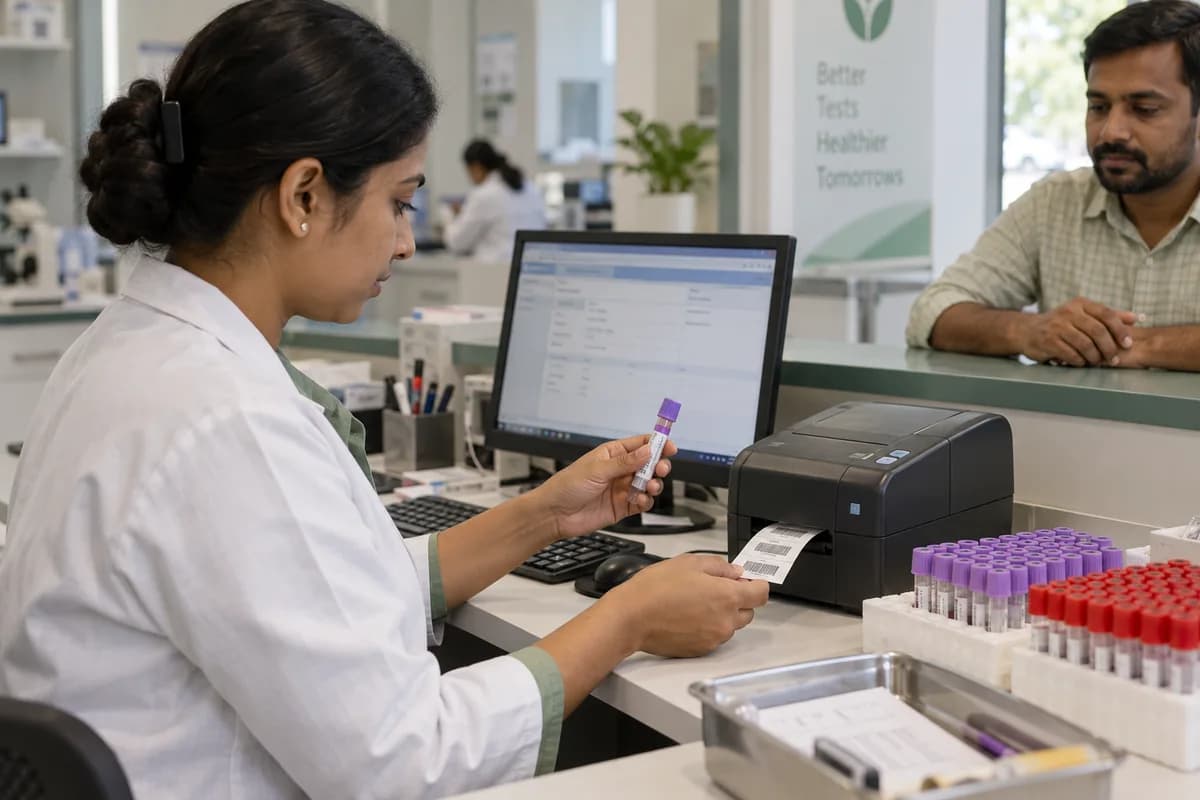
- Sample collection and barcodes. Print a barcode for every container at collection, record the sample type and time, and mark rejected samples with a reason.
- Home collection visits. Book home visits by area and time slot, assign each to a phlebotomist, and see which samples have reached the lab.
- Collection centres and B2B accounts. Give each collection centre, referring hospital and corporate client its own rate list, credit terms and a statement it can read for itself.
- Test master and reference ranges. Hold every test, profile and package with its units, method, sample type and reference ranges by age and sex.
- Department worklists and result entry. Show each bench the samples waiting in biochemistry, haematology, serology, microbiology or histopathology, and flag abnormal values as results are entered.
- Pathologist review and sign-off. Queue results for the pathologist with earlier values beside them, record who signed each report and when, and hold anything not yet signed.
- Report printing and delivery. Print reports on the lab’s letterhead, and send signed reports by email or WhatsApp, with every resend logged.
Operational bottlenecks to check
Tube labels are handwritten
A name in marker on a sample tube is easy to misread at a busy bench. One swap means two wrong reports.
Report status lives at the bench
A doctor calls to ask whether a report is ready, and the desk has to walk in and ask a technician. The caller waits on hold.
Every centre has its own rate
Partner centres, nursing homes and camps are billed at different rates, and the monthly statement is rebuilt in Excel. Balances get argued over.
Reference lab samples are forgotten
A special test goes out with a courier slip, and its expected date is not written anywhere the desk can see. The patient calls first.
Kit lots and expiry are not recorded
Reagent kits are reordered by looking in the fridge, and the lot used for a run is not noted. Short-dated kits get missed.
Follow the work across teams.
This is a planning flow. Confirm the steps, owners and approval rules against your actual operation.
Roles and responsibility boundaries.
Reports your managers need.
- Samples received by source and department
- Reports pending sign-off and delivery
- Rejected samples and recollections
- Collections by mode, test and centre
- Outstanding dues by B2B account
- Outsourced tests overdue from the reference lab
- Kits to reorder and lots near expiry
Connections to scope
- WhatsApp Business (the lab’s own account)
- SMS
- Card and bank transfer payments
- Barcode label printer and scanner
- Analyser interface, scoped per machine model
- Accounting export, quoted separately
Confirm data access, record ownership and the exchange method for each connection. Inclusion here does not mean every connection is available in a standard package.
Setup decisions and adoption risks.
Use these requirements to plan phases, data migration and user training. Agree the release sequence after reviewing your current systems.
Limitations to settle before implementation
- A collection-only centre that sends every sample to one partner lab will work inside that lab’s own portal.
- An imaging or scan centre needs Diagnostic Centre Management Software, which is built around modalities and radiologist reporting.
- A hospital that wants its lab inside admissions and ward billing may find Hospital/Clinic Management System fits that part better.
Modules to consider first.
These functions connect to the operating model above. Confirm each one against the work your business actually runs.
Choose the operation you want to improve.
Use these activities to explain your scope. Your business does not need every function in the directory.
- Routine panels: thyroid, lipid, liver, kidney and sugar
- Full body and annual health check packages
- Diabetes monitoring and HbA1c
- Antenatal and women's health panels
- Pre-employment and pre-admission screening
- Senior citizen packages
- Fever and infection panels in the monsoon
- Corporate camps
Explore the business functions.
Production, stock, fleet and recurring billing functions apply only where your business runs those activities. Read the suitability conditions on each page.
Bookings and Appointments
Retail and POS
Sales and Distribution
Manufacturing
Inventory Management
Platform
Start with the problem your team can describe.
Bring a sample record and show where information is copied, missed or waiting for approval. Scope the first useful change from there.
What happens after you share your requirements
- We review your brief and the systems you already use.
- We clarify the workflow, missing information and the work to consider first.
- The proposed scope sets out the deliverables, responsibilities and dependencies.
- Review the scope and commercial terms before deciding whether to proceed.
Start with your requirements
Describe your current process, the people involved and the change you need. Start with the details you know; we can clarify the rest together.
Share your requirements