Build a hospital or clinic system around the way you actually work.
Every hospital and clinic runs differently, with its own departments, consultation workflows, billing, diagnostic requirements, approvals and management reports.
Generic healthcare software asks the organisation to change its processes to match the software. Sometimes that trade is worth making. When it is not, the system is built around the organisation.
GullySystem designs hospital and clinic software around your operations: registration, doctor scheduling, diagnostics, pharmacy, billing, patient portals and the dashboards management asks for.
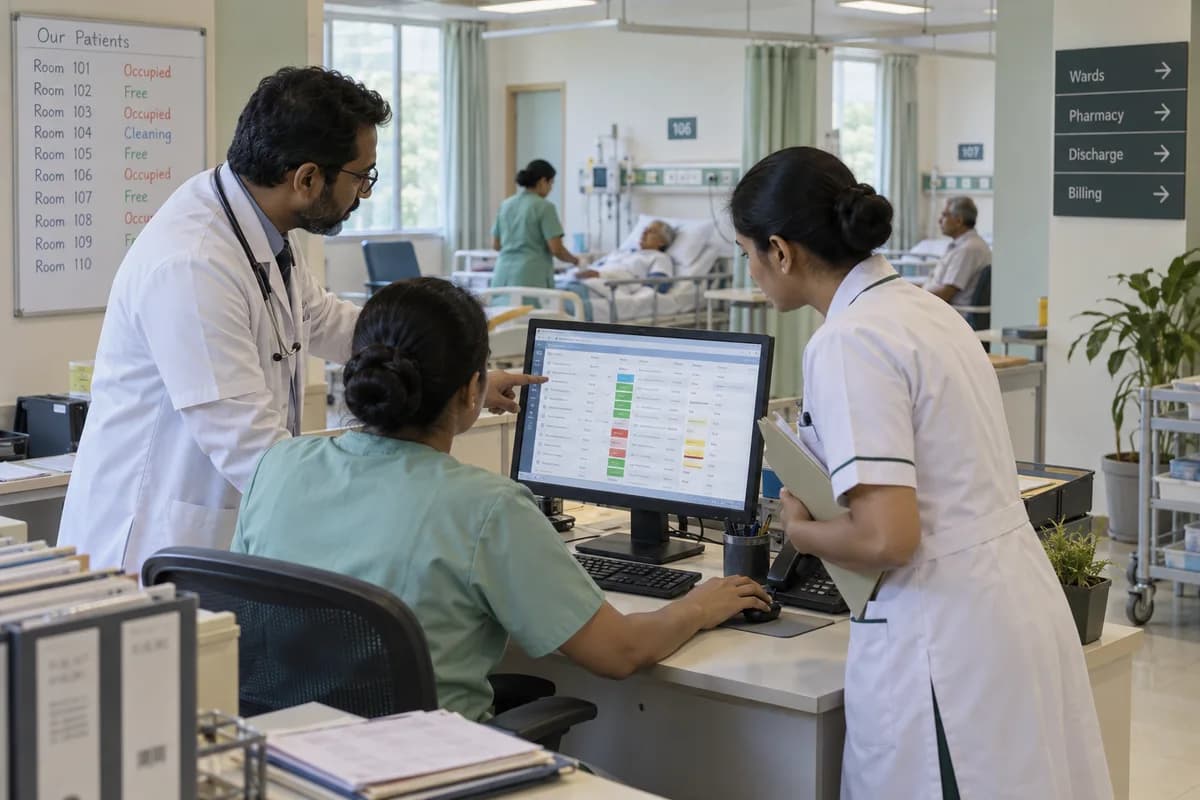
Healthcare organisations we can build for.
Between a single-doctor clinic and a three-hundred-bed hospital, almost nothing about the workflow survives the comparison. The departments you actually run decide the scope. If you run a laboratory or imaging centre rather than a hospital with one inside it, the diagnostic centres and laboratories page is the closer fit.
- Multi-speciality hospitals
- Speciality hospitals
- Small and medium hospitals
- Day-care hospitals
- Nursing homes
- Polyclinics
- Medical clinics
- Specialist clinics
- Dental clinics
- Physiotherapy centres
- Rehabilitation centres
- Fertility clinics
- Eye hospitals and clinics
- Skin and dermatology clinics
- Orthopaedic clinics
- Cardiology clinics
- Paediatric clinics
- Mental wellness clinics
- Home healthcare providers
- Clinic groups running several branches under one name
- Healthcare chains
The modules, and what each one covers.
Nothing here is a fixed package. Each module is built, left out or changed to match how your organisation already works.
Patient management
One record for a patient, from the first enquiry to the follow-up a year later.
- Patient registration
- Unique patient ID
- Patient profile and contact details
- Demographic information
- Medical history
- Previous consultations
- Allergies and existing conditions
- Treatment history
- Documents
- Prescription history
- Diagnostic reports
- Billing history
- Follow-up history
- Patient notes
Appointments and doctor scheduling
Booking that the front desk, the doctor and the patient are all looking at.
- Doctor calendars
- Online and walk-in appointments
- Department-wise and doctor-wise scheduling
- Time-slot management
- Rescheduling and cancellation
- Waiting list and token management
- Consultation status
- Follow-up scheduling
- SMS, WhatsApp and email reminders
- No-show tracking
For a group with several branches, schedules can be managed across locations.
Doctor’s console
What a doctor needs open during a consultation, and nothing else.
- Daily appointment list
- Patient medical history
- Previous consultation notes
- Symptoms and clinical observations
- Diagnosis
- Treatment plans
- Prescriptions
- Investigation requests
- Diagnostic results
- Follow-up recommendations
- Referrals
- Patient documents
The console is usually laid out differently for each specialty.
Electronic medical records
A structured record per patient, with access decided by role.
- Medical history
- Consultation records
- Diagnosis and treatment records
- Prescriptions
- Investigations
- Laboratory and radiology results
- Procedures and surgery details
- Discharge summaries
- Clinical documents
- Follow-up records
Outpatient department
- Registration
- Appointment
- Token
- Consultation
- Investigation
- Pharmacy
- Billing
- Follow-up
Management can watch patient movement and department load through the same record.
Inpatient management
The admission-to-discharge workflow, for hospitals that admit.
- Patient admission
- Ward and room management
- Bed allocation
- Doctor assignment
- Nursing records
- Treatment tracking
- Medication administration
- Investigation orders
- Procedures
- Surgery scheduling
- Patient transfers
- Discharge process and summary
- Final billing
Beds and wards
What is free, what is occupied, and what is about to be.
- Total, available and occupied beds
- Reserved beds
- ICU and general ward beds
- Private and semi-private rooms
- Patient allocation
- Expected discharge
- Cleaning status
Diagnostics
- Doctor request
- Test order
- Sample collection
- Processing
- Result entry
- Verification
- Report
- Doctor and patient access
- Pathology
- Laboratory testing
- Radiology
- X-ray, ultrasound, CT and MRI
- Health packages
Laboratory
Hospitals running their own lab or a diagnostic arm use this.
- Test catalogue and pricing
- Sample collection
- Barcode generation
- Sample tracking
- Processing status
- Result entry and verification
- Reference ranges
- Report generation
- Doctor and patient access
- Report delivery
Radiology and imaging
- Imaging orders
- Scheduling
- Technician workflow
- Radiologist assignment
- Report preparation and approval
- Patient reports
- Doctor access
Integration with imaging equipment depends on what interfaces the manufacturer provides, and the interface is checked with the manufacturer before it is promised.
Pharmacy
A prescription written in the consultation reaching the counter without being retyped.
- Prescription access
- Medicine catalogue
- Inventory and stock levels
- Batch and expiry tracking
- Purchase and supplier management
- Dispensing
- Billing and returns
- Low-stock alerts
Billing
The bill is assembled as care happens, and not reconstructed at discharge.
- Consultation, diagnostic and procedure billing
- Pharmacy billing
- Room, bed and nursing charges
- Doctor and surgery charges
- Package billing
- Discounts and taxes
- Deposits and advance payments
- Refunds
- Outstanding amounts
- Receipts and consolidated bills
Insurance and third-party administrators
For hospitals working with insurers, the paperwork trail that decides whether a claim comes back.
- Insurer and third-party administrator details
- Policy information
- Pre-authorisation
- Approval status
- Documentation
- Claim tracking
- Settlement tracking
- Patient and insurer payable amounts
The workflow is configured to the hospital’s own process and to what each insurer’s systems allow.
Patient portal
- Register and manage profile
- Book and reschedule appointments
- View doctors and departments
- Access prescriptions
- Download reports
- Access invoices and payment history
- Upcoming appointments
- Reminders
- Submit enquiries
- Request follow-ups
Patient mobile application
Where a portal is not enough, the same access as an app.
- Appointment booking
- Doctor discovery
- Reports and prescriptions
- Notifications
- Follow-up reminders
- Patient profile
- Payment
- Health records
Doctor portal
For visiting consultants and doctors working across locations.
- Appointment schedules
- Patient lists and histories
- Consultation records
- Investigation reports
- Prescriptions
- Follow-ups
- Clinical documentation
Front desk
- Patient enquiries
- New registrations
- Appointment booking
- Walk-ins
- Token management
- Doctor availability
- Billing
- Patient communication
- Waiting queues
Nursing
- Assigned patients
- Nursing notes
- Vital signs
- Medication records
- Doctor instructions
- Procedure tracking
- Shift handover
- Patient observations
- Alerts
Operation theatre
- Surgery scheduling
- Theatre availability
- Surgeon and anaesthetist assignment
- Nursing staff assignment
- Pre-operative checklist
- Procedure details
- Theatre utilisation
- Consumables
- Post-operative notes
Inventory and medical supplies
The hospital store is not a warehouse. Most items leave against a patient, and what is not charged back is written off.
- Ward requests and issue against a patient
- Consumables charged to the patient bill as they are issued
- Batch and expiry on every drug and consumable
- Implants and high-value items traced to the patient record
- Narcotic and controlled drug register
- Cold chain items held separately
- Department and floor stock
- Crash cart and emergency tray checks
- Goods receipt against the purchase order
- Stock transfers between stores
- Reorder levels per item
- Physical count and adjustment
Items issued at night are the ones most often left unbilled. Issuing against the patient and not the ward closes that gap.
Procurement
Two purchasing routes usually run side by side: the planned one against rate contracts, and emergency purchases when a drug is not on the shelf.
- Request
- Approval
- Rate contract or quotation
- Purchase order
- Goods receipt
- Invoice
- Payment
- Rate contracts with distributors and their validity
- Approval limits by value and by who signs
- Emergency purchase recorded rather than reconstructed later
- Pharmacy purchases kept separate from store purchases
- Supplier ledger and outstanding
Emergency purchases will happen. The software’s role is to record them as documented exceptions.
Biomedical equipment and assets
A hospital’s asset register is mostly biomedical, and it answers when a machine was last serviced and whether it can be used today.
- Asset register with department and location
- Serial number and installation date
- Calibration record and when the next one falls due
- Service contract, its scope and the vendor engineer
- Warranty and what it covers
- Preventive maintenance schedule
- Breakdown and downtime history
- Equipment moved between wards
- Retirement and replacement
The record is kept here. It does not certify a machine, and what a hospital must hold for an inspection is a question for your own quality team.
Maintenance and facilities
A complaint from an operating theatre and one from the administrative block need different handling, so ticket queues are set by area.
- Complaints raised from the ward or department
- Biomedical faults separated from civil and electrical
- Priority set by where the fault is, not only what it is
- Technician or vendor assignment
- Response time agreed in the contract
- Escalation when a critical area is affected
- Preventive maintenance rounds
- Resolution recorded and closed by the ward
- Repeat faults on the same asset
Escalation helps only if someone is accountable at the end of it.
Staff, rosters and consultant payouts
Rostering a hospital differs from rostering an office. Wards must be covered at all hours, and approved leave without a replacement is a gap.
- Duty roster by ward and by shift
- Night shift and on-call cover
- Nurse allocation to wards and beds
- Leave checked against the roster it affects
- Doctor and consultant visiting schedules
- Consultant share on consultations and procedures
- Employee and doctor records with credentials and their expiry
- Attendance
- Payroll integration
Consultant payout arrangements differ per doctor and are often privately agreed. It records what you tell it and does not decide the terms.
Role-based access
Many kinds of user look at one record, each seeing their part of it.
- Hospital administrator
- Management
- Doctor
- Nurse
- Receptionist
- Pharmacist
- Lab technician
- Radiologist
- Billing executive
- Accounts team
- HR team
- Store manager
- Department manager
- Patient
Multiple branches
For groups, each location running its own day while management sees the whole.
- Branch-wise patients and appointments
- Revenue
- Doctor utilisation
- Department performance
- Diagnostics
- Pharmacy
- Inventory
- Expenses
- Outstanding payments
Management dashboards
The numbers a management meeting actually opens, without anybody assembling a spreadsheet first.
- Total, new and repeat patients
- Outpatient volume
- Inpatient admissions
- Bed occupancy
- Doctor utilisation
- Appointment conversion
- No-show rate
- Department performance
- Diagnostic and pharmacy revenue
- Outstanding payments
- Average patient value
- Branch performance
Patient enquiries and CRM
Enquiries arrive from the website, the phone, WhatsApp, campaigns, referrals and the front desk. They can sit in one place.
- New enquiries
- Lead source
- Patient requirement
- Department and doctor preference
- Follow-up
- Appointment booking
- Missed enquiries
- Conversion
- Lost enquiries
- Campaign attribution
WhatsApp, SMS and email
- Appointment confirmation
- Appointment reminders
- Follow-up reminders
- Sample collection reminders
- Report availability
- Payment confirmation
- Health-check reminders
- Patient recall
- Feedback requests
An appointment reminder is a template the provider has to approve first. A result or a diagnosis does not belong in a message at all.
Website and integrations
The website becomes the front of the system.
- Find doctors and departments
- View doctor schedules
- Book appointments
- Submit enquiries
- Request callbacks
- Patient portal login
- Payment gateways
- Accounting software
- Laboratory and pharmacy systems
- Existing hospital software
Most machines and older packages here talk through HL7, a shared folder, or nothing at all. Which of the three it is decides whether a link can be built.
One connected workflow, end to end.
Every stage below can sit in one system, so nobody re-enters what the last stage already captured.
- Enquiry
- Appointment
- Registration
- Consultation
- Investigation
- Results
- Doctor review
- Prescription or admission
- Pharmacy
- Billing
- Follow-up
- Recall
- Analytics
You do not have to replace everything at once.
Each phase is usable on its own, so the system earns its place before the next part is built.
- 1
Registration and consultation
Patient registration, appointments, the doctor’s console and billing. Front desk and doctors use this every hour.
- 2
Diagnostics and pharmacy
Investigations, the laboratory workflow, the pharmacy counter and the patient portal that lets people collect their own reports.
- 3
Inpatient and supplies
Admission, wards and beds, inventory, procurement and staff records, for hospitals that admit rather than only consult.
- 4
Dashboards and automation
Management reporting, communication workflows and the integrations with whatever else you run.
How a build actually runs.
- 01
Understand
We sit with how the hospital runs now, including the parts that happen on paper and in people’s heads.
- 02
Map
Departments, users, processes, approvals and the points where information passes from one person to the next.
- 03
Design
The screens and journeys are drawn around that map, not around a template we already had.
- 04
Build
Modules and integrations go in the order that makes the ward and the billing counter useful first.
- 05
Test
Your own staff run real cases through it, because that is what finds the gaps.
- 06
Deploy
The system goes live for your organisation, with the people who will use it trained on it.
- 07
Improve
More modules, more automation and more integrations as the organisation changes.
What you bring, and when.
The build moves at the speed of the answers. These are the things we ask for, in the order we ask.
- 01
Registers, forms and charge lists
Share the registration form, consultation sheet, tariff list and a sample bill. Add the lab request form. They show what staff really capture.
- 02
A senior doctor, nursing, lab and billing
Clinical rules belong to a doctor. Bed rules belong to nursing. Charges belong to billing. The medical director decides when they differ.
- 03
Tariffs, packages and who may view
Tariffs, insurance packages and record access rules are settled through the build. Department heads review modules with sample patients. Their remarks shape the next module.
- 04
Patient history and consent to move it
Existing patient IDs and history cross over only with clear approval. Analysers and scanners need vendor cooperation to connect. The director signs off the date.
Systems we can put together for you.
- Hospital ERP
- Clinic management software
- Patient management systems
- Doctor management systems
- Appointment platforms
- Diagnostic management systems
- Pharmacy systems
- Healthcare CRM
- Patient portals
- Doctor portals
- Mobile applications
- Management dashboards
- Workflow automation
- Healthcare software products sold to many hospitals
Questions owners ask before starting.
What is custom hospital management software?
It is hospital software designed around your own departments, processes and reporting, instead of a package that every hospital bends itself to fit. It matters most at the points where your organisation does something unusual.
Can you build software for a small clinic?
Yes. A clinic system usually begins with registration, appointments, consultation records, prescriptions, billing and follow-ups, and grows from there.
Can the system support multiple doctors?
Yes. Doctor profiles, schedules, appointments, consultations and access permissions are all managed per doctor.
Can it support multiple clinics or hospital branches?
Yes. One system can run several locations, with each branch working on its own day and management seeing the consolidated picture.
Can patients book appointments online?
Yes. Online booking can sit on your website or inside a patient portal, and the booking lands in the same schedule the front desk is looking at.
Can patients access diagnostic reports online?
Yes, through a patient portal with access rules you set. What a patient can see is a decision for the hospital, not for the software.
Can doctors access patient history?
Yes, subject to the access rules the organisation configures. Role-based permissions are part of the build rather than an afterthought.
Can pharmacy and diagnostics be connected?
Yes. A prescription can reach the pharmacy and an investigation request can reach the lab without anyone retyping either.
Is integration with existing software possible?
Sometimes. Analysers and imaging systems usually have a port or a file drop. Older billing packages often have neither, so we look at your actual machine before saying yes.
Do we need custom software, or will a ready product do?
For a clinic, a nursing home or a small hospital, our Hospital/Clinic Management System fits after configuration and is the simpler route. Building earns its place for a multi-speciality hospital, a group, or a workflow a package will not bend to.
Can we build only some of the modules?
Yes. It is built in phases, and each phase is useful before the next one starts.
Is it possible to build a healthcare product we sell to other hospitals?
Yes, if it is decided before the first screen is drawn. Every hospital orders its case sheet differently, so a product for many of them has to treat that order as a setting.
How we work with this trade.
Ready products for this work.
If one of these fits, it is cheaper and faster than building from scratch. We will say so.
Build the system your hospital actually needs.
A hospital should not have to work around the limits of its software. The software should follow how the hospital has decided to work.
Whether that is a clinic application with five screens, a multi-location platform or a full hospital ERP, tell us how your hospital runs. The discharge is usually the place to begin, because that is where the bill, the pharmacy and the case sheet have to agree.
Tell us how your hospitals and clinics runs today.
We will tell you what can be digitised, what can be connected, what is worth automating, and what you should leave alone.
What happens after you share your requirements
- A senior engineer reads your answers. Nobody phones first.
- Within one business day you get a written note: what we understood, what we would start with, and the questions we still have.
- If it fits, a proposal follows with the order of work, what we need from you and what you receive at each step.
- No call is booked and nothing is paid until you have read the note. Your details stay with us.
Start with your requirements
Seven short steps that tell us what you need. A senior engineer reads them before anyone gets in touch.
Share your requirements