Quality Control for Solar inverter manufacturers
Record specified inspections and the disposition of checked goods.
Does this function belong in your operation?
Use when goods or production stages require documented checks before release.
Material or output reaches an agreed inspection stage.
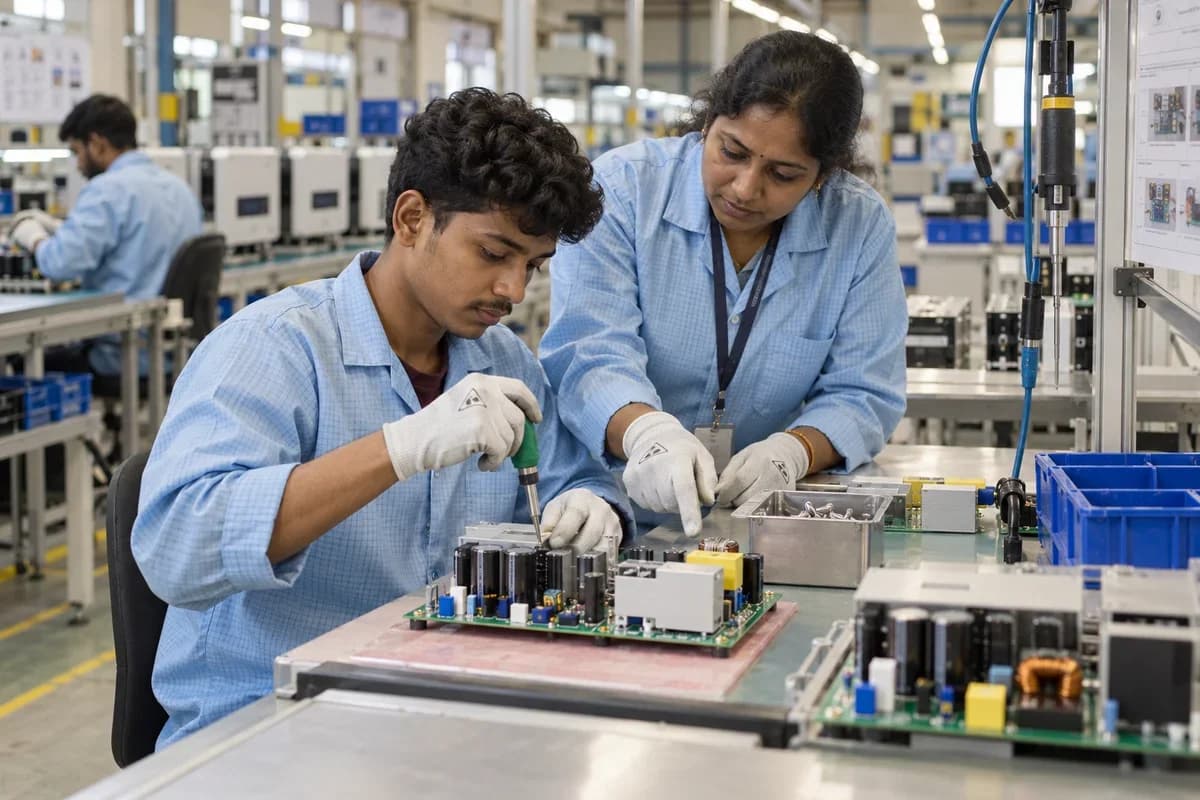
Burn-in logs, anti-islanding results and insulation checks are saved against the serial. A unit that fails goes to the repair bench with its readings. Passed units receive the sign-off for packing.
Bring the records the workflow depends on.
- Inspection specifications
- Sampling and acceptance rules
- Authorised reviewers
Outputs to check
- Inspection readings and evidence
- Hold, release or rejection record
- Nonconformance follow-up list
Follow the quality control workflow.
Use this sequence to compare your current process with the proposed module. Agree the owner, permission and exception at each step.
Who uses the module, and who approves?
Keep responsibilities distinct even when one person holds more than one role.
Decide how exceptions are handled.
These business rules belong in configuration and testing. A normal transaction alone does not demonstrate that the workflow is ready.
Can this work independently?
Quality records can be maintained independently against identifiable receipts or jobs. Inventory and production connections must enforce any hold or release decision. The module records authorised checks; it does not select a regulatory standard or replace a qualified inspector's judgement.
Systems and records it connects with
- Work orders: Released production jobs, material issues and output records.
- Goods receipt: Counted, accepted and rejected supplier-delivery quantities.
- Purchase returns: Approved supplier-return quantities and adjustment references.
- Batch and serial tracking: Lot or unit identifiers carried through stock movements.
Configure, test and introduce the workflow.
- Show us where checks happen now. A note names the checkpoints and the parameters to record.
- Provide limits and your list of rejection reasons. A test lot can then be checked on the trial screen. Checkers use it at a station for a trial run. Their remarks return as changes.
- Checkers, production and purchase each practise their part. Each group gets a printed card. Other stations join as the trial station settles. The team reviews rejection reasons together.
Check the result before rollout.
Apply these checks to a sample from the agreed workflow, then repeat with an exception. Keep the expected result beside the test record.
- Failed items follow the agreed hold rule.
- Results retain the specification version.
- Release decisions identify the reviewer.
How the business operates.
An inverter is a small power plant in a box, sealed against dust and heavy rain and expected to run unattended on a roof for years. Electrolytic capacitors, IGBT modules, Hall-effect current sensors and the DSP board arrive from different suppliers in different lots. Parts change when a supplier revises a datasheet. A unit trips in the field after a year. Which parts did it contain?
The records that hold the operation together.
- Inverter model master and bills of materials. Record every model’s rating, control and gate driver boards, IGBT modules, heatsink, enclosure and nameplate labels. Earlier revisions are kept whenever the list is altered.
- Component and board lot receiving. Log lots of power modules, DC link capacitors and populated boards, including deliveries from an outside board assembler, with supplier and stores bin.
- Kits and work orders. Release a work order for a quantity of units and issue a kit to match. Any shortfall of boards or enclosures is shown to stores before the kit is picked.
- Assembly station tracking. Record operator, station and torque wrench check against each serial as it passes through IGBT mounting and busbar wiring.
Operational bottlenecks to check
Firmware images drift across a pallet
Units on one pallet carry different builds because the flashing station was updated mid-shift. Nobody can say which unit holds which. Support guesses from the label.
Component lots are not captured
Film capacitors and gate-driver chips come off open reels and trays. When a field failure points to one part, the affected serials cannot be listed.
How work flows across this business
This module sits within a wider operating process. Use the sequence to identify the other teams and records affected by a change.
1. Order and work order
A buyer’s order names the model, kilowatt rating, phase and quantity. The planner issues a work order, which pulls a kit against the bill of materials.
2. Receiving and kitting
Control boards, IGBT modules, DC link capacitors, inductors and enclosures are received by lot. Stores issue a kit and record which lots went to which work order.
3. Assembly
Operators bolt the IGBT stack to the heatsink with thermal paste, wire the unit and torque the busbar terminals. Operator and station are recorded against the serial.
4. Flashing and burn-in
The firmware image and grid-code parameter set are flashed and logged. The unit then runs at rated load in the rack, and hours and heatsink temperatures are saved.
5. Test and labelling
Output voltage, efficiency points, residual current trips, insulation resistance and RS485 communication are checked against model limits. Passing units get the rating label with its serial.
6. Dispatch and warranty
Scanning a carton at the dock checks it against the sales order, and the buyer receives the inverter serials packed inside. A warranty record opens with the dispatch and commissioning dates.
Industry reports to connect with
- Units by model through burn-in and final test
- Firmware version installed, by serial and date
- Failure codes by model and component lot
- Returns and repairs by serial and visit count
Questions before implementation.
When should solar inverter manufacturers consider quality control?
Use when goods or production stages require documented checks before release. Material or output reaches an agreed inspection stage.
What should we bring to the requirements discussion?
Bring anonymised examples of Inspection specifications; Sampling and acceptance rules; Authorised reviewers. Show who creates, checks and changes each record. Use only records from an activity that meets the suitability conditions above.
Does this replace our existing business software?
The starting point is your current system and the gap you need to close. Record specified inspections and the disposition of checked goods. Configuration, a connected module or a custom build are evaluated against that gap before a replacement is proposed.
What is outside this module?
The software records your inspection process and does not certify product safety or regulatory conformity.
How are scope, price and rollout decided?
The proposal follows a review of your records, user roles, branches and existing software. Data migration, connections, training and support are scoped separately where needed. Failed items follow the agreed hold rule. Use this check when reviewing the first working version.
Related functions for solar inverter manufacturers.
Discuss quality control for your business.
Tell us which workflow needs attention and which systems your team uses. The next step is a requirements discussion and a written scope.
What happens after you share your requirements
- We review your brief and the systems you already use.
- We clarify the workflow, missing information and the work to consider first.
- The proposed scope sets out the deliverables, responsibilities and dependencies.
- Review the scope and commercial terms before deciding whether to proceed.
Start with your requirements
Describe your current process, the people involved and the change you need. Start with the details you know; we can clarify the rest together.
Share your requirements