Unit register for apartment communities
The unit register holds every apartment in the community with its block, floor and bedroom count. Rent, floor area and status sit on the same line. Leasing agents see what is vacant, the community manager sees what is being prepared, and the owner reads occupancy block by block.
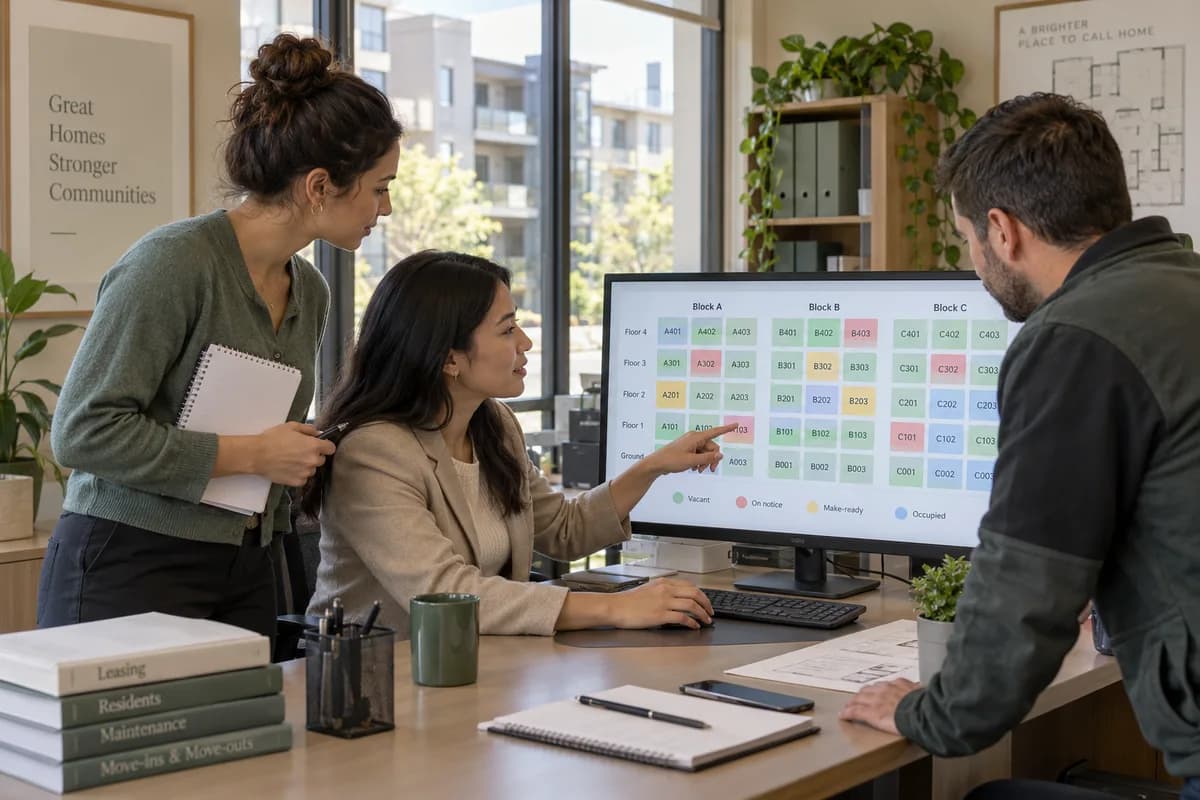
What the unit register keeps for each apartment
Each apartment has one line that stays with it from one resident to the next. The codes match the numbers painted beside the doors, such as A-117 or C-302. Block, floor and bedroom count are entered once. Every other screen then reads them.
How the register is used through a working week
Small questions open the register all day. A caller asks what is free, an agent checks a floor, and the manager looks at a block before a renewal meeting. Each question is answered from one line. The answer is the same for everyone.
What each person sees on the unit register
Everyone who opens the register sees the same apartments, but each role reads a different part of the line. Rent is shown to those who handle money. Residents never see the register itself.
Settle these before the register is loaded
A register is only as good as its first load. Four choices are best made with the manager and the owner in the room. Every later screen reads the unit line. It inherits whatever was decided here.
How the unit register connects to the product
The unit register is the line every other feature hangs from. A lease, a ledger, a repair or a booking is always attached to an apartment. Codes flow outward from the register. Status flows back from the work done around each apartment. Every change here is felt elsewhere.
- Leasing pipeline reads vacant units and rent to match enquiries
- Leases and renewals attach each signed tenancy to its unit
- Rent ledger takes the monthly rent from the unit line
- Maintenance work orders are raised against the apartment code
- Inspections and unit turnover move the status to being prepared
Where the unit register stops
The register records what each apartment is and what state it is in. It does not decide what rent should be, and it does not value the building. Pricing, valuation and the choice to refurbish stay with the owner and their adviser. It is a record, not a pricing tool. For a handful of let flats, a rent sheet is enough.
Frequently asked questions
Can the register hold furnished and unfurnished flats?
Each unit is marked one way or the other. Leasing and the walk-through both read the marking. A furnished unit brings its fittings into the move-in checklist, so a missing item shows up at move-out.
How do we mark an apartment that is on notice?
Change its status to on notice and enter the date the household leaves. The vacancy calendar then shows when it falls free. Agents can start showing it before it is empty. That shortens the gap.
Does each block get its own view of units?
Units are grouped by block and floor, and every list can be filtered to one block. The owner can read a single block or the whole community, depending on what the meeting needs. Both views come from one register.
Who can change the rent held against a unit?
That is decided at set-up. Some offices let only the community manager alter rent, while agents propose status changes. Rent is the sensitive field. Whatever you choose, the rule is applied to every block alike.
What if our unit codes are inconsistent today?
Bring the rent roll as it is. Codes are matched during the import, and the manager reads each block against the doors before residents are invited. Inconsistent codes get corrected once, at the start, so later screens stay clean.
How this feature fits the system.
Apartment Community Management Software: the parts that work with this feature, the trades that use it and the ways to put it in place.
Leasing pipeline
Every enquiry is logged with its source and the apartment asked about, so leasing agents see which prospects still need a viewing or referencing.
Lead ManagementLeases and renewals
Each lease is held with its term, rent, addenda and break clause, and tenancies expiring soon are listed so offers go out before notice.
Contract ManagementRent ledger and charges
Rent, service charges and metered utilities are raised monthly for every let apartment, with payments and credits set against the same ledger.
Subscription BillingTell us what you need.
Tell us what your team does today, where work gets stuck and what you want to change.
What happens after you share your requirements
- We review your brief and the systems you already use.
- We clarify the workflow, missing information and the work to consider first.
- The proposed scope sets out the deliverables, responsibilities and dependencies.
- Review the scope and commercial terms before deciding whether to proceed.
Start with your requirements
Describe your current process, the people involved and the change you need. Start with the details you know; we can clarify the rest together.
Share your requirements