Registration and live queue for urgent care
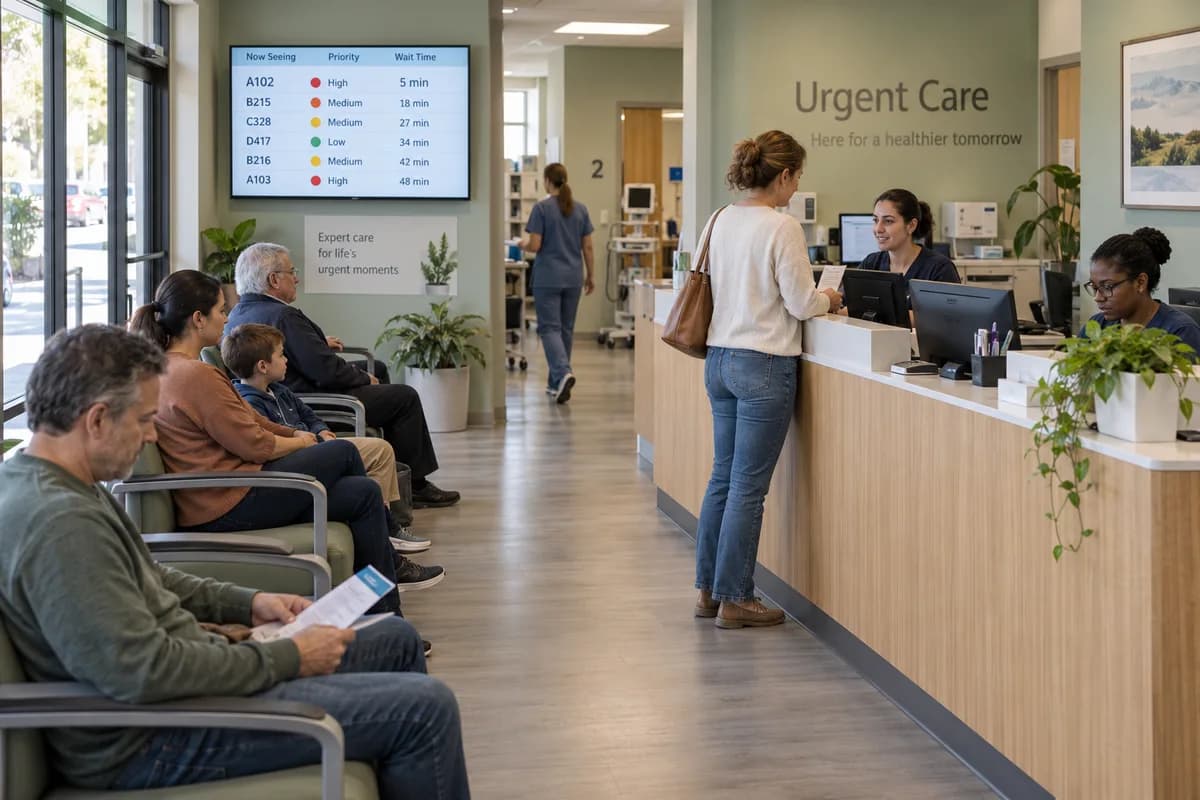
Walk-ins and booked patients are registered at the front desk, with the complaint and the payer noted. Each joins one live queue ordered by triage level and then by waiting time. The front desk and the nurses read the same list, so nobody has to ask how long the line is.
Fields captured when a walk-in arrives
Registration opens the visit. Every later step hangs from it, so the desk keeps who the patient is, why the patient came, how the visit began and who pays. These entries decide where a person stands in the queue from the first minute.
The registration desk from opening to handover
Registration comes in bursts. A school sports injury, a feverish toddler and a worker with a cut hand can reach the counter together. Staff at the desk work through them one entry at a time while the queue reorders itself after every save.
One live queue, read from several seats
The queue is one list with several readers. Desk staff add to every line. Nurses call from it, clinicians watch it fill, and the manager watches how long it takes to drain.
Queue rules to fix before go-live
A live queue works only when the desk and the nurses read it the same way. Each choice below is small, yet each changes what the list shows on a busy afternoon. Agree them with the lead nurse first.
Where the queue hands the patient on
Registration is where the visit starts, so the other features read from it. The complaint and payer travel with the patient. The arrival time feeds the waiting figures that managers study. A change made elsewhere shows up here without retyping. Nothing entered at the counter has to be typed a second time.
- Triage and vital signs takes the complaint and sets the level
- Rooms and clinician allocation uses the queue to pick the next patient
- Billing, receipts and payer claims starts from the payer recorded here
- Employer and occupational accounts picks up visits tagged to an employer
- Waiting time and throughput reports counts from each recorded arrival time
Limits of registration and the live queue
Patients are ordered by the triage level and arrival time on record. It does not judge how ill anyone is, because that is the nurse’s assessment. It promises no waiting time. Payer policy and the rules on who may be turned away stay with the owner and the medical lead. A centre that sees only booked patients does not need a live queue.
Frequently asked questions
Can the desk register a patient with no insurance card?
Yes, if your centre allows it. The payer field takes whatever the patient states, including personal payment. Agree with the desk lead what to do when a card is missing. The patient still joins the queue once registered.
What happens when a booked patient arrives late?
The desk records the actual arrival. Where the patient then stands depends on the triage level and the rule your centre sets. Settle that rule during set-up, so every desk worker gives the same answer at the counter.
How does the queue change when a patient worsens?
A nurse records fresh observations and can raise the triage level. The queue then reorders. Nothing watches the waiting room itself, so staff still need to look up and notice a patient who looks unwell.
Can nurses see new arrivals without asking the desk?
Yes, they do. A saved registration appears on the shared list. The complaint, payer and arrival time sit on each line. Nurses call from that list, so nobody shouts names or passes slips across the room.
Where does the waiting time in reports come from?
Waiting time runs from the arrival time entered at the desk. The reports then show it by hour and triage level. Managers use those figures to plan staffing. Correct arrival times at the desk make the figures worth reading.
How this feature fits the system.
Urgent Care Centre Management Software: the parts that work with this feature, the trades that use it and the ways to put it in place.
Registration and live queue
Booked patients join the queue at their time and walk-ins join on arrival, so the desk reads one list ordered by priority.
Appointment SchedulingImaging, test and referral orders
Each X-ray or test order stays open on the visit until a result is attached, and open orders appear on a single list.
Ticket ManagementRooms and clinician allocation
Treatment rooms and imaging rooms are shown as free or in use, so the next patient goes to a room that is ready.
Resource and Room BookingTell us what you need.
Tell us what your team does today, where work gets stuck and what you want to change.
What happens after you share your requirements
- We review your brief and the systems you already use.
- We clarify the workflow, missing information and the work to consider first.
- The proposed scope sets out the deliverables, responsibilities and dependencies.
- Review the scope and commercial terms before deciding whether to proceed.
Start with your requirements
Describe your current process, the people involved and the change you need. Start with the details you know; we can clarify the rest together.
Share your requirements