Build the system that sits behind your POS, not another billing screen.
Most kitchens already have a decent POS for billing and KOTs. The trouble starts after the bill is printed.
What the kitchen used, what the store bought, what the aggregators actually paid and what reached your accounting software are four records that rarely agree. Nobody set out to keep four.
A custom build for a restaurant group is usually about those four, plus the central kitchen and the outlets it feeds. Billing is the one part you probably should not rebuild.
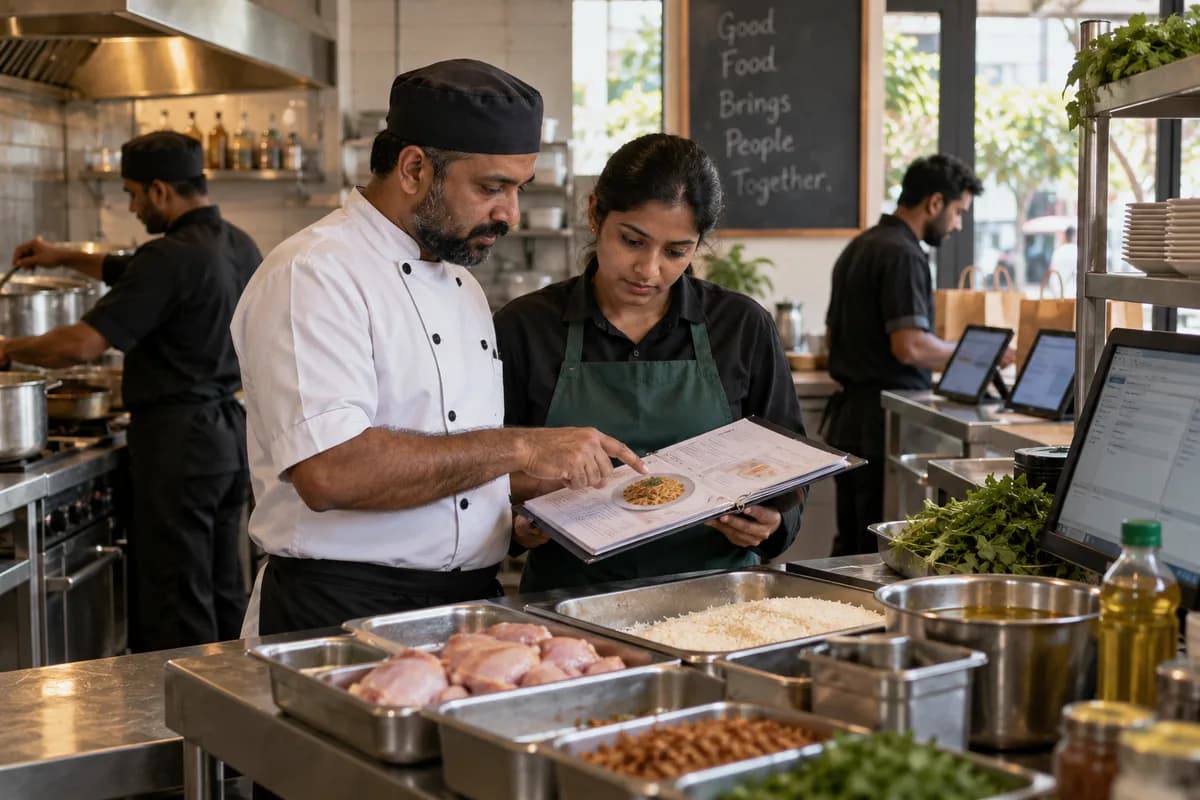
Food businesses we can build for.
One restaurant, a cloud kitchen group, a franchise chain with outlets in four cities. A central kitchen changes the answer far more than the cuisine does.
- Single restaurants
- Multi-outlet restaurant groups
- Quick service restaurant chains
- Cloud kitchens
- Cafes and coffee chains
- Bakery and confectionery chains
- Sweet shops and savoury chains
- Ice cream and dessert chains
- Bar and pub operators
- Hotel food and beverage departments
- Banquet and party halls
- Catering companies
- Central kitchens and commissaries
- Food courts and canteens
- Industrial and institutional caterers
- Brands running outlets through franchisees
- Food truck operators
- Tiffin and meal subscription services
The modules, and what each one covers.
Nothing here is a fixed package. Each module is built, left out or changed to match how your organisation already works.
What your POS keeps
Billing, KOTs and table turns already work. A new billing screen on a busy Saturday is a risk with no reward.
The build sits behind the POS and reads its sales, where the POS offers a route in. Some do, some export a file, and a few offer nothing. That is checked first, because everything else depends on it.
Where the catering product already fits
GullySystem has a catering management product for event work: the order book, approved menus, per-plate costing, quantity planning, vessels and the plates added at the hall.
If banquets and outdoor catering are most of your business, start there rather than building it again. A custom build makes sense when the restaurant side is the bigger half.
The menu
- Menu items by section
- Outlet-wise menus
- Dine-in, takeaway and delivery pricing
- Aggregator menu and pricing
- Portion sizes
- Half and full
- Add-ons and combos
- Seasonal and festival items
- Items stopped and the date
- Photographs and descriptions
Recipes
Every plate has a standard recipe, and the gap between the standard and what the cook ladles out is where cost is decided.
- Ingredient list per dish
- Quantity per portion
- Semi-prepared items such as gravies and masalas
- Batch recipes for the base preparations
- Yield from raw to cooked
- Substitutions allowed
- Recipe versions
- Chef notes
- Allergen information
What a plate costs
- Ingredient cost from the current purchase rate
- Cost of semi-prepared items
- Packaging cost for delivery
- Gas and consumables
- Cost against selling price
- Cost after aggregator deductions
- Cost movement when a rate changes
- Dishes that stopped paying
- Item-wise contribution
Costing shows whether the biryani margin fell because chicken went up or because the portion grew. At month end in Excel those two look identical.
Central kitchen
For a group, the commissary is where cost is decided and rarely watched.
- Production plan by day
- Batch production
- Raw material issued
- Yield achieved against standard
- Packing and labelling
- Batch and production date
- Shelf life
- Dispatch to outlets
- Returns from outlets
- Central kitchen cost
Outlet indents
- Outlet indent
- Approval
- Central kitchen or store
- Picking
- Dispatch
- Receipt at the outlet
- Short and damaged
- Stock updated
Stock at the outlet
- Opening stock by item
- Received from the central kitchen
- Purchased locally
- Issued to the kitchen by shift
- Closing count
- Variance against what was sold
- Par stock levels
- Items running out before dinner
- Cold storage stock
- Expiry and batch tracking
A daily count only works if it takes minutes, so the count screen is cut down to the twenty items that actually move and the manager finishes before service.
Purchase
- Requirement
- Purchase order
- Supplier
- Delivery
- Weighment and quality check
- Goods receipt
- Bill checked against the order
- Payment
Suppliers and rates
- Supplier record
- Items supplied
- Agreed rate and validity
- Rate history
- Delivery days
- Quality rejections
- Bill against agreed rate
- Credit period
- Outstanding
- Supplier performance
The vegetable rate creeps up when nobody compares the bill with the agreed rate. That comparison is the module worth having.
At the back gate
- Weight received against weight billed
- Quality check at receipt
- Rejected and returned items
- Temperature check for chilled and frozen goods
- Batch and expiry on receipt
- Photograph of the delivery
- Receipt by the store keeper
- Short supply recorded
Wastage
- Spoiled raw material
- Preparation loss
- Returned plates
- Staff meals
- Complimentary food
- Expired stock
- Reason recorded against each
- Wastage by item and by outlet
- Wastage by shift
- The Monday review list
From the office, wastage and pilferage look the same. A reason recorded at the moment it happens makes the gap between the two visible the next morning.
Consumption against sales
What the recipes say should have been used, against what the store actually issued.
- Sales from the POS
- Recipe consumption
- Stock issued
- Closing count
- Variance
- Reason
Aggregator payouts
Commission, advertising, discounts, cancellations and penalties all sit inside one weekly statement that nobody has time to read.
- Orders by platform
- Payout statement upload
- Order-wise matching
- Commission deducted
- Advertising and promotion charges
- Discounts funded by you
- Cancellations and refunds
- Penalties
- Short payments listed
- Net realisation by platform
Statement formats change without notice and each platform is different. The upload is rebuilt when that happens, and direct access depends on what the platform offers your account.
Day-end closing
- Sales by payment mode
- Cash counted against cash expected
- Card and wallet settlements
- Aggregator orders
- Discounts given
- Non-chargeable bills
- Cancelled and voided items
- Manager sign-off
- Deposit into the bank
- Shortage recorded against a shift
Discounts and free food
Every group has a rule about who may give a discount, and the rule is applied at the counter.
- Discount approval levels
- Reason for each discount
- Complimentary bills
- Staff meals
- Void after printing
- Item cancelled after the KOT
- Repeat patterns by person
- Outlet comparison
Table and banquet bookings
- Table reservation
- Party and hall bookings
- Guest count and menu
- Minimum guarantee plates agreed
- Plates served against the minimum guarantee
- Advance received
- Hall availability
- Set-up requirements
- Final settlement
- Repeat customers
- Enquiries that did not convert
Franchise outlets
A franchisee is a customer, a supplier and a risk to your brand at the same time.
- Franchisee record and agreement
- Territory and outlet
- Opening checklist
- Royalty working
- Sales reported by the outlet
- Material bought from you
- Outstanding against the franchisee
- Approved supplier list
- Menu and price adherence
- Agreement renewal date
Royalty on reported sales depends on the sales data you can see. Where the franchisee runs his own POS, the figure depends on what he shares or what his system exports.
Outlet audits
- Audit checklist by section
- Kitchen hygiene
- Storage and labelling
- Temperature records
- Uniform and grooming
- Portion checks
- Photographs against each point
- Score and observations
- Corrective action with a date
- Repeat findings
Licences and renewals
- Food safety licence number and expiry
- Trade licence
- Fire safety clearance
- Liquor licence where applicable
- Music and signage permissions
- Pest control visits
- Water testing records
- Reminders before each expiry
Staff
- Employee records by outlet
- Shift roster
- Attendance
- Overtime
- Staff turnover by outlet
- Training records
- Health check records
- Salary and advances
- Manpower cost against sales
Customers who come back
- Customer record from the bill
- Visit frequency
- Favourite items
- Birthday and anniversary
- Loyalty points
- Offers sent
- Redemption
- Customers who stopped coming
- Feedback and complaints
- Complaint closure
Which dishes are worth keeping
- Quantity sold by item
- Revenue by item
- Contribution by item
- Items ordered rarely
- Items with the longest preparation time
- Day and time patterns
- Outlet-wise differences
- Items to drop at the next menu print
What the owner opens
- Sales by outlet
- Sales by channel
- Food cost against sales
- Manpower cost against sales
- Wastage
- Aggregator realisation
- Outlet profitability
- Stock value held
- Purchase against budget
- Franchise royalty due
- Discounts given
- Cash shortages
Who sees what
- Owner
- Operations head
- Outlet manager
- Head chef
- Store keeper
- Purchase
- Central kitchen in charge
- Cashier
- Accounts
- Auditor
- Franchisee
What it connects to
- The POS you already run
- Aggregator payout statements
- Accounting software such as QuickBooks or Xero
- Payment gateways
- Weighing scales at the store
- WhatsApp and SMS for customers
- Biometric attendance
- Delivery partner systems
Reading from a POS or an aggregator depends on what that company opens up to its own customers. We check each one before it appears in a plan.
One connected workflow, end to end.
Every stage below can sit in one system, so nobody re-enters what the last stage already captured.
- Menu
- Purchase plan
- Procurement
- Central kitchen
- Indent
- Dispatch
- Outlet stock
- Sale
- Consumption
- Variance
- Payout
- Costing
You do not have to replace everything at once.
Each phase is usable on its own, so the system earns its place before the next part is built.
- 1
Store and purchase
Suppliers, rates, purchase orders, receipts and outlet stock. Rate creep shows once bills are checked against agreed rates.
- 2
Recipes and consumption
Standard recipes, plate costing and the variance between what was sold and what was actually used.
- 3
Central kitchen and outlets
Production, indents, dispatch, receipts at the outlet and the daily count the manager can finish before service.
- 4
Money and franchise
Aggregator reconciliation, day-end closing, outlet profitability, franchise royalty and the audit checklist.
How a build actually runs.
- 01
Stand in the kitchen
We watch a morning issue and an evening service before drawing a single screen.
- 02
Map
Outlets, menus, recipes, suppliers, the central kitchen, the POS and every record that exists today.
- 03
Design
Screens for a store keeper at six in the morning and a manager at eleven at night. Neither has time to scroll.
- 04
Build
Purchase and store first, then recipes and consumption, because the second is worthless without the first.
- 05
Test in one outlet
One kitchen runs it for a trial period while the registers carry on, and the totals are compared.
- 06
Roll out
Outlet by outlet, with managers shown their own screens and not handed a manual.
- 07
Extend
Aggregator reconciliation, franchise modules and customer loyalty, once the kitchen data is trustworthy.
What you bring, and when.
The build moves at the speed of the answers. These are the things we ask for, in the order we ask.
- 01
POS exports and recipe cards
Export sales, item and stock reports from the POS. Add recipe cards, supplier rate lists and outlet indent forms. Costing builds on what is already recorded.
- 02
Outlet manager, chef and purchase head
A contact per area tests screens during a live service. Outlets and the central kitchen may differ. The operations head resolves that.
- 03
Recipe yields, supplier rates and royalty terms
Yields, wastage norms, supplier rates, indent rules and royalty terms are fixed as modules develop. Menu and item masters help. A reviewer watches each demo.
- 04
Outlet stock and supplier balances
Opening stock for every outlet, recipes and supplier balances are brought in for go-live. POS vendor and delivery aggregator access need arranging. The owner gives the go-ahead.
Systems we can put together for you.
- Restaurant management systems
- Central kitchen and commissary software
- Recipe and food costing systems
- Restaurant inventory software
- Purchase and supplier management systems
- Outlet indent and dispatch systems
- Aggregator reconciliation tools
- Franchise management platforms
- Outlet audit applications
- Banquet and party booking systems
- Customer loyalty programmes
- Multi-outlet dashboards
- Cloud kitchen management software
- Food ordering applications
Questions owners ask before starting.
Do we have to change our POS?
No. The build sits behind the POS and reads its sales, so billing and KOTs carry on exactly as they are.
What if our POS will not share data?
Then we work from its exports, or the day-end summary is entered once. It is checked before anything is promised, because the rest depends on it.
Can we see the real food cost of a dish?
Yes, as far as the recipes are honest. The recipe gives the standard cost, and the variance against actual consumption shows where the portion has drifted.
How is a central kitchen feeding several outlets managed?
Production batches, yield, dispatch, outlet indents, receipts and returns are all tracked, along with what the central kitchen itself costs to run.
Can aggregator payouts be reconciled automatically?
The statement can be uploaded and matched order by order, with commission, discounts and penalties split out. Direct access depends on what the platform offers your account.
Can franchisees use the same system?
Yes, with their own login and only their own outlet. Royalty, material purchases from you, outstanding and audit scores sit on the brand side.
Will the staff actually do a daily stock count?
Only if it is short. Most groups count a small list daily and the full store weekly, and the screens are built for exactly that.
Can it stop pilferage?
No. It makes the gap visible the next morning instead of at month end, with a reason recorded against each entry. What you do about it is a people problem.
Can it post to our accounting software?
Yes, wherever your accounting software accepts an import. Sales by tax rate, purchases and expenses can go across, and nobody in accounts has to learn a new package.
We run banquets and outdoor catering too. Does that fit?
Yes. Where catering is the larger half of the business, look at the ready catering product first, and build the restaurant side around it.
Is it sensible to start with only purchase and store?
Yes. Purchase, receipts and outlet stock pay for themselves before recipes and costing are switched on.
How we work with this trade.
Ready products for this work.
If one of these fits, it is cheaper and faster than building from scratch. We will say so.
Build the half of the restaurant your POS cannot see.
The bill tells you what you sold. It does not tell you what it cost, what went into the bin, or what the aggregator kept.
Whether you need a store and purchase system, a central kitchen platform, a franchise back office or outlet dashboards, tell us how your kitchens run today. Recipe costing against actual issues shows the gap the bill never does, so many kitchens start there.
Tell us how your restaurants and food chains runs today.
We will tell you what can be digitised, what can be connected, what is worth automating, and what you should leave alone.
What happens after you share your requirements
- A senior engineer reads your answers. Nobody phones first.
- Within one business day you get a written note: what we understood, what we would start with, and the questions we still have.
- If it fits, a proposal follows with the order of work, what we need from you and what you receive at each step.
- No call is booked and nothing is paid until you have read the note. Your details stay with us.
Start with your requirements
Seven short steps that tell us what you need. A senior engineer reads them before anyone gets in touch.
Share your requirements