One system for lane bookings, game cards, leagues, party rooms, machine faults and the prize counter.
Manage a bowling and gaming centre in one system. Lanes are booked by the hour and held for leagues and parties. Game cards carry arcade credit and redemption tickets. Shoe hire, food orders, prize stock and machine faults hang off the same entries, so the lane desk, the technician and the owner never read different figures.
- Lane layout, party packages and card rules entered as your centre works
- League teams, card balances and machine list migrated
- Machine and prize list edits handled by GullySystem staff when asked
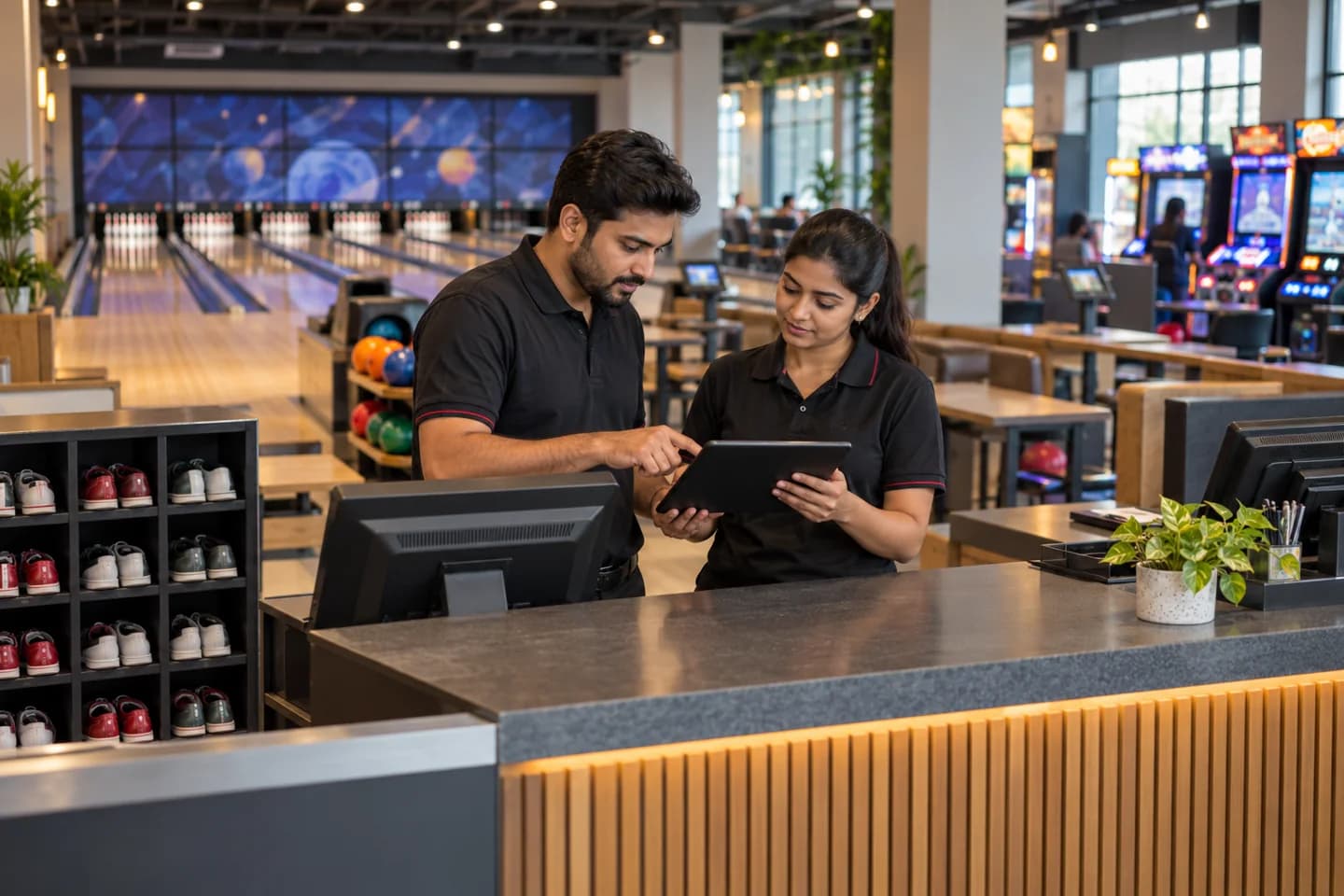
Bowling alleys and arcade floors run on one system shaped to the lane grid and cabinet list, whether the venue has a handful of lanes or forty. Every machine has a place. Desk attendants, technicians, the league secretary and the owner open the same customer and machine record, and one end-of-day sheet totals lanes, cards, parties, machines and prizes.
What goes wrong before the software.
How the work flows through it, step by step.
- 1
Booking
A group books a lane or a party room online, by phone or at the desk. The hour, group size and deposit are held against the lane calendar.
- 2
Arrival and shoes
The desk confirms the group and records the shoe sizes handed out. A lane opens. Players may take a wristband or a play card.
- 3
Play and arcade
Lane time runs against the booking. Cards are topped up and swiped on machines, and tickets earned are written back to the card.
- 4
Food and extras
Drinks, pizza and party food are added to the group’s bill from the lane desk or the kitchen screen. Split payments are allowed.
- 5
Redemption and return
Tickets are exchanged at the prize counter. Shoes are checked back in, and the lane is released for the next group.
- 6
Close of day
Takings by lane, machine, card top-up and food are totalled, and faults raised during the day pass to the morning technician.
What is inside.
Every module can be switched on, left out or changed to match how your team already works.
The business modules it is built from.
Each one is also available on its own, or inside a system built for you.
- Resource and Room Booking
Lanes and party rooms are held by the hour, with league blocks and maintenance closures shown so no group is seated on a lane that is taken.
- Online Booking Portal
Families pick a lane time or a party package on a public page and pay a deposit, and the booking appears on the lane grid.
- Point of Sale Billing
Staff raise one bill per lane group covering games, shoe pairs and kitchen items, then split the payment among players.
- Loyalty and Offers
Play cards hold bonus top-ups and visit rewards, and a returning family sees the credit earned at the desk.
- Estimate/Quotation Management
A party host or an office organiser receives a quote by lane hours, headcount and food, and later revisions are kept beside the first.
- Work Order Management
A jammed pinsetter or a dead card reader becomes a job with a machine number, a technician and the part replaced.
- Stock Tracking and Alerts
Plush toys, novelty prizes and ticket rolls are counted against the cabinet, and a low-stock alert reaches the buyer before the weekend.
- Attendance & Time Tracking
Lane attendants and kitchen staff clock in at the desk, and weekend hours roll up into the month’s pay sheet.
How we would put it in.
Setup, data migration, integrations and anything built on top.
Every part of the system, by area.
Take the modules you need. Each one works on its own or inside a larger system built for you.
- Applicant Tracking (5)
- CRM (8)
- Finance & Accounting (10)
- Helpdesk (4)
- Human Resources (13)
- Inventory Management (5)
- Project Management (7)
- Manufacturing (6)
- Procurement (4)
- Sales and Distribution (6)
- Field Service (5)
- Statutory and Compliance (4)
- Retail and POS (4)
- Bookings and Appointments (3)
- Subscriptions (2)
- Assets and Fleet (4)
- Platform (6)
- Analytics (2)
- Documents (1)
- All business solutions
One system, each person sees their part.
For the centre owner
Read takings by lane, machine and card top-up, party deposits outstanding and the machines that have faulted most.
At the lane desk
Seat walk-ins, hand out shoes and wristbands, top up cards. See which parties arrive in the next hour.
For the league secretary
Enter weekly scores and read handicaps and standings. Check which teams have paid lane fees for the night.
For arcade technicians
Receive fault jobs by machine number, record the part changed and mark the cabinet back in service.
For party hosts and kitchen staff
See the head count, food order and room time for each party, with last-minute additions shown against the deposit.
The numbers the owner asks for.
- Lane hours sold and left empty by evening
- Takings by machine and by card top-up
- Redemption tickets issued against prizes handed out
- Faults per cabinet and repeat repairs
- League standings and lane fees outstanding
- Party deposits held and balances due
- Shoe pairs out by size and prize stock to reorder
Who this is built for.
- Bowling alleys with eight to forty lanes
- Family entertainment centres with an arcade floor
- Centres that run weeknight leagues and tournaments
- Venues that host children’s birthday parties and staff outings
- Gaming lounges that sell play credit by card or wristband
- Operators running more than one centre
When it is not the right choice.
- A venue with a single pool table and no cards or leagues can keep a booking diary.
- A cinema, climbing gym or trampoline park has different assets and needs its own product.
Adapted to your business before it goes live.
You are not handed a login and left to it. The product is set up around your records, your people and the tools you already use.
Works alongside
- Card payment terminals
- Arcade card reader export
- Online booking page
- SMS and email
- WhatsApp or other messaging
- Accounting export
- Receipt and label printer
Questions owners ask before a demo.
Is this made for bowling, or for general venue booking?
Bowling and arcade centres. Lanes, shoe sizes, league handicaps, play cards and redemption tickets are built in. A venue that only rents rooms by the hour needs a lighter tool.
Can we hold lanes for a league and still sell the rest online?
Yes. League nights block their lanes on the calendar for the season. The online page offers only the lanes left over for each hour.
How are game card balances kept?
Every top-up, swipe and ticket award is written to the card record. A balance at the desk comes from that history. It is not a single counter on the reader.
Can the cabinets report their own credits and faults?
That depends on the machine and card system you own. We check what each cabinet can report during implementation. Anything it cannot is entered at the counter.
Can birthday party bills change after the deposit?
Yes. Extra guests, extended lane time and added food are put against the booking. The host sees the deposit, the additions and the balance on one bill.
How does the league secretary enter scores?
A single page lists the night’s teams and games. Scores typed there update handicaps and standings, and absent players are marked so a blind score is applied.
Can staff log a machine fault from the floor?
Yes. A phone or tablet opens the fault form and the machine number is picked. The job reaches the technician, and the repair history stays with that cabinet.
Can we move our current card balances and team lists?
Yes. Card balances, team rosters and the cabinet list come across from a spreadsheet or the previous arcade package. The desk checks a sample against live cards before opening day.
If we leave, who keeps the customer and league records?
Customer, booking, league and machine records belong to the centre. How they leave the system is set down with the owner when the proposal is agreed.
What does it cost for a centre with an arcade?
Lane count, tracked arcade machines and extra sites drive the proposal. Card readers, payment terminals, the online booking page and accounting export each add connection work, and so does moving card balances and team lists. A walk-through of your lane desk and prize counter precedes the written proposal, which prices every part so some can be dropped.
When can the lane desk go live?
Lane calendar, walk-in billing and game cards carry the daily load, so they would open the account. League nights and the prize counter follow, then party packages, fault logs and shoe hire. Staff rota can wait until last. Dates for each stage are set down in the proposal.
What should the centre have on hand at the start?
Have the lane layout and rate card, current game card balances, team and league lists, and the prize counter stock sheet ready. Add a party package sheet, a waiver form and a machine list with its fault history. The owner, lane desk lead, league secretary and arcade technician should be free to try screens as they appear. Card terminal and reader details are needed for connections.
Wondering what it would cost? Share your requirements and an engineer will come back with a scope.
Built for.
The trades this product is set up for. Pick yours to see how the work runs there.
Related products.
See Bowling and Gaming Centre Management Software set up around your records.
Tell us how you run things today. An engineer reads it and writes back with what fits as it is, what would need changing, and what we would start with.
What happens after you share your requirements
- A senior engineer reads your answers. Nobody phones first.
- Within one business day you get a written note: what we understood, what we would start with, and the questions we still have.
- If it fits, a proposal follows with the order of work, what we need from you and what you receive at each step.
- No call is booked and nothing is paid until you have read the note. Your details stay with us.
Start with your requirements
Seven short steps that tell us what you need. A senior engineer reads them before anyone gets in touch.
Share your requirements