Service reports and signatures for refrigeration engineers
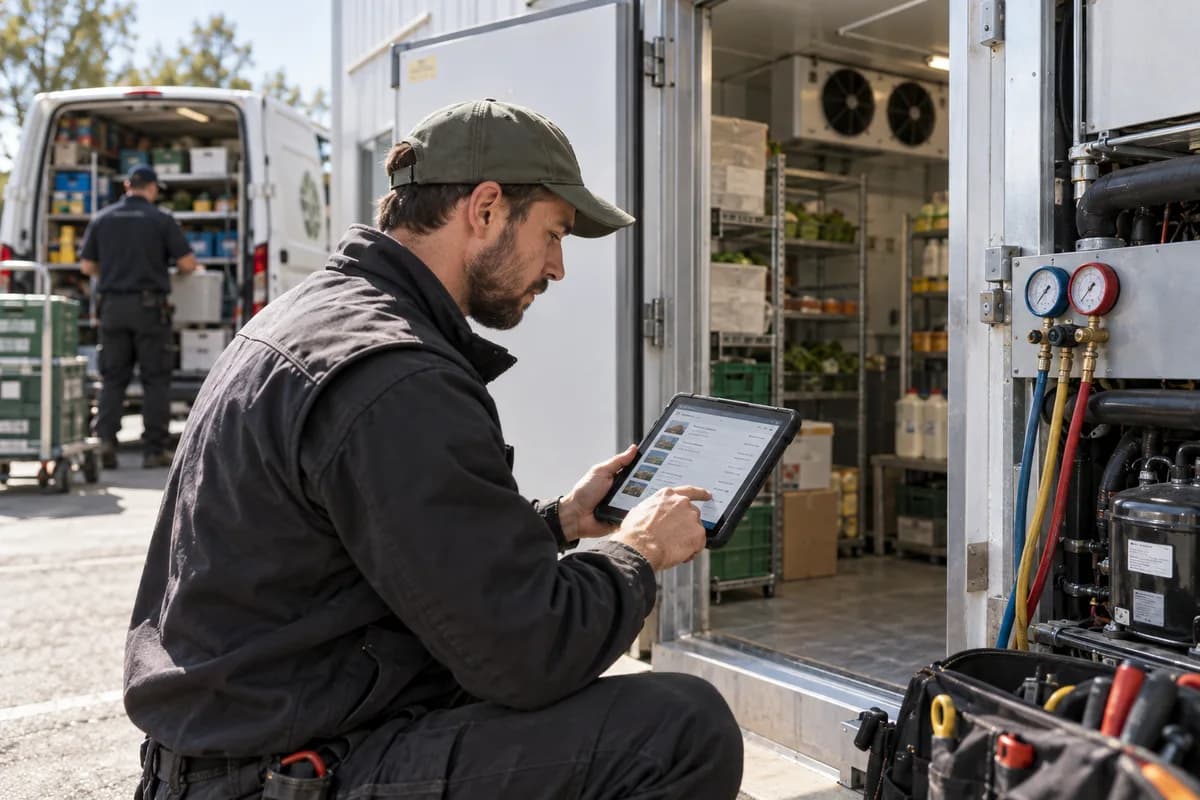
Service reports let an engineer record readings such as superheat and subcooling, the work done and the parts used, all on a phone at the site. The customer signs before the van leaves. A copy stays with the customer, and the office files the same report against the unit.
What a refrigeration service report records
A report is written at the unit, not afterwards in the van. It holds readings, findings, work and parts under one visit number, with the date. Each entry is short. Gloves are on and the cold room is not a desk.
Writing the report during a service visit
Each report is built as the visit proceeds. The moments below follow an engineer through a display case service at a shop, from the first reading to the signature at the till. Each step is done on the phone, not at a desk.
Who reads a service report afterwards
Four roles read the report once it is signed, and each is after something else. The engineer wrote it. The others read it for dispatch, for review and for billing.
Report rules to settle before engineers start
Reports only help if every engineer fills them in the same way. Four decisions belong to the service manager and a senior engineer. Agree them before phones are handed out.
Service reports connect visits, stock and bills
A report is the end of one job and the start of several others. It closes the call or the planned visit, it uses the parts, it records the gas and it feeds the invoice. Each line has a destination. Below are five places the lines go.
- Fault calls close once the signed report is in
- Planned visits turn checklist lines into report entries
- Van and store stock falls when parts are used
- Refrigerant log receives the gas entered on the visit
- Invoices bill work, parts and gas from the report
Where service reports and signatures stop
Reports record what the engineer entered. It does not interpret a reading or say that a unit is safe. A signature shows the customer saw the report, not that they accept any charge or liability. Signing rules sit with the owner and their adviser. Entries also need a signal, so a cellar may mean paper first.
Frequently asked questions
Which readings can an engineer record?
Readings such as superheat and subcooling, with pressures, are entered against the unit. The fields for each type of unit are set during implementation to match what your engineers check. More can be added when you ask.
Does the customer keep a copy of the report?
The customer keeps a copy, and the office files the same report against the unit. It lists readings, work done and parts used. The signed copy is the proof of the visit if a question comes later.
What if there is no signal in the cold store?
Entries need signal. Readings can be noted on paper and keyed in once back outside. It is saved against the same visit. Ask the customer to sign after it is keyed in, before leaving the site.
Can a report be corrected after signing?
That depends on the rule you set. A named person may amend a report, and the original stays visible beside the change. Where the change matters to the charge, the customer can be asked to sign again.
Does a report update the unit’s history?
Every signed report is filed against the unit, so the next engineer sees the readings, parts and faults from the last visit. The unit’s page shows the visit with its date. Nothing is retyped for the history.
How this feature fits the system.
Commercial Refrigeration Management Software: the parts that work with this feature, the trades that use it and the ways to put it in place.
Maintenance contracts and renewals
Each contract holds its covered units, visit count and renewal date, so a lapse is flagged before a cold room fails.
Asset AMC TrackingFault calls and dispatch
A breakdown becomes a numbered call with the unit, the symptom and stock at risk, and it stays open until the engineer closes it.
Ticket ManagementPlanned maintenance calendar
Planned visits from contracts are placed against engineers by day and area, with urgent faults able to displace a routine service.
Technician SchedulingTell us what you need.
Tell us what your team does today, where work gets stuck and what you want to change.
What happens after you share your requirements
- We review your brief and the systems you already use.
- We clarify the workflow, missing information and the work to consider first.
- The proposed scope sets out the deliverables, responsibilities and dependencies.
- Review the scope and commercial terms before deciding whether to proceed.
Start with your requirements
Describe your current process, the people involved and the change you need. Start with the details you know; we can clarify the rest together.
Share your requirements