Repair stages and bays for industrial workshops
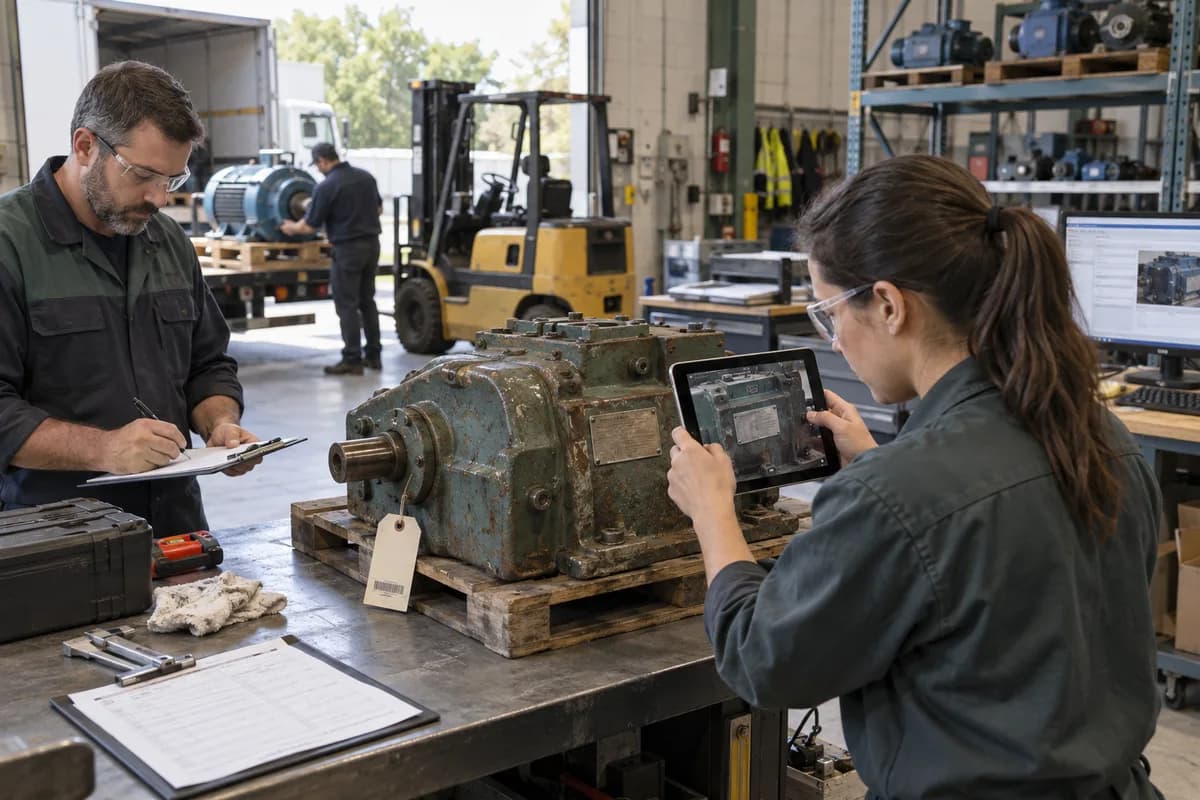
Repair stages and bays show where every motor, pump or gearbox stands on the shop floor. A job moves through strip, repair, machining, assembly and test under the names your workshop uses. The board names the bay and the technician holding each one, so the front desk can answer a customer without walking out to look.
What the stage board keeps for each job
A stage board answers the oldest question in a workshop, which is where a unit is now. Each job carries a few fields that change as the work moves, and each change is dated. Four of them matter on a busy floor.
Following jobs through the bays each day
Workshop work is handed from bench to bench. Without a board, a handover is a shout across the floor. Four moments show how technicians, the front desk and the owner use the stage record, from the first start to the last move.
What each person sees on the board
Everyone works from the same board. Each wants something else. The technician wants the next job, the desk wants a status and the owner wants the age of every unit.
Decisions to settle before the board goes live
A board is only as honest as the habits behind it. Agree four rules with the supervisor and the senior technicians before the first job moves. Keep them short. Pin them up by the bays.
How stages link to the work around them
No hand-off is by word of mouth. Approvals open the job to the bays, stores supply what each stage consumes, technicians record their hours against it and the test bench closes it. Each hands over through the stage record.
- Opens a job once the quotation is approved
- Shows stores which jobs are about to need parts
- Gives technician time its stage and its bay
- Marks a unit as out when sent for outside work
- Passes the finished unit to test records and dispatch
Where the stage board stops
This feature shows where a job is and who holds it. It does not plan the day, balance the load between benches or tell a technician how to repair the unit. Priorities between customers, and which bay takes extra hands, are the owner’s call. A workshop with one technician and a handful of jobs can track stages on a whiteboard. That is enough there.
Frequently asked questions
Can we name the stages the way our floor does?
If your floor says rewind where another shop says repair, the board says rewind. Names and order are agreed during implementation. Later changes are made on request, and jobs already open keep their history and their dates.
Can the front desk see where a gearbox is?
The job shows its stage, bay and technician. A clerk reads it out on the phone. That ends the habit of someone walking to the bay to look, while the plant’s maintenance planner waits on the line.
What happens if a unit fails its test?
That depends on a rule agreed during set-up. Some workshops send the job back to assembly, others to repair. The move is recorded with its date like any other, so the history shows the loop.
How do we see which jobs have waited too long?
The report of items in the workshop by stage and age lists each job with the days spent in its stage. Old jobs stand out. Each one is checked with the bay and the note beside it.
Can one job sit in two bays at once?
A job sits in one bay. If a rotor goes for balancing while the housing waits, the workshop decides during set-up whether to split the job. One record for both is the other option, and the board follows whichever is chosen.
How this feature fits the system.
Industrial Repair Management Software: the parts that work with this feature, the trades that use it and the ways to put it in place.
Teardown reports
Each unit has a job card where the inspector records measured wear, parts to replace and the likely cause of failure.
Job CardsQuotations and approvals
A quotation is priced from the teardown lines using your labour, machining and part rates, with every revision kept and the approval noted.
Quote & Proposal ManagementRepair stages and bays
A repair moves through strip, repair, machining, assembly and test, and the board shows which bay and technician hold it now.
Work Order ManagementTell us what you need.
Tell us what your team does today, where work gets stuck and what you want to change.
What happens after you share your requirements
- We review your brief and the systems you already use.
- We clarify the workflow, missing information and the work to consider first.
- The proposed scope sets out the deliverables, responsibilities and dependencies.
- Review the scope and commercial terms before deciding whether to proceed.
Start with your requirements
Describe your current process, the people involved and the change you need. Start with the details you know; we can clarify the rest together.
Share your requirements