Accession register for museum collections
The accession register gives every object in the museum one record. Registrars enter the accession number, the source, a description, dimensions, images, rights notes and the deed of gift or purchase. Curators, loans staff and the shop read the same record, so nobody works from a private copy.
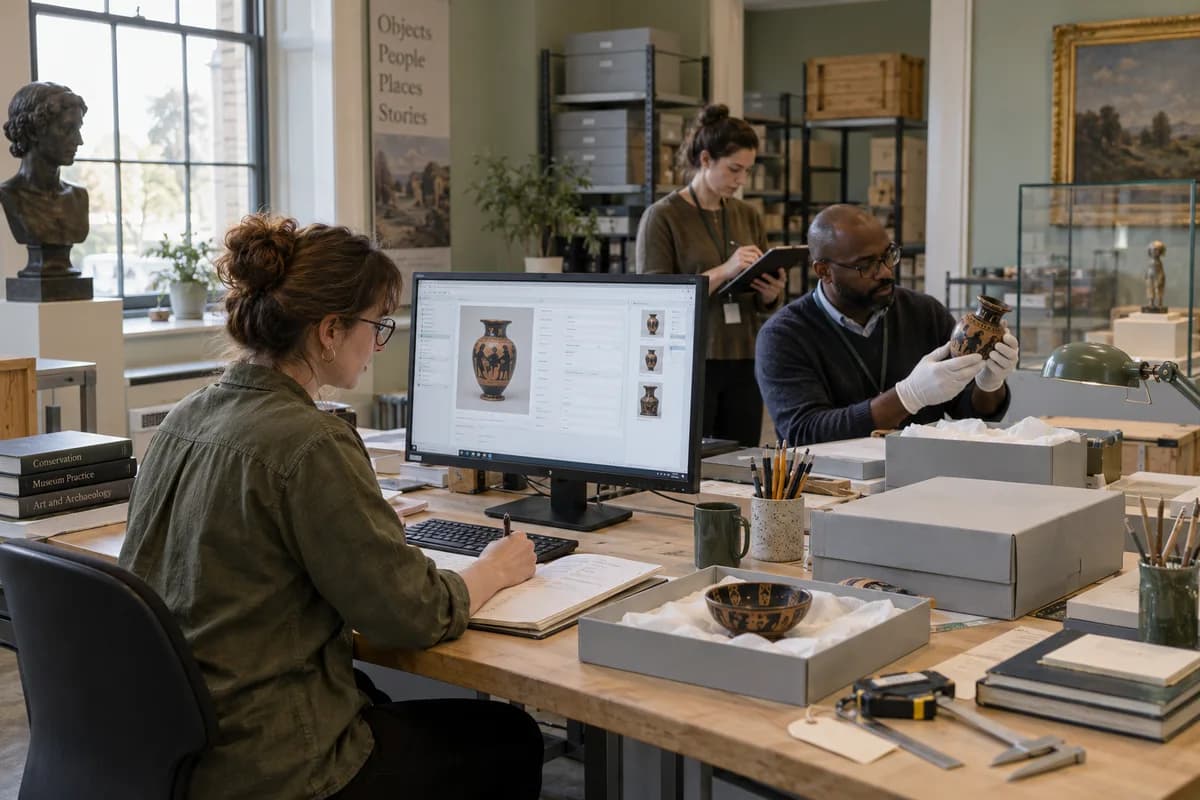
What the accession register records for each object
Each object enters the museum through a gift or a purchase, and the register keeps the evidence beside the description. The record is built field by field. Your registrar agrees the field list and the numbering scheme before the first object is entered.
A registrar’s day with the accession register
Accessioning is rarely a single sitting. A box arrives, a donor calls back, a photographer finishes a set. The register lets each step be saved as it happens, so the record grows with the object rather than waiting for a quiet afternoon.
What each museum role sees on the register
More people read the register than write to it. Each role opens the same object record and looks for a different part of it. The fields are laid out for quick reading, not for one person’s habits. Reading comes first.
Decisions to settle before the register opens
Four choices shape the register for years, so they are made at the start with your registrar and agreed with GullySystem staff. Changing a numbering scheme after hundreds of records exist is slow work. Early decisions avoid it.
How the register feeds the rest of the museum
The accession record is the anchor for every other collection task. Each feature takes object details from it and writes back to it. A number typed once appears wherever the object is moved, lent, checked or shown, and no second list is kept. One number serves everyone.
- Locations and movements log each move against the accession number
- Loans in and out attach agreements to the object record
- Condition reports and photographs are stored on the same record
- Exhibition planning draws object details when assigning cases and labels
- Reports list objects by location, status and last check
Where the accession register stops
The register records what the museum owns and on what paper. It does not decide whether a gift should be accepted, and it gives no legal opinion on title or copyright. Those calls stay with the registrar, the trustees and the museum’s adviser. That is by design. A one-room display with a few dozen items can keep a ledger instead.
Frequently asked questions
Can we keep our existing accession numbering scheme?
Yes, you can. The numbering and field list follow the way your registrar documents the collection. The scheme is agreed before the first record is imported, so old and new numbers sit in one pattern from the start.
Where does the deed of gift go?
The deed is attached to the object record it covers, whether as a scan or a photograph of the paper. A later question about ownership is answered by opening the record. No folder search is needed.
Can the public see the whole register?
No, only chosen fields are public. The museum selects which fields and images appear on the public collection page, field by field. Restricted entries stay hidden, and donor details can be left out of what visitors read.
How are objects with several parts recorded?
The person holding the register decides how parts are numbered when the scheme is agreed. A set can carry one number with part suffixes, or each part can be its own record. Follow whichever your museum already uses.
What happens to records we have not finished?
An unfinished record can be saved with the fields known so far. Registrars can then list records that lack a source, an image or a rights note, and see how far each one has come. Finish them later.
How this feature fits the system.
Museum Management Software: the parts that work with this feature, the trades that use it and the ways to put it in place.
Locations and movements
Each object and storage location carries a printed code, so a scan at the shelf or case records the move and the person.
Barcodes and LabelsLoans in and out
Loan agreements are held with lender or borrower, insured value, display conditions and return date, and a reminder goes to the registrar before expiry.
Contract ManagementCondition reports and conservation
Condition checks fall due by object type, and the registrar sees the overdue ones listed by collection area and store.
Service RemindersTell us what you need.
Tell us what your team does today, where work gets stuck and what you want to change.
What happens after you share your requirements
- We review your brief and the systems you already use.
- We clarify the workflow, missing information and the work to consider first.
- The proposed scope sets out the deliverables, responsibilities and dependencies.
- Review the scope and commercial terms before deciding whether to proceed.
Start with your requirements
Describe your current process, the people involved and the change you need. Start with the details you know; we can clarify the rest together.
Share your requirements