Software Solutions for Outdoor Heater Sellers
Outdoor heaters run on gas or electricity and are sold with serial numbers, warranties and installation. Sellers online need fuel and output data, serial records, installation booking and a clear warranty and safety trail, in a trade that is busiest in a few cold weeks.
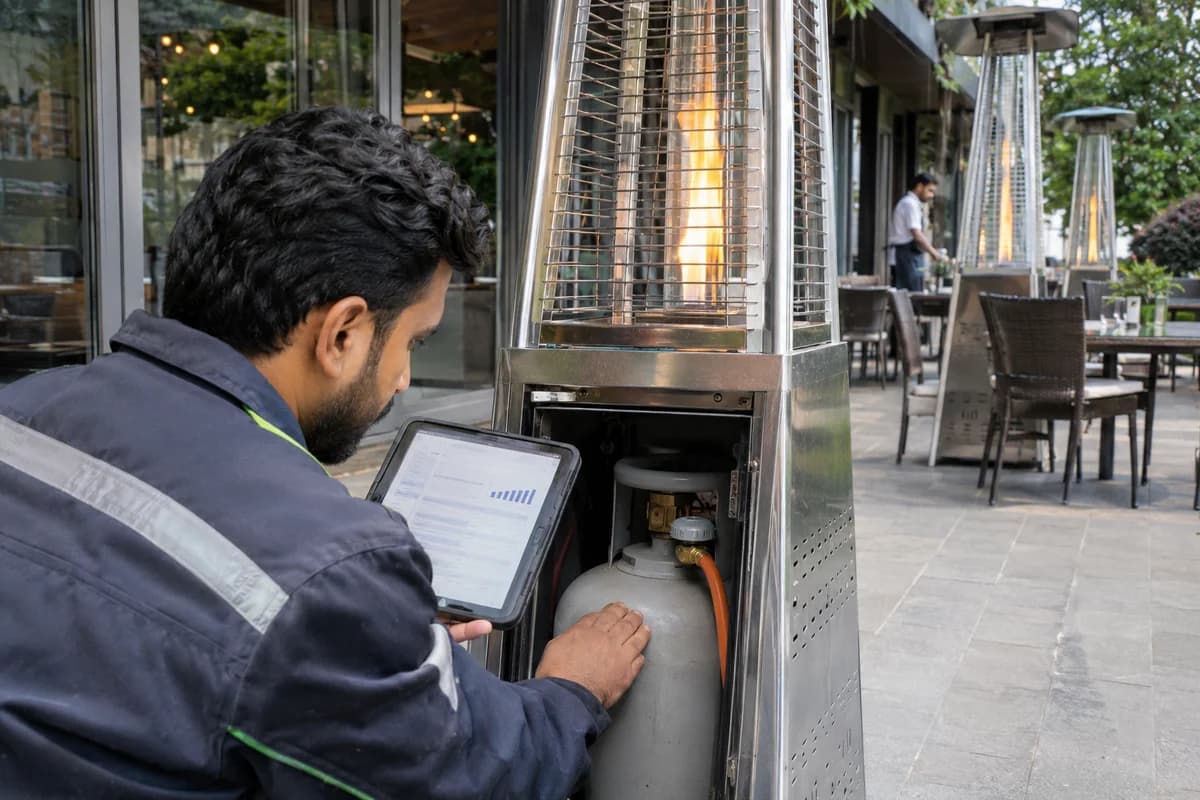
Sell patio heaters with their serial numbers, fuel and installation on record.
A patio heater is a serialised appliance that burns fuel or draws power in a public space. The seller must know which unit went where, and who fitted it.
Demand also arrives in a short season, so planning stock is as important as the storefront.
Appliance dealers with an online range
A dealer sells heaters beside other appliances and installs them for customers.
Hospitality suppliers
A supplier sells heaters in numbers to cafés and restaurants, with delivery and installation.
Outdoor living brands
A brand sells heaters through its store and dealers and handles warranty for each unit.
The workflow for outdoor heating.
- 1
Choosing type, fuel and output
The buyer selects gas, electric or infrared, the area to be heated and the power source. The listing shows suitable models.
- 2
Recording the unit
Each unit’s serial goes on file at dispatch, tied to the buyer, the invoice and the warranty start date.
- 3
Booking installation
Where the seller offers installation by a qualified person, a visit is booked. Otherwise the buyer is told what to arrange.
- 4
Delivery and safety information
The manual and safety notes travel with the heater, and receipt is recorded.
- 5
Service and warranty claims
A fault starts from the serial, and the claim follows the maker’s process. A repair or replacement is recorded.
The challenges, and what they cost.
What is specific to this trade.
These are requirements we would confirm in discovery. They describe what the solution may need to handle. They are not features that already exist.
- Fuel type, output and power requirement held as fields
- A serial number recorded for every unit at dispatch
- An installation step that states plainly who performs it
- Manuals and safety information that travel with the product, and seasonal stock planning against previous demand
What we would build for outdoor heating.
Chosen from the commerce capabilities this business needs, not a list of everything.
Who works in the system, and what each can do.
What it would connect to.
An integration is confirmed only after its API, access and scope are checked. A connection that updates on a schedule is described as scheduled, not real-time.
- Serial-number stock and warranty records held in the appliance retail product
- A freight carrier for large cartons
- Card and UPI payment, plus invoicing for hospitality buyers
How the work runs, and what we need from you.
What you provide
- Your heater range with fuel, output and serials
- How installation and service are provided today
- Last season’s sales by week
Trace one unit
We follow one heater from stock to customer to service call, since every other step relies on that trace.
Set the installation message
The wording on who installs is agreed before the checkout is built.
What you receive.
- Serial and warranty register
- Installation booking flow
- Seasonal stock planning view
How progress is judged.
Measures are agreed against your own baseline. We do not promise a result in advance.
- Heaters with a serial recorded at dispatch
- Installation visits completed after delivery
Selling at home and abroad.
Gas fittings, electrical supply and approvals for heaters differ by country. Sellers confirm what may be sold, shipped and installed in each market with an adviser and a carrier before listing.
The wider requirements for patio & outdoor living are on the Patio & Outdoor Living page.
Related subcategories.
Outdoor Heater E-commerce & Serial Tracking Software
Existing product, extended
Serial-number stock, warranty dates and service jobs already exist in a GullySystem appliance retail product. The online store, the fuel and output data and the installation booking sit on top of it.
Read about the softwareExisting GullySystem products that apply
Related services
Selling in a shop as well?
Test the order that does not follow the usual path.
Bring an awkward order or catalogue example to discovery and agree who handles the exception.
Seasonal stock planning
Which location and stock state support the delivery promise?
Use “Seasonal stock planning” to follow an item moved between two locations. Distinguish stock on hand, stock already committed and stock still travelling before presenting an available quantity to a buyer.
Background reading: Shopify: inventory and locations
Serial and warranty register
What proves that a planned task was actually completed?
Select an overdue entry in “Serial and warranty register”. Ask which work record closes it and what remains visible when the visit is postponed or only part of the job is done.
Background reading: ERPNext: maintenance plans
Questions about outdoor heating e-commerce.
Does the site certify installers or approve installations?
No. It books a visit with an installer you name and records that it took place. Qualification and approval are outside the software.
Can it tell a buyer which heater suits a space?
It shows the coverage and output you record. It does not survey the space or give advice on safe placement.
Does it handle the maker’s warranty claim?
Not on its own. It keeps the serial, invoice and dates the maker needs, and the claim follows the maker’s process.
Talk through your commerce requirement.
Share what you sell, where orders arrive and how you manage stock and fulfilment today.
- Your products and sales channels
- Your order and stock workflow
- The connections you need
Start with your requirements
Describe your current process, the people involved and the change you need. Start with the details you know; we can clarify the rest together.
Share your requirements