One record from uploaded model file to finished, inspected and dispatched part.
Model files, revisions, quotes, build plates, printer queues, material spools, post-processing and dispatch are all held against the part being made. A part carries its file revision, its price basis, the lot it was printed from and its inspection result. Operators see their own printers and finishing steps on a tablet at the bench.
- Printer hourly rates, filament and resin list and finishing steps entered as your quotes use them
- Customers, orders in progress and file references brought over
- GullySystem staff adjust rates and finishing routes whenever you ask
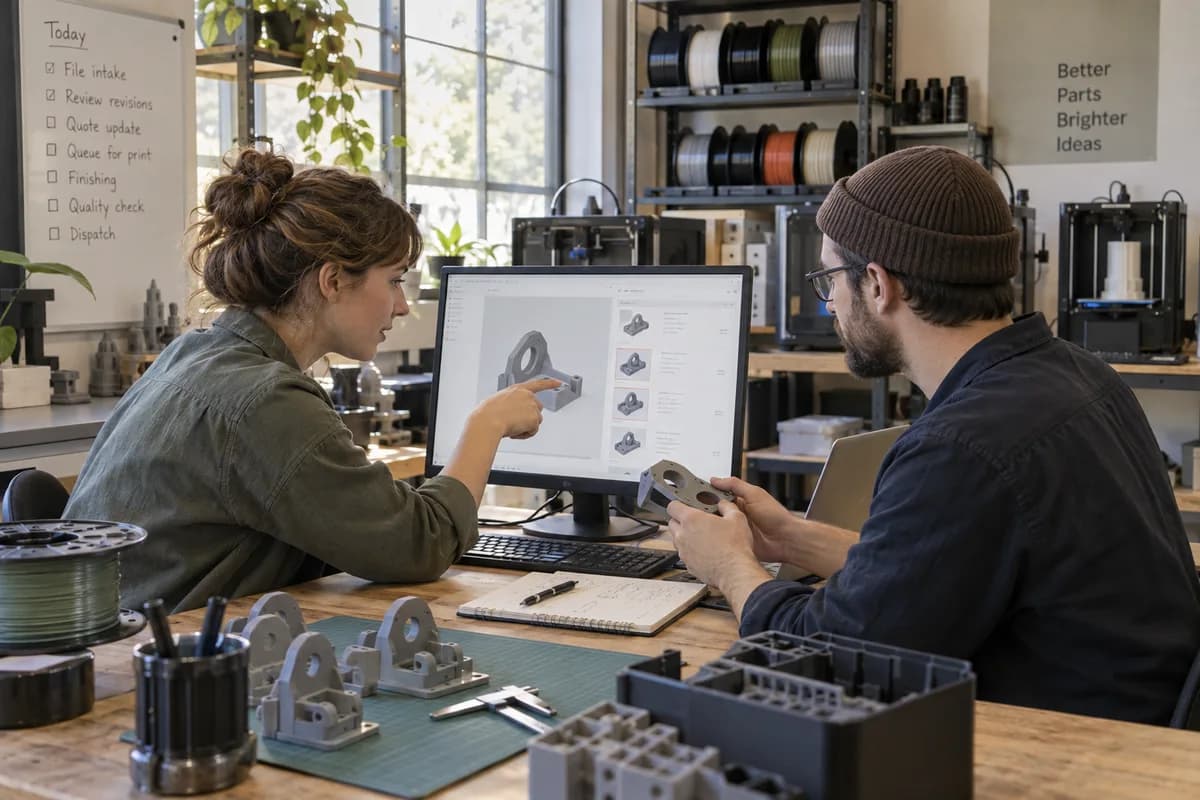
Service bureaus and in-house print farms use this software to price uploads, plan build plates, track material lots and record finishing and inspection. Each part holds its file revision, print hours, material grams, failed attempts and measured dimensions. Operators see their own printers on a tablet. Maintenance dates follow each machine.
What goes wrong before the software.
How the work flows through it, step by step.
- 1
File intake
A customer uploads a model or emails it. The file is stored with its revision, units, requested material and finish, and linked to the customer.
- 2
Quote
The estimator enters print hours and grams from the slicer. Support, finishing and set-up are added, and the quote is tied to that revision.
- 3
Build planning
Approved parts are placed on build plates and queued to a printer that suits the process and the build volume.
- 4
Printing
The operator loads a spool or resin lot. The build starts and its end is recorded. A failed build is logged with cause and wasted grams.
- 5
Post-processing and inspection
Parts follow their route through support removal and finishing. Quality staff measure critical dimensions. Pass or rework is recorded.
- 6
Dispatch and invoice
Parts are boxed and checked against the order, the invoice comes straight from the quote the customer approved, and the portal shows where the job stands.
What is inside.
Every module can be switched on, left out or changed to match how your team already works.
The business modules it is built from.
Each one is also available on its own, or inside a system built for you.
- Quote & Proposal Management
Quotes are priced from print hours, grams and support volume at your own rates, and every revision stays tied to the model it was built on.
- Client Portal
Customers upload model files, check the quote against the revision they sent and approve it without an email thread.
- Production Planning
Approved parts are nested onto plates and queued to printers by process and build volume, so each machine’s booked hours are visible.
- Batch and Serial Tracking
Each spool, resin bottle and powder lot is received with a number and weight, then recorded against every part printed from it.
- Work Order Management
A route of support removal, sanding and coating is attached to each part, and operators confirm every step as the work is finished.
- Quality Control
Measured dimensions are recorded against the drawing, and a failed build is logged with its cause and the grams lost.
- Asset AMC Tracking
Each printer keeps print hours, nozzle and vat changes and service dates, with reminders raised before a worn part causes failed builds.
- Invoice Management
Tax invoices are raised from approved quotes in the customer’s currency, with the shipment reference and payments recorded alongside.
How we would put it in.
Setup, data migration, integrations and anything built on top.
One system, each person sees their part.
For owners
See machine hours booked, quotes awaiting approval, material consumed against billed, failed build cost and unpaid invoices.
For estimators
Receive files, enter print hours and grams, build quotes from the rate list and follow each one to approval.
For production leads
Place parts on build plates, queue them to printers and watch which machine is free next.
For printer operators
See the plates assigned to their machines, load the right lot, start builds and log failures from a tablet.
For quality and finishing staff
Work the finishing route for each part, record measured dimensions and mark pass or rework.
The numbers the owner asks for.
- Machine hours booked against available hours by printer
- Quotes sent, approved and lapsed by revision
- Material grams drawn against grams billed, by material
- Failed builds by cause, printer and material
- Parts inspected, passed and sent for rework
- Printers due for nozzle, vat or calibration service
- Unpaid invoices by customer
Who this is built for.
- Service bureaus that print customer parts on FDM, resin or powder machines
- Companies running a print farm for prototypes and short production runs
- Metal additive shops that quote by build volume and post-machining
- Product design firms with their own printers who bill parts to clients
- Engineering and dental labs that print parts for others as a side service
When it is not the right choice.
- A hobbyist printing a few parts a month needs only a slicer and a notebook.
- A company whose work is injection moulding or CNC machining will find Manufacturing Production Management Software closer.
Adapted to your business before it goes live.
You are not handed a login and left to it. The product is set up around your records, your people and the tools you already use.
Works alongside
- SMS
- WhatsApp and other messaging
- Slicer export files
- Courier tracking
- Payment gateway
- Accounting export
Questions owners ask before a demo.
Can it work with several printer types at once?
Yes. FDM, resin and powder machines are each listed with their own build volume, rate and maintenance schedule. A plate is queued to a machine that suits the process.
Does a quote stay tied to a model revision?
Yes. Each quote names the revision it was priced on. If the customer uploads a newer file, the system flags that the price needs review before a build is queued.
How is material consumption tracked?
Spools, resin bottles and powder lots are received by weight. Operators record grams drawn per build, and the remaining weight is shown before the next plate starts.
Can we record failed prints and their cost?
Yes. A failed build is logged with its cause, hours run and grams wasted. The reprint is linked to the original job, so the loss is visible.
Do customers get a login?
Yes, if you want one. A customer uploads files, approves quotes and sees order status and invoices. What each customer may see is decided with you.
Does it read geometry from a model file?
No. It stores the file and the figures you enter or import from your slicer. Automatic volume analysis would be a separate piece of custom work.
Can printer maintenance be scheduled?
Yes. Each machine keeps its print hours and service history. Reminders appear for nozzle changes, vat swaps, calibration and laser checks as their intervals come due.
Can we reprint a part from an earlier order?
Yes. A parts catalogue holds the file, material and settings of earlier jobs. A reorder starts from the last accepted build and its price.
How much does it cost?
The cost is sent as a written quote after a short call and a demo. The call covers your printers, order volume and whether customers need a portal login. No figure is published here.
Can the data be exported later?
Yes. Orders, quotes, lot records and inspection readings are exportable in common file formats. The file format you want is named in the quote.
Wondering what it would cost? Share your requirements and an engineer will come back with a scope.
Businesses that use this.
See 3D Printing Bureau Management Software with your own data.
Tell us how you run things today. We’ll show you the parts that matter to you and say plainly what would need changing.
- No obligation
- A reply within one business day
- Your details stay private
Start with your requirements
Seven short steps that tell us what you need. An engineer reads them before getting in touch.
Share your requirements