Availability calendar for an equipment hire yard
Availability calendar shows, for any dates, which machines in a hire yard are free, reserved, on hire or on the workshop ramp. Counter staff move a booking without losing its record and see a clash before a second hirer is promised the same scissor lift. Yard, workshop and owner read one picture.
What the calendar shows for each machine
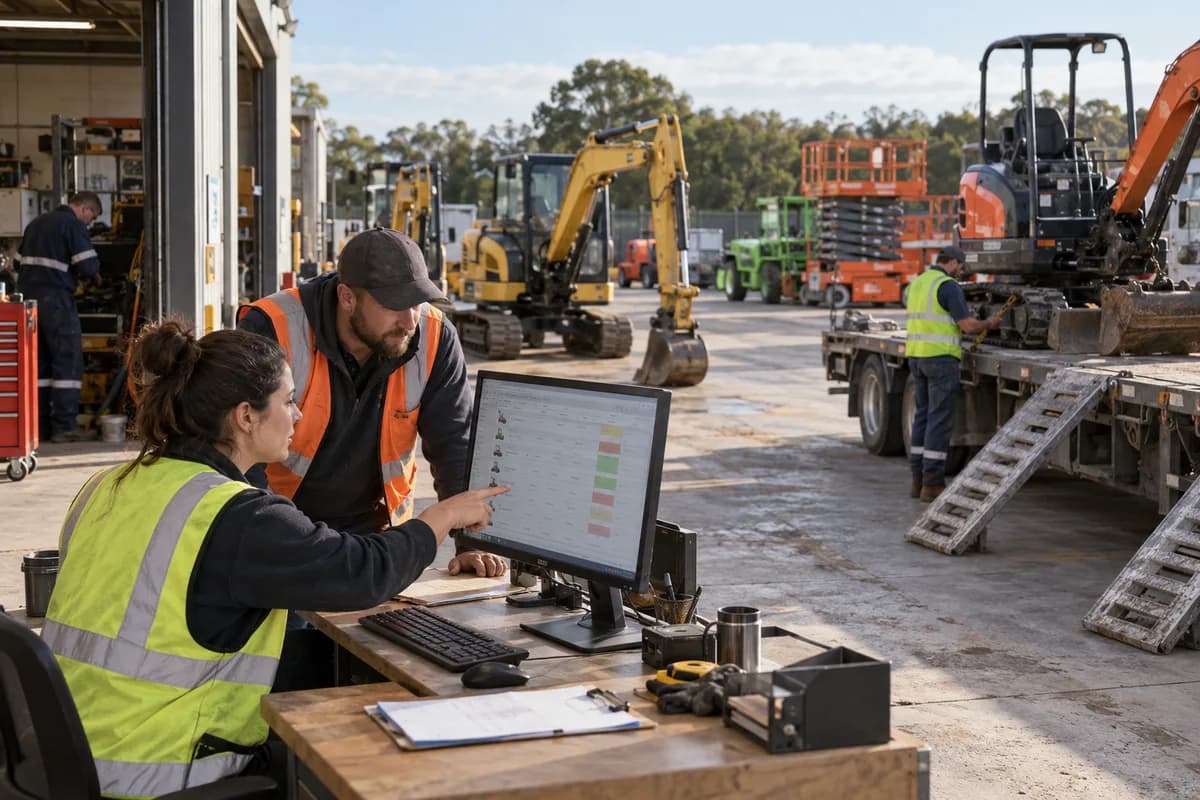
The calendar sets machines against dates. Every cell says one of four things about a unit on a given day. Behind each cell sits the booking or job that explains it, so a question about a machine can be answered on the spot.
Using the calendar through a yard day
Hire counters run on questions that start with a date. Can a boom lift be on site by Thursday? Is the mini digger back from the north site? It answers before the phone call ends. These are the moments where it does so.
Who reads the calendar and what they see
Everyone in the yard looks at the same grid, but each person reads a different part of it. The counter looks forward, the yard looks at today, and the workshop looks at the ramp. Owners look back.
Decisions about the calendar before set-up
Booking rules differ from yard to yard. Whatever is agreed is what the grid follows, so agree it first. A short meeting with the counter, the yard manager and the workshop lead covers these four points.
How the calendar ties into the rest of hire
This feature reads from some parts of the product and writes to others. It takes status from the register and dates from enquiries and quotations. It gives dates back to contracts and delivery runs. Nothing is typed twice between them. This is one shared picture of the whole fleet.
- Equipment register supplies class, status and location for each unit
- Enquiries and quotations name the dates that need checking
- Rental contracts turn a reserved block into a hire
- Delivery and collection plan runs from the same dates
- Workshop jobs hold a unit on the ramp until ready
Where the availability calendar stops
What is booked and what is free is all it shows. It does not forecast demand. It does not decide which hirer gets a scarce machine, and that choice stays with the owner and the counter. It cannot know about a breakdown until someone records it. A yard with one machine and a handful of hires a year can manage with a wall diary and a signed form.
Frequently asked questions
Can two hirers be promised the same machine?
The clash is shown before a second booking is saved. Staff see the first hirer’s dates and can offer another unit of the class instead. A paper diary cannot make that check. Paper warns no one in time.
What happens to the old dates when a booking moves?
The booking keeps its record. New dates replace the old ones on the grid, and the old dates stay in the history of the contract. A later dispute about what was agreed can be settled from that page.
Does a machine in the workshop show as free?
No. A returned machine stays on the ramp until the workshop marks it ready. Only then does it join the available list. A hirer is not promised a unit with its filters still to change.
Can the counter look at a whole class at once?
Yes. Pick the class and the dates, and each unit in it appears with its state. Staff can then choose between a free unit nearby and one held at another yard. A whole class is one search.
How is an overdue return shown?
A contract past its return date appears in the list of contracts due back and overdue returns. The yard manager sees how long it has run on and rings the site. Extra days can then be billed. Late days are not forgotten.
How this feature fits the system.
Equipment Rental Management Software: the parts that work with this feature, the trades that use it and the ways to put it in place.
Enquiries and customers
Every enquiry is logged with its source, dates and site, so a request for a machine is followed up from the counter and not lost.
Lead ManagementEquipment register
Each excavator, lift or generator is held with its serial number, attachments, location and purchase details, and its hire history grows on the same record.
Fixed Asset RegisterQuotations and rate cards
A quotation is priced from the rate card for the machine class and hire basis, with operator and transport lines added and every revision kept.
Quote & Proposal ManagementTell us what you need.
Tell us what your team does today, where work gets stuck and what you want to change.
What happens after you share your requirements
- We review your brief and the systems you already use.
- We clarify the workflow, missing information and the work to consider first.
- The proposed scope sets out the deliverables, responsibilities and dependencies.
- Review the scope and commercial terms before deciding whether to proceed.
Start with your requirements
Describe your current process, the people involved and the change you need. Start with the details you know; we can clarify the rest together.
Share your requirements