Food and retail · Sweet Shop Management SoftwareCounter weighing, festival orders, gift boxes and kitchen plans in one place for sweet and confectionery shops.
Bill sweets by weight or piece, take festival and wedding orders with an advance, assemble gift boxes, plan the day’s cooking and watch the shelf life of every tray. Milk, sugar, ghee and dry fruit are bought against that plan. Branches draw from a central kitchen and report back, so the owner sees one picture of stock, sales and waste.
- Sweets, rates per kilo, recipes and gift box lists keyed the way your counter sells them
- Open festival orders, advances and regular customers brought over from your notebooks
- Rate, box and branch changes made by GullySystem staff when you ask
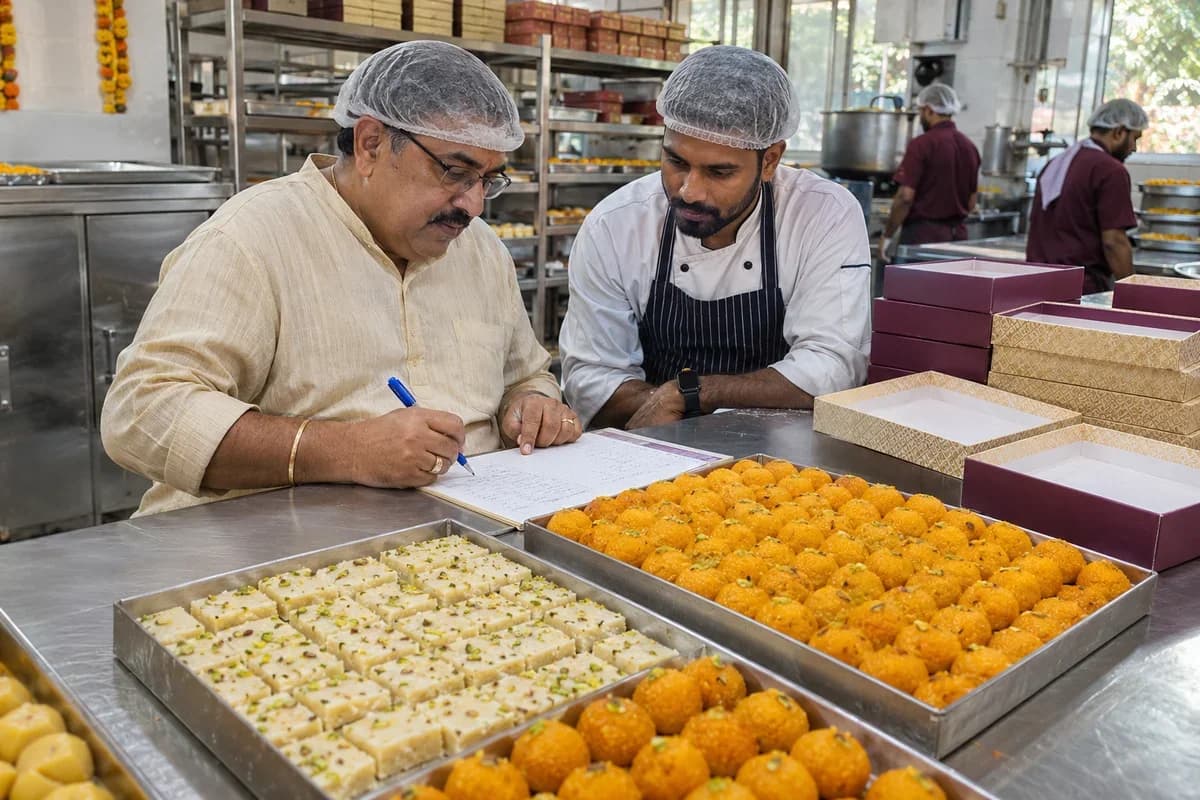
Sweet Shop Management Software from GullySystem serves shops that cook fresh sweets and sell them by weight, by piece and in boxes. Each item keeps its recipe, rate and shelf life. Orders keep their date and advance. The counter, the kitchen and the stores all read the same records, so a festival rush is planned instead of survived.
What goes wrong before the software.
How the work flows through it, step by step.
- 1
Plan the day
The manager opens the plan. It shows yesterday’s sales, orders due today and tomorrow, and the festival calendar. The head cook confirms how many trays of each sweet to make.
- 2
Issue raw materials
Milk, sugar, ghee and nuts are drawn from the store against each batch. The recipe sets the quantity, and any extra draw is noted with a reason.
- 3
Cook and date
Each batch is weighed out, given a made-on date and a shelf life, and moved to the case or the cold room. The cook records the actual yield.
- 4
Sell and take orders
The counter weighs and bills sweets, packs gift boxes and writes new bulk orders with an advance. Stock reduces on every sale.
- 5
Dispatch to branches
Trays are counted out to each outlet on the day’s list. The branch confirms what arrived before it starts selling.
- 6
Close the day
Unsold and expired trays are counted and logged. Cash is matched to the bills, and the owner reads sales, waste and orders for the next day.
What is inside.
Every module can be switched on, left out or changed to match how your team already works.
The business modules it is built from.
Each one is also available on its own, or inside a system built for you.
- Point of Sale Billing
Weight, rate, packing and tax meet on one bill, printed at the counter in a festival queue.
- Order Management
Bulk orders keep their date, advance and balance, and the kitchen sees what is due each day.
- Production Planning
Trays to cook are set from sales history, the order book and festival dates.
- Batch and Serial Tracking
Each batch carries its made-on date, so the oldest tray is sold first and discards are logged.
- Purchase Order Management
Orders for milk, sugar, ghee and nuts are raised from the plan, with rates compared to the last purchase.
- Multi-Outlet Stock
Trays leave the central kitchen for each counter, and every branch shows what it holds and what it sold.
How we would put it in.
Setup, data migration, integrations and anything built on top.
Explore moreBrowse business and AI solutions
Looking for another part of your workflow? Browse the modules by business function.
- Applicant Tracking (5)
- CRM (8)
- Finance & Accounting (10)
- Helpdesk (4)
- Human Resources (13)
- Inventory Management (5)
- Project Management (7)
- Manufacturing (6)
- Procurement (4)
- Sales and Distribution (6)
- Field Service (5)
- Statutory and Compliance (4)
- Retail and POS (4)
- Bookings and Appointments (3)
- Subscriptions (2)
- Assets and Fleet (4)
- Platform (6)
- Analytics (2)
- Documents (1)
- All business solutions
One system, each person sees their part.
For owners and shop managers
See sales by sweet and branch, orders still to cook, waste by item and the cost of the main raw materials.
For the counter and billing staff
Weigh, bill and pack quickly, find a gift box, check what is fresh and take a new order with its advance.
For the head cook and kitchen
Open the day’s plan, see which batches to cook first, draw raw material and record what came out of the pan.
For store and buying staff
Watch stock of milk, sugar, ghee and nuts, raise orders before a festival, and check supplier bills against what was received.
For branch managers
Request trays, confirm each delivery, count what is left at close and see the branch’s own sales and waste.
The numbers the owner asks for.
- Sales by sweet, by counter and by branch
- Festival and wedding orders due by date, with advances and balances
- Trays to cook against orders and expected demand
- Batches near or past their shelf life, and wastage by item
- Raw material stock, usage against recipe and purchase rates
- Stock sent to each branch against stock sold and returned
- Gift box sales and the pieces drawn for them
Who this is built for.
- Sweet shops that cook in their own kitchen and sell across a counter
- Mithai makers that take bulk orders for weddings, festivals and offices
- Confectioners and chocolate shops that sell boxes and gift hampers
- Shops with several outlets supplied from one central kitchen
- Family businesses moving from billing books and notebooks to one system
- Dry fruit and sweet counters that mix packed and loose items
When it is not the right choice.
- The bakery product suits a shop whose main line is bread, cakes and pastries baked to a daily plan.
- A factory that packs sweets in sealed packs for wholesale and distributors needs the manufacturer product, with batch lots and dispatch.
Adapted to your business before it goes live.
You are not handed a login and left to it. The product is set up around your records, your people and the tools you already use.
Works alongside
- Digital weighing scale
- Thermal bill and label printer
- SMS
- Payment links and gateways
- Accounting export
Checks to bring to your product demo.
Review these scenarios against the product configuration and record anything that still needs to be agreed.
Raw material stock and purchases
Does receiving less than ordered leave the correct quantity open?
Bring a short delivery to the “Raw material stock and purchases” walkthrough. Separate what arrived, what was accepted and what remains due before checking the supplier’s bill.
Background reading: ERPNext: purchase receipts
Sweet items, recipes and rates
What changes when a component or quantity is substituted?
Take one entry from “Sweet items, recipes and rates” and change an input in a test copy. Review the resulting material requirement and cost with the person who approves production.
Background reading: ERPNext: bills of materials
Questions owners ask before a demo.
Can it bill sweets sold by weight?
Yes. The weight comes from a digital scale or is typed in. The rate per kilo applies, packing is added, and the bill prints on one slip with mixed items.
How are festival advance orders handled?
Each order holds the date, items, quantity, advance and balance. A calendar shows the load per day, and the kitchen sees the total of every sweet due before it starts cooking.
Does it handle gift boxes made of mixed pieces?
Yes. A box is defined as a list of pieces with one price. Packing it draws those pieces from stock, so cost and stock both stay right.
How does it track sweets that spoil quickly?
Each batch is stamped with a made-on date and the shelf life you enter. The counter sees what to sell first, and trays near their limit are listed.
We have a central kitchen and several shops. Can it cope?
Yes. Trays go out from the kitchen against a list, each shop confirms receipt, and stock can be read per outlet or together. Each outlet sees its own figures.
What if the internet drops at the counter?
Counter billing can continue on the device while the line is down and the bills sync when it returns. Check this against your own network at setup, since it depends on the device used.
Can we move our existing rates and open orders in?
Yes. Send the item list, rates, regular customers and open orders from your sheets or notebook photos. They are keyed and checked with your team before billing starts.
How long does the staff take to learn it?
Counter staff pick up weighing and billing fast because the screen follows the till they know. Kitchen and store staff need a little longer for the plan and stock steps. Training is done on your own items.
What decides the cost of this system?
The number of shops and users, which modules come in the first release, the scales and printers to connect, and whether old orders and rates are moved. Each part is a separate line in the proposal.
What will the sweet shop software not do?
It does not set your recipes, decide food safety practice or file your returns. Legal label wording and tax filing stay with your adviser and accountant. It records, plans and reports on what you tell it.
Wondering what it would cost? Share your requirements and an engineer will come back with a scope.
Every part, on its own page.
Each page covers one part of the system: what it records, who uses it and what it hands on.
- Sweet items, recipes and rates for the mithai counter
- Weighing and billing at the sweet counter
- Festival and wedding orders with advances
- Gift boxes and assortments for the sweet shop
- Planning what the sweet kitchen cooks each day
- Shelf life and wastage control for sweet shops
- Milk, sugar, ghee and nut stock for sweet shops
- Dairy, sugar and dry fruit supplier accounts
- Central kitchen and branch outlets for sweets
- Regular customers and bulk accounts for sweet shops
- Rostering cooks, packers and counter staff
Built for.
The trades this product is set up for. Pick yours to see how the work runs there.
Related products.
See Sweet Shop Management Software set up around your records.
Tell us how you run things today. An engineer reads it and writes back with what fits as it is, what would need changing, and what we would start with.
What happens after you share your requirements
- We review your brief and the systems you already use.
- We clarify the workflow, missing information and the work to consider first.
- The proposed scope sets out the deliverables, responsibilities and dependencies.
- Review the scope and commercial terms before deciding whether to proceed.
Start with your requirements
Describe your current process, the people involved and the change you need. Start with the details you know; we can clarify the rest together.
Share your requirements