Hospitality and food · Software for sweet and confectionery shopsWeigh, box and bill every sweet, and plan the kitchen against counter sales and festival orders.
A sweet shop makes fresh stock every morning and sells it by weight, by piece and in gift boxes. Festival and wedding orders arrive with an advance and a date. Milk, sugar, ghee and dry fruit are bought daily, and most trays have only a few days of life.
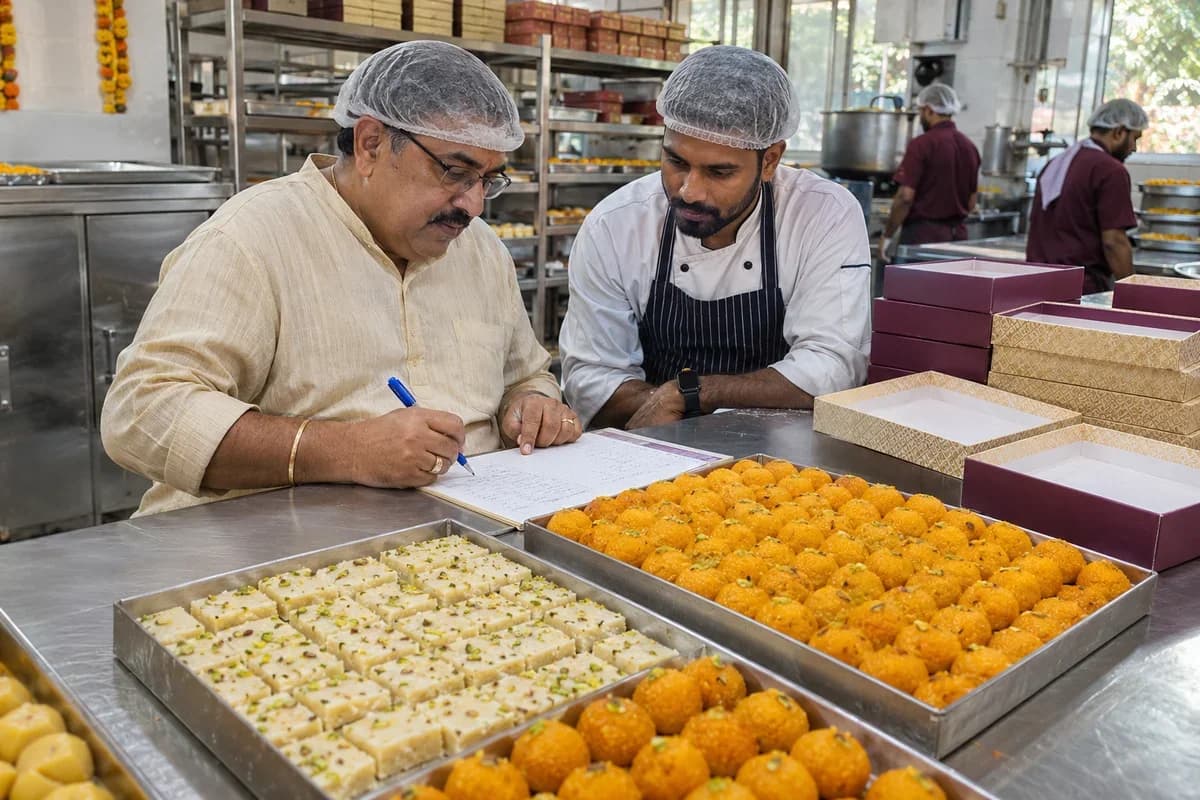
A sweet shop is a small factory with a shop at the front. Cooking runs in batches. The counter sells a kilo of barfi, half a kilo of laddu or a box of assorted pieces. A tray that does not sell this week is a loss, because fresh sweets cannot wait for a better month.
Demand is not flat. Festival weeks bring orders well beyond the normal day’s, and the shop must decide days ahead how much khoya, ghee and dry fruit to buy. Guess low and customers go elsewhere. Guess high and the cold room fills with stock that nobody wants.
The head cook reads the day’s plan, draws milk, sugar, ghee and nuts from the store, and cooks in batches. Trays are cut and weighed. Each one is labelled with a made-on date. At the counter, staff weigh each purchase, pack it and bill it. Customers ask for a mix, a gift box or a fresh batch of something that is not in the case.
Orders for weddings, festivals and offices are taken at the desk or by phone, with a date, a quantity and an advance. A gift box is assembled from a list of pieces, wrapped and tied. Branches send demand to a central kitchen, which dispatches trays by van. At close, unsold trays are counted, the old are set aside, and the cash is matched to the billing.
What goes wrong for sweet and confectionery shops without a proper system.
What sweet and confectionery shops gain from one system.
Not a feature list. These are the moments in the working day that go differently once the records sit together.
What we would build for sweet and confectionery shops.
Named the way your team already talks about the work. We start with whichever part the audit shows is costing you most.
A requirements checklist for sweet and confectionery shops.
What to cover, which reports to ask for and what to put to every vendor, ready to print or save as a PDF.
A product already built for sweet and confectionery shops.
It is adapted to how your business works before it goes live, and anything your trade needs that it lacks is added then.
Sweet Shop Management Software
Weighing and billing, festival advance orders, gift boxes, kitchen production plans, shelf life and branch stock for sweet and confectionery shops.
What Sweet Shop Management Software covers, feature by feature
- Sweet items, recipes and rates for the mithai counter
- Weighing and billing at the sweet counter
- Festival and wedding orders with advances
- Gift boxes and assortments for the sweet shop
- Planning what the sweet kitchen cooks each day
- Shelf life and wastage control for sweet shops
- Milk, sugar, ghee and nut stock for sweet shops
- Dairy, sugar and dry fruit supplier accounts
- Central kitchen and branch outlets for sweets
- Regular customers and bulk accounts for sweet shops
- Rostering cooks, packers and counter staff
Other products in the same sector as sweet and confectionery shops.
- Bakery Management System
- Brewery Management Software
- Catering Management Software
- Hotel Management Software
- Restaurant Management System
- Bank Reconciliation Software
- Wholesale and B2B Ordering Software
- Meat Shop Management Software
- Paying Guest Management System
- Resort Management Software
- Vacation Rental Management Software
- Winery Management Software
- All industry products
The business modules sweet and confectionery shops use most.
Each one is also available on its own, or inside a system built for you.
Point of Sale Billing
The counter weighs barfi and jalebi by the kilo and bills samosas by piece. Box charges are added and payment splits across card, cash and wallet. Held bills wait while customers pick ribbons.
Learn moreOrder Management
A wedding order for forty boxes carries the advance, the pick-up date and the sweet mix. Quantity changes are noted before the kitchen starts. Counter staff see what is due tomorrow.
Learn moreProduction Planning
The kitchen run for the morning is set from standing stock, festival orders and last week’s sales by sweet. Ghee, khoya and sugar needs follow from it. The head halwai gets one sheet.
Learn moreBatch and Serial Tracking
Trays of milk-based sweets are tagged with their make date and a use-by date. Older trays move to the front. Staff pull trays that pass the date before they reach a customer.
Learn morePurchase Order Management
Milk, ghee, sugar, cashew and silver leaf are ordered from named suppliers against the week’s plan. Delivered quantities are matched to the order. The owner sees what rose in price.
Learn moreMulti-Outlet Stock
Trays moved from the main kitchen to branch counters are logged as transfers with count and time. Outlets see their own stock. The head kitchen sees which branch ran out first.
Learn moreAll solutions by area
- Applicant Tracking (5)
- CRM (8)
- Finance & Accounting (10)
- Helpdesk (4)
- Human Resources (13)
- Inventory Management (5)
- Project Management (7)
- Manufacturing (6)
- Procurement (4)
- Sales and Distribution (6)
- Field Service (5)
- Statutory and Compliance (4)
- Retail and POS (4)
- Bookings and Appointments (3)
- Subscriptions (2)
- Assets and Fleet (4)
- Platform (6)
- Analytics (2)
- Documents (1)
Where AI can help sweet and confectionery shops.
Each one reads records you already keep, and a person approves every decision.
The services behind it.
Data Migration and Moving Off Spreadsheets
Item lists, prices per kilo, recipes and customer order books kept in notebooks and sheets are entered once into the system. Open festival advances carry over so no promised box is lost in the changeover.
Learn moreBusiness Process Automation
Order reminders, raw material reorders and branch tray requests run on set rules. A wedding order three days away prompts the kitchen plan, and milk stock below its level raises a purchase request.
Learn moreAPI and System Integration
Counter scales, label printers and the payment app connect to the billing screen. Online orders from the website or messaging app reach the order calendar, and daily sales flow into the accounting software.
Learn moreAll our other services
- Custom Software and Product Engineering
- Software Maintenance, Support and Rescue
- AI and Intelligent Automation
- ERP, CRM and Business Software Implementation
- Data Engineering and Business Intelligence
- UI/UX Design and Prototyping
- Cloud Engineering and Managed Infrastructure
- DevOps & Automation Services
- QA and Software Testing
- Performance Engineering
- Cybersecurity and Application Security
- IoT and Edge Computing
- Technology Strategy and Product Consulting
- E-Commerce and Digital Commerce
- MVP Product Development
- Web and Mobile Application Development
- SaaS Product Development
- WhatsApp Business API and Chatbots
- Training and Adoption
- Data Protection and Privacy Readiness
- Tax and e-Invoice Engineering
- Managed IT Support
- Dedicated Team and Staff Augmentation
- Business Intelligence and Reporting Tools
- Cloud Cost Optimisation
- Global Compliance and Localisation
How the work runs from Bengaluru for your city.
- 1
The audit, by call
A screen-share and a look at the sheets, accounting reports and WhatsApp groups your team uses. No travel needed.
- 2
A written proposal
Scope, what we build first and the cost, agreed in writing before anything starts.
- 3
Build in short rounds
Working screens shared every few weeks. Your team tests them from your own office.
- 4
Go-live, in person when it helps
For data migration and training we can come to your city. Travel is agreed in advance.
- 5
Support online
Fixes, changes and hosting handled remotely by the same team that built it.
Software we have built and run in this sector.
Published with the client’s agreement, with what was built and what changed.
Check the difficult cases before choosing software.
Use examples from your own records to test the workflows that matter in your business.
Item and recipe catalogue
What changes when a component or quantity is substituted?
Take one entry from “Item and recipe catalogue” and change an input in a test copy. Review the resulting material requirement and cost with the person who approves production.
Background reading: ERPNext: bills of materials
Raw materials, purchases and branch stock
What happens to movements entered while a count is being checked?
For “Raw materials, purchases and branch stock”, choose a count date and trace the movements around it. Agree who investigates a difference before an adjustment changes the available balance.
Background reading: ERPNext: stock reconciliation
Questions sweet and confectionery shops ask before they call.
Can the counter bill straight from a weighing scale?
Yes, when the scale gives a digital reading and its make is checked at setup. The weight reaches the bill, the rate applies and the staff member adds only packing. A scale without a data port is keyed in by hand.
Does it handle orders taken weeks before a festival?
Yes. Each order holds date, items, advance and balance. Cooking can start in time, because the kitchen sees the total of every sweet due on each day.
How does it deal with a sweet that spoils in a few days?
Every batch carries a made-on date and a shelf life you enter. The counter and the cold room see the oldest tray first, and discards are logged with a reason.
We make sweets in one place and sell in several. Is that covered?
Yes. Trays go out to each outlet, and each outlet confirms what arrived. Read stock, sales and wastage for a single branch, or add them up across every branch.
Does the system print the label for packed sweets?
It prints labels with the item name, weight, price and dates you choose. Any legal wording for packed food is set by your food safety adviser, not guessed by the software.
How is a sweet shop system priced?
The number of outlets, counters and kitchen staff, which modules come first, the scales and printers to connect, and whether old orders and rates are moved over. No figure is given until the scope is read.
Who owns the data if we stop?
The shop keeps the item list, recipes, order history and stock records. Plain-file exports cover them. Source code ownership and support terms are written in the agreement.
What happens after I share my requirements?
We review your brief and clarify the work with you. We then look at the software, spreadsheets and WhatsApp groups your business runs on today and write down what works, what slows your team down and what is missing. A demo login, a screen-share or a few screenshots are enough. You get a short written summary ordered by priority, with no obligation to hire us afterwards.
How much will the software cost?
We don’t publish a price, because it depends on what the system has to do. That first review settles the scope, and the cost goes into a written proposal before any work starts.
Cities where sweet and confectionery shops are common.
Part of a wider group.
Tell us how your business runs today.
A few lines on your spreadsheets, software and WhatsApp groups is enough. We reply the same working day.
What happens after you share your requirements
- We review your brief and the systems you already use.
- We clarify the workflow, missing information and the work to consider first.
- The proposed scope sets out the deliverables, responsibilities and dependencies.
- Review the scope and commercial terms before deciding whether to proceed.
Start with your requirements
Describe your current process, the people involved and the change you need. Start with the details you know; we can clarify the rest together.
Share your requirements