One connected system for room bookings, the front desk, housekeeping and guest billing.
Run a hotel from one system. Enquiries, reservations and rate plans sit on the room chart, and each stay carries its own folio. The front desk checks a guest in against an ID proof, housekeeping marks rooms clean or dirty, and restaurant and laundry charges post to the room before check-out.
- Room types, rate plans and season rates entered as your hotel quotes them today
- Guest history, forward bookings and advances moved from your register or sheet
- Later changes to room numbering, rate plans and bill layout carried out on request
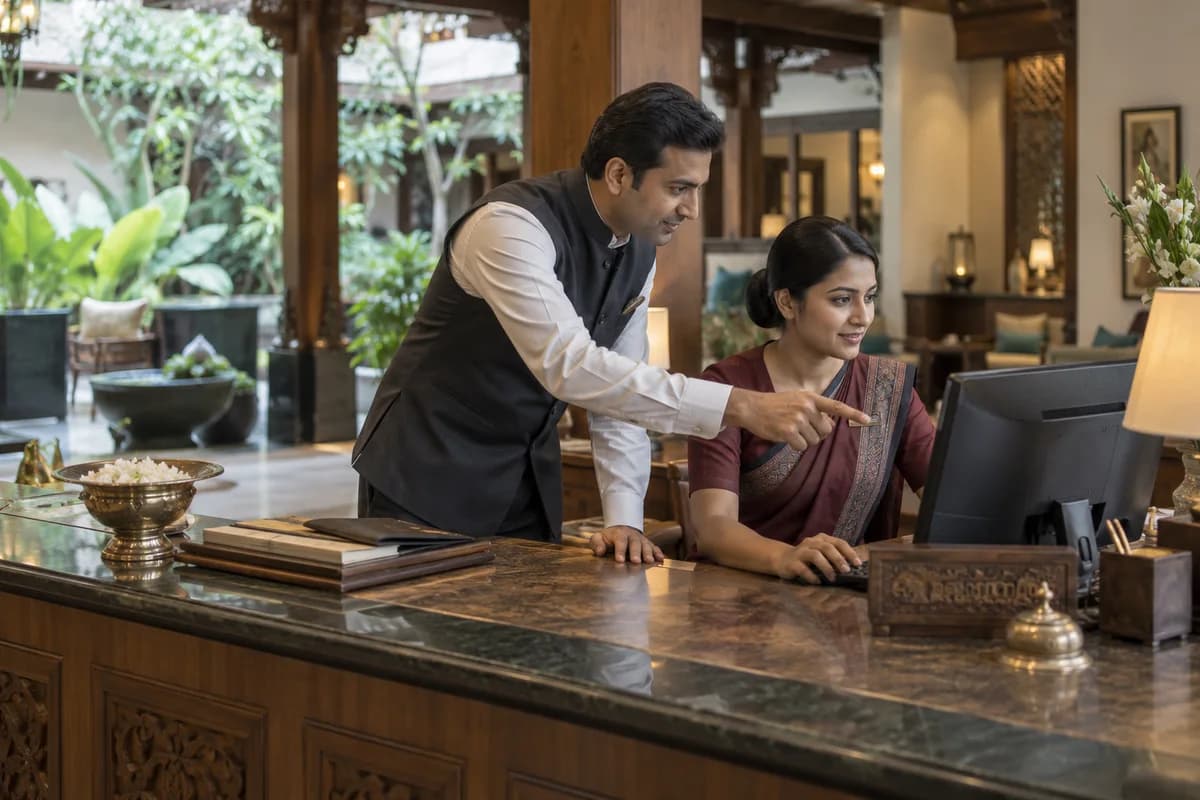
Hotel Management Software is a property management system (PMS) for an independent hotel or resort, from the reservation chart to the guest folio. The front desk, housekeeping and accounts each get their own screens. Rooms, rate plans, bookings, ID proofs, cleaning status and restaurant charges posted to a room number all sit together. GullySystem sets it up property by property.
What goes wrong before the software.
How the work flows through it, step by step.
- 1
Enquiry and quotation
A call, a WhatsApp message or a travel agent asks for rooms on given dates. Availability is read off the chart and a rate is quoted with a hold date.
- 2
Reservation
The booking is confirmed against a guest or an agent, with room type, meal plan, number of pax and the advance received.
- 3
Arrival and check-in
The desk matches the guest to the reservation, records the ID proof and allots a room number. A walk-in is entered the same way.
- 4
During the stay
Housekeeping marks each room clean, dirty or blocked. Restaurant, bar, laundry and extra bed charges post to the folio as they arise.
- 5
Check-out and settlement
The folio is totalled, the advance is set off and the balance is taken by cash, card or UPI. An agent booking moves to that agent’s account.
- 6
After departure
The visit remains on the guest record for the next booking. Nights sold, rate realised and agent dues are read by the owner and the accountant.
What is inside.
Every module can be switched on, left out or changed to match how your team already works.
Enquiries and quotations
Record room enquiries from calls, WhatsApp, walk-ins and travel agents, quote a rate for the dates asked and hold the room until a cut-off.
Learn moreRooms and room types
Set up floors, room numbers, room types, bed configuration, extra bed rules and the amenities each category carries.
Learn moreRate plans and seasons
Hold room-only, breakfast and full-board plans, season and weekend rates, and separate agent and corporate rates by date range.
Learn moreReservations and the room chart
See every room against every date, confirm bookings, record advances, move a guest to another room and cancel with a reason.
Learn moreFront desk check-in and check-out
Match an arrival to its reservation, allot a room, register a walk-in, extend a stay and close the folio at departure.
Learn moreGuest records and ID proof
Keep the guest name, address, contact, company, ID type and scan, meal preference and the history of earlier stays on one record. Indian and foreign guests are held the same way.
Learn moreHousekeeping and room status
Work through the cleaning list floor by floor, mark rooms clean, dirty or blocked, and issue linen and amenity stock.
Learn moreGuest folio and billing
Post room charges, meal plans, extra beds and counter charges to one folio, and split a bill between guest and company. The GST lines on the bill follow what your accountant confirms.
Learn moreRestaurant and room service posting
Bill the restaurant, bar and room service counters, and push a charge to the room number instead of taking cash at the table.
Learn moreBanquet and hall bookings
Book the hall or lawn by date and slot, hold a function sheet with pax, menu and setup, and bill the event separately.
Learn moreTravel agents and corporate accounts
Hold agent and company rate contracts, mark a booking to an account, and keep what each account still owes after a month of stays.
Learn moreThe business modules it is built from.
Each one is also available on its own, or inside a system built for you.
- Estimate/Quotation Management
Front-office staff record room enquiries from calls, WhatsApp, walk-ins and travel agents, quote a rate for the dates asked and hold the room until a cut-off.
- Online Booking Portal
The room chart shows every room against every date, so staff confirm bookings, record advances, move a guest to another room and cancel with a reason.
- Price Lists and Schemes
Room-only, breakfast and full-board plans carry season and weekend rates, with agent and corporate rates held separately by date range.
- Invoice Management
Room charges, meal plans, extra beds and counter charges post to one folio, which can be split between guest and company.
- Resource and Room Booking
The hall or lawn is booked by date and slot, a function sheet holds pax, menu and setup, and the event is billed separately.
- Contact & Account Management
Agent and company rate contracts are held, bookings are marked to an account, and what each account still owes after a month of stays is visible.
How we would put it in.
Setup, data migration, integrations and anything built on top.
Topics beyond the modules.
Each page covers one part of how the system is used, connected or controlled.
Hotel Software Views for Owners and Front Desk
Several people touch the same stay, and each role opens the screens for its own job.
Learn moreReports for Hotel Owners and Managers
These reports are drawn from the bookings, folios, room status and counter charges already entered.
Learn moreHotel Software Connections to WhatsApp, UPI and Channel Managers
The hotel system connects to the messaging, payment, channel and device tools a property already runs.
Learn moreOne system, each person sees their part.
For owners
See rooms occupied tonight, arrivals, the rate realised by booking source, collection for the day and what agents still owe.
For the front desk
Read the room chart, check guests in and out, allot and shift rooms, post charges and settle folios at departure.
For housekeeping
See the cleaning list by floor, mark a room clean, dirty or blocked, and record linen and amenity issues.
For restaurant and banquet staff
Bill the counter, post a charge to a room number, and read the day’s function sheets with pax and menu.
For the accounts desk
Read collection by mode, folio balances, agent and corporate outstanding, and the figures the accountant asks for.
The numbers the owner asks for.
- Occupancy percentage and nights sold by room type
- Arrivals, departures and the in-house guest list
- Average room rate (ARR) realised by rate plan and booking source
- Collection by cash, card, UPI and account
- Outstanding on guest folios and agent accounts
- Housekeeping status, blocked rooms and linen issued
- Banquet bookings and hall occupancy by date
Who this is built for.
- Independent hotels with twenty to a hundred rooms and one front desk
- Resorts with cottages, villas and a season rate calendar
- Business hotels taking corporate and travel agent bookings
- Hotel groups running two or three properties on one guest list
- Hotels with a restaurant, bar and banquet hall posting charges to the room
- Heritage and boutique properties with a small set of named rooms
When it is not the right choice.
- A homestay with three or four rooms and no restaurant can run on a diary and UPI.
- Paying-guest accommodation, where rent runs by the month rather than by the night, is covered by the Paying Guest Management System.
- A standalone restaurant with no rooms needs a billing counter rather than a room chart.
Adapted to your business before it goes live.
You are not handed a login and left to it. The product is set up around your records, your people and the tools you already use.
Works alongside
- SMS and email
- UPI and payment gateway
- OTA channel manager
- Key card door locks
- Thermal and label printers
- Biometric attendance devices
- Tally export
Questions owners ask before a demo.
Can two bookings be stopped from taking the same room?
Yes. The chart holds a room for the dates booked, and a second booking on those nights is refused until the room is released.
Does it handle season and weekend rates?
Yes. Each rate plan carries date ranges, so a season rate, a weekend rate and an agent rate sit side by side on one room type.
Can restaurant and laundry charges go on the room bill?
Yes. A counter posts the charge to the room number, and it appears on the folio the guest settles at departure. The GST lines follow what your accountant confirms.
Is the guest ID proof kept, and does it cover foreign guests?
Yes. The ID type, the number and a scan stay on the stay record, for Indian and foreign guests alike. Form C filing with the FRRO stays with your property, as the system does not submit it.
Do MakeMyTrip or our own website bookings arrive by themselves?
OTA bookings arrive only through a channel manager that you run, which passes MakeMyTrip, Goibibo, Booking.com and Agoda bookings onto the chart. There is no booking engine for your own website. Website and telephone enquiries are entered at the desk.
Can housekeeping change room status from a phone, and what if the line drops?
Yes. Floor staff mark a room clean, dirty or blocked, and the desk sees the change on the chart at once. The system runs online, so the desk and the floor both need a working connection.
Does it cover more than one property?
Yes. Properties share one guest list while each keeps its own rooms, rates and folios. Owners read every property together.
Is there a night audit at day close?
There is no separate night audit routine of the kind a large PMS runs. The desk closes a day by reading arrivals, departures, charges posted and collection by mode for that date. The owner reads the same figures.
Can folio figures reach Tally?
Not built in. Folio and collection reports reach your accountant, and an export is sized once the ledgers have been explained.
What does it cost?
No price is published. Room count, properties and the set-up work all shape the figure. A written proposal follows the demo.
Wondering what it costs? Six questions give you a written scope and the buckets any quote should separate.
Businesses that use this.
Related products.
See Hotel Management Software with your own data.
Tell us how you run things today. We’ll show you the parts that matter to you and say plainly what would need changing.
- No obligation
- A reply within one business day
- Your details stay private