Vineyard blocks and harvest intake for wineries
Vineyard blocks and harvest intake records every load of fruit a winery receives. Each load is kept by block, variety and grower, with its weight and receiving notes, against the vintage. Vineyard managers, cellar staff and the winemaker use it from the first pick, so each lot starts with a known origin.
What a harvest load record holds
One load makes one record. It names the block, the variety and the grower, and it sits inside the vintage being picked. Weight and receiving notes are kept beside those fields, so the fruit can be described long after the pick.
Through a harvest day at the crush pad
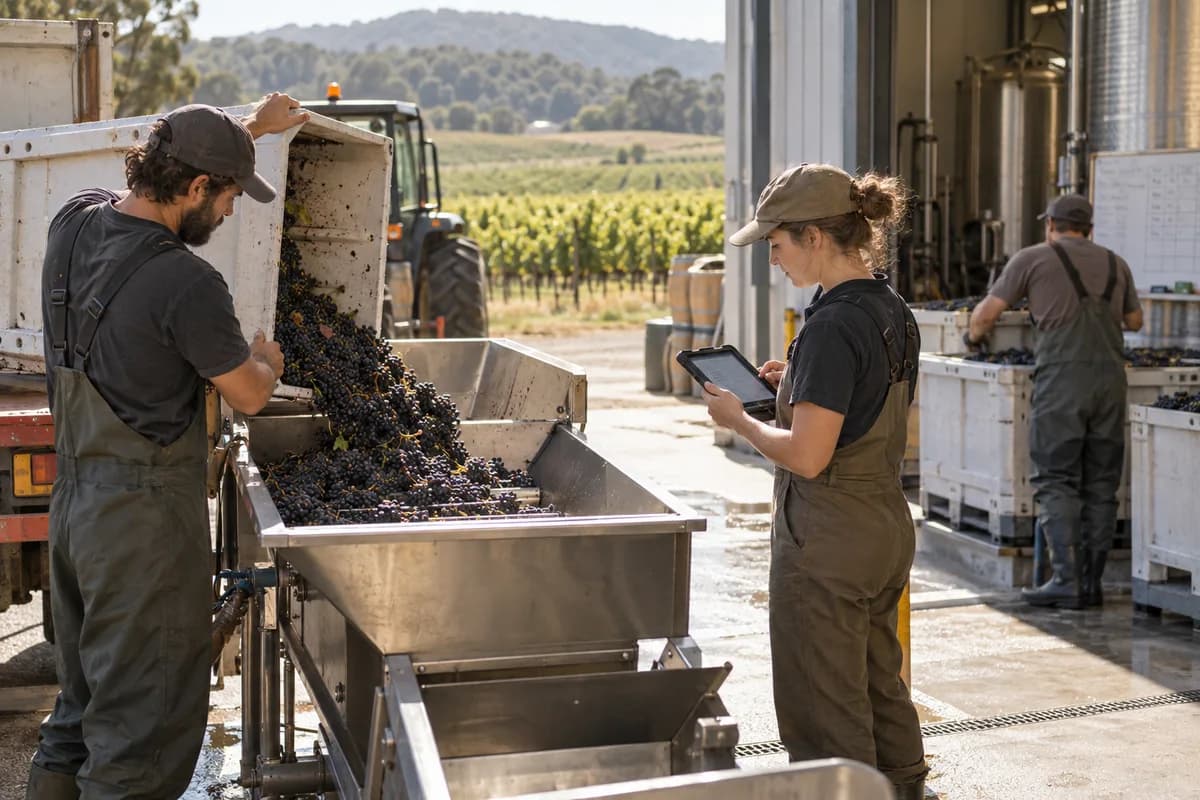
Loads arrive from different blocks all day. The receiving team records each one as it is tipped, and the list grows through the morning. By evening the winemaker can read what came in, from which block and from whom, without asking anyone on the pad.
Who sees harvest intake and what they see
Each person meets harvest records for a different reason. The winemaker reads origin, the crew enters loads, the cellar door looks for stories to tell, and the owner reads yield. All of them see the same records.
Decisions to settle before harvest intake starts
A few choices made before the first pick keep the records clean through the season. They are small. They are also hard to repair once hundreds of loads are entered, so settle them with the winemaker and the vineyard manager together.
How harvest intake feeds the rest of the cellar
Intake starts the chain. Everything the winery later says about a wine begins with a load booked to a block, so the next features take their origin from here. The links below show what is handed on and what is taken in, so the chain stays clear for new staff.
- Loads become lots in the vintage and lot records
- Block names carry through to blends and bottlings
- Lots are placed in the tank and barrel register
- Cellar tasks start once fruit sits in a vessel
- Vintage yield by block feeds the owner’s reading
Where harvest intake stops
Harvest intake records what arrived and where it came from. It does not weigh the fruit, because weights are typed in from the scale. It does not set what a contract grower is paid. That stays with the owner and the accountant. A grower who sells all fruit and makes no wine does not need cellar records at all. A very small estate with one block may find a sheet is enough.
Frequently asked questions
Can a load be booked to a contract grower?
Every load names its grower. That may be the estate or a contract grower. The record keeps the block, the variety and the weight, so bought-in fruit can be read separately from home fruit at the end of the vintage.
Does it replace the weighing scale at intake?
No. The scale stays as it is. A cellar hand reads the weight and enters it on the load record. The software then keeps that figure against the block, the grower and the vintage for later reports.
Which report shows how each block performed?
Open the yield report. It adds up the loads booked to each block and variety in the vintage, with weights. The owner and the winemaker can then compare one part of the estate with another.
Can last year’s harvest records be loaded?
Past vintage records are migrated from your files or current software. Checking comes before the next harvest. That check is the moment to correct a wrong block name or variety before new loads join them.
Does a one-block estate need block records?
It can still use them. Blocks mirror your vineyard, so a single block is a very short list. A vintage is still tied to every load. That helps later if another variety is planted or a neighbour’s fruit is bought.
How this feature fits the system.
Winery Management Software: the parts that work with this feature, the trades that use it and the ways to put it in place.
Vintage and lot records
Each lot keeps its blocks, additions and vessels, and blends record their source lots, so a bottle traces back through the cellar.
Batch and Serial TrackingTank and barrel register
Every tank and barrel is a location with contents, volume and history, so the cellar reads as a map of what sits where.
Warehouse ManagementCellar tasks
Racking, topping up, additions and lab checks get one owner and a due date, and overdue work is listed for the winemaker.
Task ManagementTell us what you need.
Tell us what your team does today, where work gets stuck and what you want to change.
What happens after you share your requirements
- We review your brief and the systems you already use.
- We clarify the workflow, missing information and the work to consider first.
- The proposed scope sets out the deliverables, responsibilities and dependencies.
- Review the scope and commercial terms before deciding whether to proceed.
Start with your requirements
Describe your current process, the people involved and the change you need. Start with the details you know; we can clarify the rest together.
Share your requirements