Bookings, car history, packages and bays for detailing studios.
Manage bookings, each car’s history, prepaid packages and bay assignments in one place for detailing studios, car spas and wash outlets of any size. Wash, interior, ceramic coating, paint correction, paint protection film (PPF) and sun film sit on one service menu. The front desk sees what a regular has left on their package, and technicians update jobs from a phone. Takings are visible through the day.
- Service menu, car categories and package rules configured first
- Customer list and package balances migrated from your register
- Changes handled by the same team over video
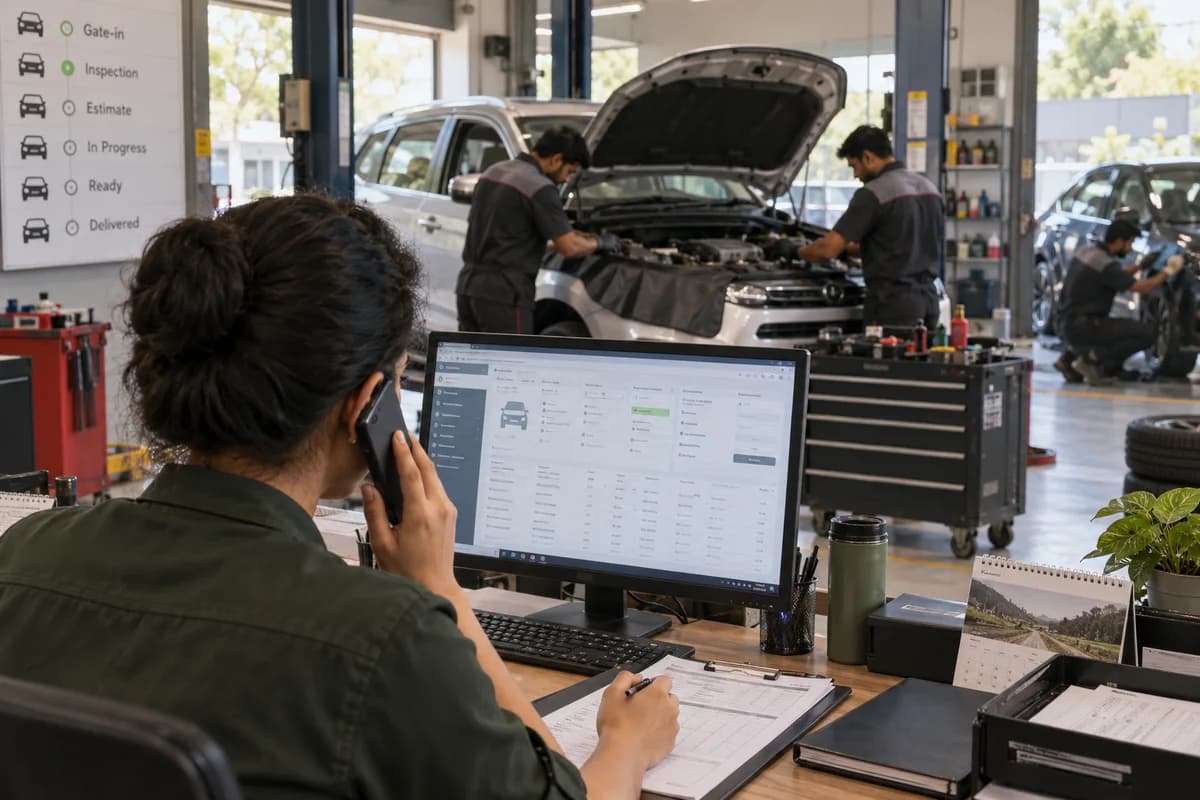
Car Detailing Management System from GullySystem runs an auto detailing studio, car spa or wash outlet on one record. The front desk, technicians and owners see bookings, each car’s history, prepaid wash packages and bay assignments. Chemical stock sits there too. You decide which packages and outlets go in before set-up begins.
What goes wrong before the software.
How the work flows through it, step by step.
- 1
Booking
Enter the slot, car and service once, whether the customer books by call, message or online. A confirmation goes out, followed by a reminder the night before. No one rekeys the details.
- 2
Check-in
The front desk finds the car by registration number. Past jobs, preferences and any package balance appear before the job is quoted, and the quote is read off your service menu at the counter.
- 3
Bay assignment
The floor supervisor assigns the job to a bay and to the technician trained for it, such as the polisher for paint correction or the film fitter for PPF. Jobs running over stand out on the floor view.
- 4
Job updates
The technician marks the job started and finished from a phone. Chemicals are recorded against the job type, and curing time for a coating is noted so the car is not released to the owner before the finish has cured.
- 5
Billing
Raise a tax invoice from the booking and settle it by cash, card or transfer. For a package customer, a visit comes off the balance instead, and the counter prints the visits left on the receipt, with the renewal date beside them.
- 6
Renewal and win-back
A renewal reminder goes out as a package runs down. Customers who have not visited for some months can receive an offer, timed for the season when interior cleans, coatings and sun film sell best, usually before summer.
What is inside.
Every module can be switched on, left out or changed to match how your team already works.
Bookings and slots
Manage walk-in, phone and online bookings on one calendar. Confirmations, reminders and reschedules are sent from the same screen, and a slot taken at the gate blocks the same time online, so two customers are never promised one bay.
Learn moreCustomer and car history
Keep each car by registration number with owner, past jobs, preferences and feedback. Client tracking holds the ceramic coating or PPF date, the sun film fitted and the technician who did the work, with the coating batch used. Older jobs are searchable.
Learn morePrepaid packages and memberships
Sell wash and detailing packages once. Then track visits used, visits left and renewal dates, with loyalty points on the same record, so the counter answers a balance question in one glance.
Learn moreTax billing and pending dues
Create invoices from the booking, record part payments and track money still owed across cash, card, transfer and wallet, with an advance taken at booking shown on the final bill. Fleet and corporate dues are listed by customer, with the oldest bill first.
Learn moreBay and technician assignment
Manage shifts, attendance and bay allocation. Jobs are matched to the trained technician, whether a buffing specialist, a film fitter or an interior cleaning crew, and each person’s load is visible before the next job.
Learn moreChemical and consumable stock
Track shampoos, polishes, buffing pads, coating kits, film rolls and microfibre with use per job type, reorder alerts and orders to your supplier. Stock is counted against what the jobs consumed.
Learn moreOffers and win-back messages
Send SMS, email and WhatsApp messages to customers who have gone quiet, or to everyone ahead of a busy season, with the offer tied to the last service bought.
Learn morePhone access for the floor
Let technicians see their jobs and each car’s history from a phone or tablet. Managers check the floor and attendance remotely, and a job note stays attached to the booking for the supervisor and the front desk to read later.
Learn moreLive dashboard
Review bookings, sales, repeat customers, technician output and stock use for one studio or several side by side, with takings and package sales shown by the hour. The owner reads takings at lunchtime rather than at midnight.
Learn moreMore than one outlet
Give each outlet its own bookings, bays and stock. The owner sees all of them from one login and compares takings, package sales and technician output by outlet, without a spreadsheet or a phone call to each branch manager.
Learn moreThe business modules it is built from.
Each one is also available on its own, or inside a system built for you.
- Appointment Scheduling
Front-desk staff place walk-in, phone and online bookings on one calendar, confirm each slot and send reminders, with reschedules updating the same entry.
- Technician Scheduling
Supervisors match each detailing job to a trained technician and a free bay, working from shift and attendance records for the day.
- Point of Sale Billing
Cashiers build the tax invoice from the booking, accept part payments by cash, card, transfer or wallet, and keep pending dues visible per customer.
- Stock Tracking and Alerts
Shampoos, polishes, coating kits and film rolls are deducted by job type, and a reorder alert reaches the manager before a bay runs short.
- Loyalty and Offers
Customers who have gone quiet receive SMS, email or WhatsApp offers from the studio, and busy-season campaigns go to the whole customer list.
- Dashboards and KPIs
The owner reads bookings, sales, repeat customers, technician output and stock use on one screen, for a single studio or several side by side.
- Multi-Branch Consolidation
Each outlet keeps its own bookings, bays and stock, while the owner logs in once to compare every location together.
- Subscription Billing
Wash and detailing packages are sold once, then each visit used reduces the balance and the renewal date is tracked on the same customer record.
How we would put it in.
Setup, data migration, integrations and anything built on top.
Every part of the system, by area.
Take the modules you need. Each one works on its own or inside a larger system built for you.
- Applicant Tracking (5)
- CRM (8)
- Finance & Accounting (10)
- Helpdesk (4)
- Human Resources (13)
- Inventory Management (5)
- Project Management (7)
- Manufacturing (6)
- Procurement (4)
- Sales and Distribution (6)
- Field Service (5)
- Statutory and Compliance (4)
- Retail and POS (4)
- Bookings and Appointments (3)
- Subscriptions (2)
- Assets and Fleet (4)
- Platform (6)
- Analytics (2)
- Documents (1)
- All business solutions
Topics beyond the modules.
Each page covers one part of how the system is used, connected or controlled.
Views by role in a car detailing studio
A detailing studio has four groups of users. Each one opens the screen it works from, from the front desk calendar to the technician’s job list in the bay, so nobody scrolls past screens meant for someone else.
Learn moreReports for detailing studio owners and managers
These six reports read bookings, packages, bills, jobs and stock from the live records of the studio, so the owner never waits for a closing sheet to see the day.
Learn moreIntegrations for car detailing studios
The system connects to the channels a studio already uses to message customers and take payment. It exports data for the accountant, and the card machine at the counter stays as it is.
Learn moreOne system, each person sees their part.
For owners
See daily billing, package sales, dues from fleet customers and how each outlet and technician is performing. Spot the quiet weekdays that need an offer, and the bays that sit empty.
For the front desk
Manage the booking calendar, check in by car number, view package balances and prepare the bill. Answer a coating question from the car’s history without calling the technician across the floor.
For floor supervisors
See which bay has which car, who is working on it and which jobs are running over. Move a booking between bays when a ceramic job takes longer than planned.
For technicians
View today’s jobs on a phone, check the car’s past work and mark each job done. Note the chemicals used, and flag overspray, swirl marks or chips found at check-in.
The numbers the owner asks for.
- Bookings and billing by day, service and outlet, with the share of walk-ins, calls and online bookings
- Packages sold, visits used and renewals due, listed by customer and by car
- Unpaid bills and part payments by customer
- Jobs completed by each technician
- Chemical and consumable use by job type, such as foam wash, polish, coating and film
- Customers who have not returned in three months
Who this is built for.
- Detailing studios where coating and paint correction jobs take a bay for a full day
- Studios fitting paint protection film (PPF) and sun film beside wash and coating work
- Car spas and wash outlets selling monthly or ten-wash packages
- Owners running two or more outlets who want one view of all of them
- Studios that wash and detail fleet or corporate cars on credit
- Detailers moving off a booking diary, Excel, and a WhatsApp group
When it is not the right choice.
- If most of your work is mechanical service and repairs, Garage Management Software fits better because it is built around job cards and spare parts.
- A single-bay wash with only walk-ins and no packages can manage with a billing app and a card reader, with no need for car history, bays or technicians.
Adapted to your business before it goes live.
You are not handed a login and left to it. The product is set up around your records, your people and the tools you already use.
Works alongside
- Accounting package export
- SMS
- Card, wallet and payment gateways
Questions owners ask before a demo.
What does it do for an auto detailing studio?
It keeps bookings, each car’s history, prepaid packages, bills and chemical stock in one system. Reception confirms slots from one calendar, and takings are visible as they come in, whichever outlet they come from, and the owner reviews the day’s billing without waiting for closing.
Can it run wash packages and monthly memberships?
Yes. A package is sold once, and a visit comes off the balance each time the car is billed at the counter. The counter sees visits left and the renewal date, then bills the renewal when the balance runs out.
Does it charge a subscription automatically every month?
No. A renewal reminder goes out as the package runs down, and the counter takes the payment. Recurring auto-debit is not part of this system, so the customer always pays in person, by card or by a payment link sent after the reminder goes out.
Can it keep ceramic coating and PPF warranty records?
Only the job itself is kept. The coating or film job sits on the car’s history with the date, the package and the technician who applied it, the way a service history records the work. A warranty card with an expiry and a maintenance-wash due date is not part of this system.
Are before-and-after photos kept against the job?
No. The job record carries the services, the technician, the chemicals and the date, in text. Photographs of the car stay wherever your team keeps them today, such as the studio phone or a shared drive or a messaging group, for now.
Is there an app for technicians?
Yes. It opens on a tablet in the bay or on a phone. Technicians see their jobs, check a car’s history and mark work done, without walking back to the counter for paperwork or to ask the supervisor which bay is free next.
Can the books be passed to my accountant?
Yes, by export. The data comes out in a file for your accountant to import, and tax invoices are raised in the system either way. A direct link to your accounts package is scoped separately at set-up, once your accountant names the format and the ledger heads, so the export matches the books.
What happens to customers in our register and Excel?
Customers, car numbers and package balances are imported from what you keep today. Your front desk checks them before go-live, including a few cars whose balances are known by heart.
Who owns the customer and car data?
Your business does. The proposal states in writing how the full data is handed back when you ask, including customers, cars, packages, invoices and job history. Nothing is held back.
What does it cost?
Outlets, users and how much of the service menu and package rules must be set up drive the cost. Messaging, payment gateways and the accounting export each add a part, as does moving customer lists and package balances across. No price is published. The demo uses your own menu. A written quotation then lists each part by price.
How long before the front desk is booking cars on it?
Since the desk lives in them, car history, bookings and billing with pending dues come first. Packages, bay assignment, stock and win-back messages follow, then extra outlets. The proposal dates each release. Old package balances are the step most likely to stretch things.
What should an owner collect before the set-up starts?
Collect your service menu with car categories, the customer and car register from Excel or a register book, and current package balances. A recent invoice and a membership card show how you bill. Choose a front desk person and a supervisor who can walk through screens with us. Messaging and payment accounts must be reachable.
Wondering what it would cost? Share your requirements and an engineer will come back with a scope.
Every part, on its own page.
Each page covers one part of the system: what it records, who uses it and what it hands on.
- Billing, Payments and Package Balances for Detailing Studios
- Customer and Vehicle Profiles by Registration Number
- Inventory and Supply Control for Detailing Chemicals
- Live Analytics Dashboard for Bookings, Billing and Bay Output
- Loyalty and Membership Programmes for Detailing Studios
- Marketing Campaigns for Lapsed Detailing Customers
- Online Booking and Appointment Management for Detailing Studios
- Real-Time Mobile Access for Technicians and Supervisors
- Technician Assignment Tools for Bays, Shifts and Overrunning Jobs
- Views by Role in a Car Detailing Studio
- Reports for Detailing Studio Owners and Managers
- Integrations for Car Detailing Studios
- Running Several Detailing Outlets from One Login
Written for this trade.
Practical notes on running the business, not product marketing.
Built for.
The trades this product is set up for. Pick yours to see how the work runs there.
Related products.
Selling these goods online as well?
These e-commerce pages describe the online side: the storefront, dealer ordering and the connections to a system like this one.
See Car Detailing Management System set up around your records.
Tell us how you run things today. An engineer reads it and writes back with what fits as it is, what would need changing, and what we would start with.
What happens after you share your requirements
- A senior engineer reads your answers. Nobody phones first.
- Within one business day you get a written note: what we understood, what we would start with, and the questions we still have.
- If it fits, a proposal follows with the order of work, what we need from you and what you receive at each step.
- No call is booked and nothing is paid until you have read the note. Your details stay with us.
Start with your requirements
Seven short steps that tell us what you need. A senior engineer reads them before anyone gets in touch.
Share your requirements