Pitch calendar and availability for campgrounds
The pitch calendar lists every pitch, cabin, yurt and bay by date, with its hookup type, length limit and features beside it. A booking is offered only the sites that fit the rig and the party. The warden, the office and the grounds crew all read the same grid.
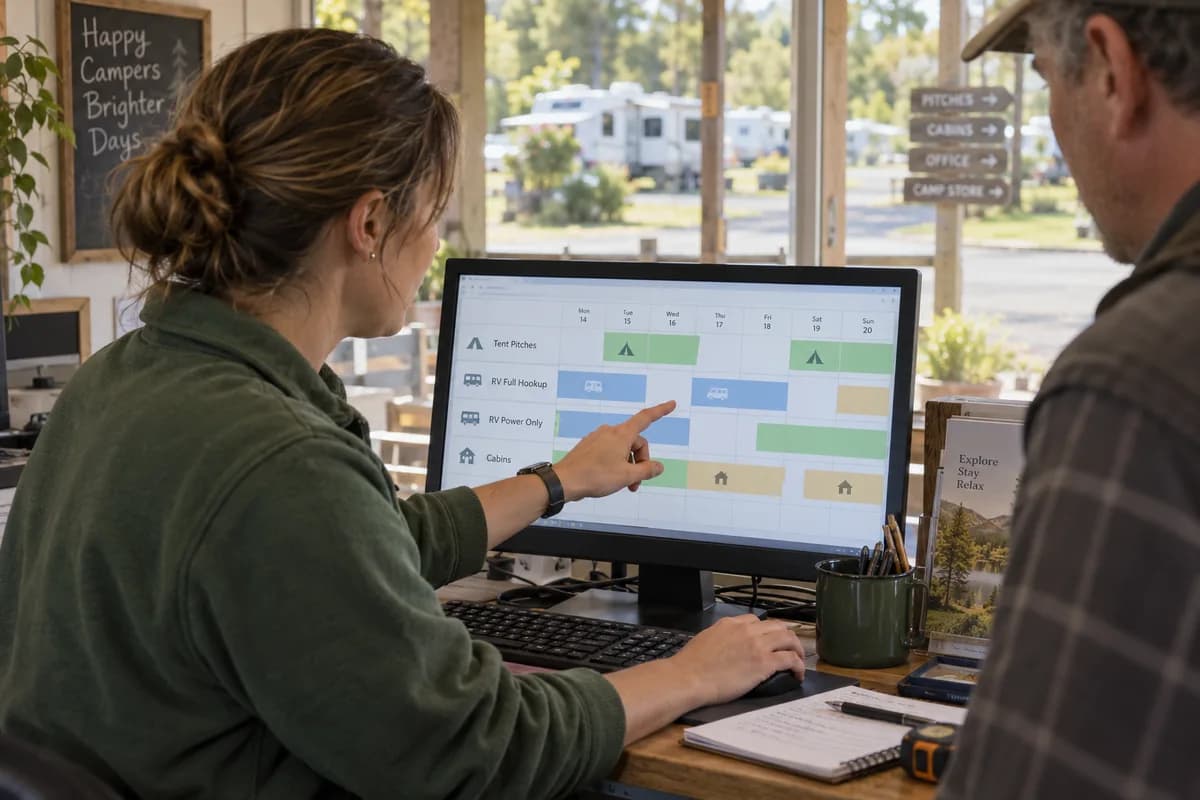
What the pitch calendar records for each site
Each pitch, cabin, yurt and bay is entered once, with the facts a booker needs before a rig is sent to it. Those facts are then laid against dates. A short field, a slope or a missing pedestal is written down, not remembered.
A day at the barrier with the calendar
A campground day runs from early checkouts to a late arrival at the barrier. The pitch calendar is open at every step. These moments show where it earns its place on a busy weekend. Each item below is one person and one moment, taken from a park with tent fields, bays and cabins.
What each person sees on the grid
Everyone reads the same grid, but not everyone needs the same view. Roles decide what a person sees first. Each of the four below opens the calendar with a different question in mind.
Decisions to settle before the calendar goes live
A calendar is only as good as the facts keyed into it. Four choices are best settled with the park manager before the first booking goes in. Each shapes what a guest is offered.
Where the pitch calendar hands over work
The calendar is where a stay begins, so the other features read from it. A booking made at the gate, the office or the web page lands on the grid. From there, rates, deposits, cleaning and messages follow the dates. Here is what it takes and gives.
- Takes bookings from the web page and the gate
- Reads rate plans and seasons to price each night
- Hands the held deposit to the stay’s folio
- Passes departures to cleaning and grounds tasks as turnover jobs
- Feeds dates to guest messages and arrival reminders
Where the pitch calendar stops
The calendar shows what can be booked. It does not set your rates, take the deposit or clean the cabin. Those sit in other features. Spacing between pitches and fire safety rules stay with the owner and an adviser. A small farm field with a handful of tents and no store can run on a paper chart and a cash box.
Frequently asked questions
Can I block a pitch that is out of use?
Blocked nights are set on the site with a reason, such as a broken pedestal or repair work. The grid then shows them as unavailable. No booking from the gate or the web page lands on that site.
Does the calendar show cabins and yurts as well?
Cabins, yurts and glamping units sit on the same grid as tent fields and RV bays. Each has its own features and limits. A family asking for a roof is offered a roof, not a field.
What happens if the gate moves a guest to another bay?
The stay is reassigned on the calendar and the old bay opens again. The gate notes the reason on the stay. Any rate difference between the two pitch types is a decision for the manager.
Can the gate and the office look at availability together?
The gate, the office and the booking page all read one calendar, so a site held in one place shows as held in the others. One grid serves all three. No pitch is promised to two families on one night.
Is there a report of empty nights by pitch type?
A report of occupancy by pitch type and night shows which types sit empty on which dates, so a manager can see slow nights. Whether to change a rate is the manager’s call. The data comes from the grid.
How this feature fits the system.
Campground Management Software: the parts that work with this feature, the trades that use it and the ways to put it in place.
Reservations and online booking page
A web page shows free pitches for the dates a guest chooses, and the booking joins the calendar the gate staff read.
Online Booking PortalPitch calendar and availability
Each pitch, cabin and bay is held as a bookable resource with its supply type and length limit, so a rig meets a bay that fits.
Resource and Room BookingRate plans and seasons
Nightly, weekly and seasonal rates sit against each pitch type, with peak dates and minimum stays applied when the booking is priced.
Price Lists and SchemesTell us what you need.
Tell us what your team does today, where work gets stuck and what you want to change.
What happens after you share your requirements
- We review your brief and the systems you already use.
- We clarify the workflow, missing information and the work to consider first.
- The proposed scope sets out the deliverables, responsibilities and dependencies.
- Review the scope and commercial terms before deciding whether to proceed.
Start with your requirements
Describe your current process, the people involved and the change you need. Start with the details you know; we can clarify the rest together.
Share your requirements