Snack counter sales and combos for cinemas
The snack counter sells from one screen. Popcorn, snacks, drinks and combos are rung up together, and each combo is priced against the items inside it. A bill is printed at once. The sale also draws down the counter’s own stock, so the shelf count moves with the till.
What a cinema snack sale records
A snack sale looks small, yet it carries a good deal more than a price. Each line says what was sold, in which pack, as part of what, and what it did to the shelf. Here is what the counter screen keeps.
A cinema snack counter through show day
The counter has busy spells in a normal evening, one before the shows begin and one at the interval. Between them, staff restock, count and clear up. Four moments show how the till fits into that day, from the first queue to the last.
Who sells and who reads snack figures
Snack staff run the counter, but its figures matter to others. Each role below sees a different part of the same till record. The screen at the counter stays simple.
Snack counter decisions to settle before set-up
A counter screen is only as good as its menu. The menu comes first. Settle the points below with the manager and the snack counter lead, with the owner’s word on prices, before the first sale is rung.
How snack sales connect to the cinema
Its screen takes prices from the menu and offers from the membership records. It gives stock the quantities that left the shelf and gives the owner the day’s snack takings to read at close, every evening. Its links run both ways.
- Deducts items and combo contents from concession stock
- Applies member cards and voucher codes at the counter
- Sends snack takings to the day’s close
- Shows snack sales and stock movement to owners
- Follows the show times that kitchen shifts are planned around
Where snack counter sales stop
The counter screen sells and bills. It does not buy stock from suppliers, count the shelf or choose what the theatre should sell. Supplier invoices and payments stay with the accounts. Food safety, licensing and the tax on sales are the theatre’s own duty, taken up with an adviser. A theatre that sells only a few items from a tray can keep a cash box.
Frequently asked questions
Can a combo be changed when prices rise?
Yes, a combo can be edited. A combo is a list of items with one price, so the manager edits the price or swaps an item. The change applies to sales rung from then on. Agree who may edit combos before launch.
Can the counter apply a voucher code?
Yes, vouchers work at the counter. Voucher codes, member cards and discount days run there as well as online. Each bill lists the amount taken off. Which codes the snack counter accepts is a set-up choice.
What does the counter screen show staff?
It shows items by name, pack sizes, combos and the running total. Staff pick instead of typing. The layout follows what your counter sells. Ask to see it on a sample price board during the demo.
Can one bill hold a combo and single items?
Yes, one bill can mix them. Each line carries its own price, and the total is shown before payment is taken. Stock moves line by line. A drink added after a combo is rung is simply another line.
What happens to takings when the counter closes?
Snack takings join the day’s close. The manager reads snack sales beside the stock that moved. Cash handling and banking stay with the theatre’s own routine and its accountant. An accounting export is available for the accountant.
How this feature fits the system.
Movie Theatre Management Software: the parts that work with this feature, the trades that use it and the ways to put it in place.
Screens and show schedule
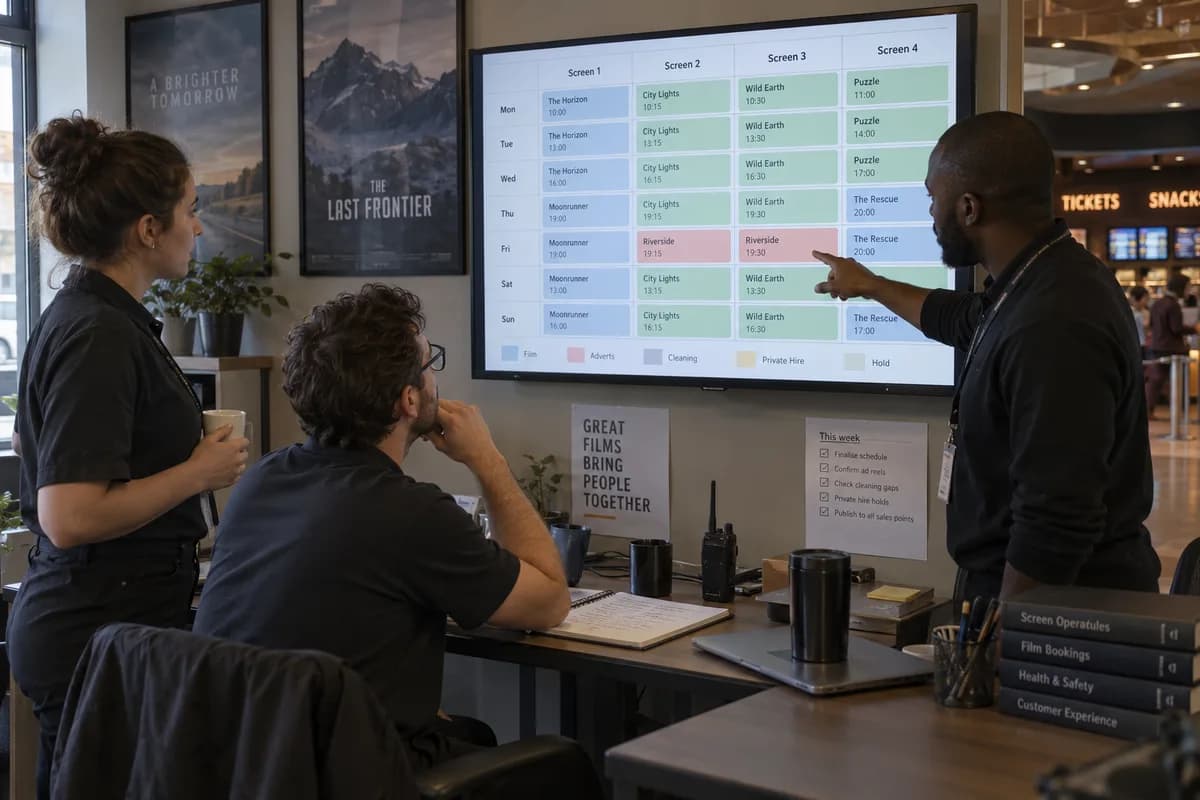
Each screen is a shared resource booked by show, with cleaning gaps and advert reels, so overlapping shows are flagged before publishing.
Resource and Room BookingTicket sales at counter, kiosk and online
The booking page shows live seats from the same map the box office uses, so a ticket sold online is gone at the counter.
Online Booking PortalConcession sales and combos
The counter screen sells snacks, drinks and combos, with each combo priced against the items inside it and a bill printed at once.
Point of Sale BillingTell us what you need.
Tell us what your team does today, where work gets stuck and what you want to change.
What happens after you share your requirements
- We review your brief and the systems you already use.
- We clarify the workflow, missing information and the work to consider first.
- The proposed scope sets out the deliverables, responsibilities and dependencies.
- Review the scope and commercial terms before deciding whether to proceed.
Start with your requirements
Describe your current process, the people involved and the change you need. Start with the details you know; we can clarify the rest together.
Share your requirements