A clinic ordering portal for orthotics makers
Podiatrists sign in to the clinic ordering portal to submit a prescription and attach a foam box impression or scan. They then watch their own patients’ orthoses move from received to dispatched. The order desk takes fewer status calls. Each clinic sees only its own patients’ devices and prices.
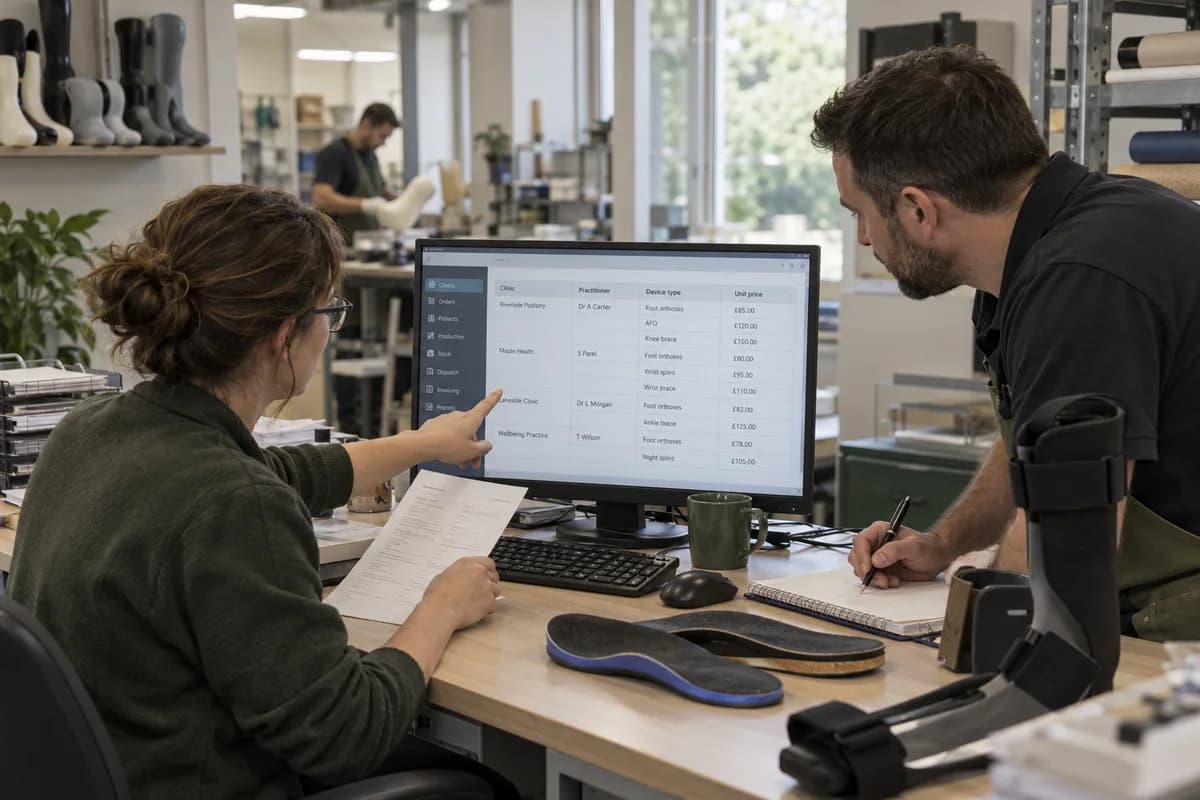
What the portal shows a podiatrist
Each login belongs to a clinic account, and it opens only that clinic’s own records. Nothing from any other clinic appears on the screen. Four things are on offer, each described below. All four feed the same order desk that works the bench.
A week of portal visits from the clinic
Portal visits are short, squeezed between one appointment and the next in a busy surgery. These four moments show work being sent, a query being raised and progress being watched. Four visits follow. None of them needs a phone call to the desk.
Who uses the portal and what each sees
The portal has two sides. Podiatrists use the clinic side. Laboratory staff use the other, and each person sees what the job needs. The four views below show both sides in turn.
Decisions to settle before clinics get logins
A portal puts the laboratory’s work in front of outsiders, so each choice matters. Bring the clinic list and the names of the podiatrists who will sign in.
How the portal connects to orders and dispatch
A front door opens onto records that already exist, and that is what the portal is. A prescription entered there becomes a prescription order. Scans join the design files. Stages come from the work order. Dispatch moves the status on. Clinic and desk see one set of records, not two.
- Clinic accounts decide each login’s prices and delivery addresses
- Prescription orders are created from each portal entry
- Design files and revisions receive the uploaded scans
- Production work orders supply the stage the clinic sees
- Dispatch, invoices and statements move the status to dispatched
Where the clinic portal stops
The portal sends orders in and shows progress out. It is not a clinical record. A podiatrist’s own patient notes stay at the clinic. It is not a shop with a cart unless a payment gateway is chosen. Privacy duties belong to each clinic and its advisers. A laboratory with two or three clinics can take prescriptions by email.
Frequently asked questions
Can a clinic change an order after sending it?
That rule is set at set-up. A clinic may be allowed to edit until the desk confirms the order, then ask the desk for changes. Once work is on the bench, a change needs a conversation.
Do clinics see our prices for other clinics?
No clinic sees another’s account. Each clinic sees its own prices and its own patients’ devices only. You also choose whether even their own prices appear. Staff can still quote them by phone, whichever way you choose.
How does a plaster cast reach us?
A plaster cast still travels by post or courier. Its portal order tells the desk to expect it, and the cast is logged as received on arrival. After that, work moves forward. A scan avoids the wait.
Is it hard for a clinic to start using it?
Starting is simple. The desk adds the clinic and its podiatrists, and each receives a login. The form mirrors the prescription that clinics already send. Account and price list are ready before the first order arrives.
Does the portal replace calls and email?
It replaces status calls and retyped prescriptions. Queries about a missing measurement still go by email or message, with the reply written on the order. Complex cases still deserve a phone call. A call remains the right tool there.
How this feature fits the system.
Orthotics Manufacturing Management Software: the parts that work with this feature, the trades that use it and the ways to put it in place.
Clinic accounts and price lists
Each clinic and podiatrist is a separate record, so a device is billed to the right account at that clinic’s agreed price.
Contact & Account ManagementPrescription orders
Every prescription becomes a numbered order from receipt to dispatch, with scans and clinical notes attached and its status visible to the order desk.
Order ManagementDevice specifications and bills of materials
Each device type lists its blank, sheet, cover, strap and adhesive quantities, so a work order reserves the right material without retyping.
Bill of MaterialsTell us what you need.
Tell us what your team does today, where work gets stuck and what you want to change.
What happens after you share your requirements
- We review your brief and the systems you already use.
- We clarify the workflow, missing information and the work to consider first.
- The proposed scope sets out the deliverables, responsibilities and dependencies.
- Review the scope and commercial terms before deciding whether to proceed.
Start with your requirements
Describe your current process, the people involved and the change you need. Start with the details you know; we can clarify the rest together.
Share your requirements