Dispatch, invoices and statements for orthotics
Dispatch, invoices and statements take a finished device from the packing bench to the clinic’s account. Devices are packed and sent with a delivery slip, invoices follow each clinic’s price list, receipts are recorded and statements put the oldest balance first. A disputed item sits apart from the balance.
What dispatch and clinic billing record
Dispatch and billing share one chain, from the packing bench to the clinic’s account. A parcel leaves with a slip, an invoice follows from the clinic’s own price list and a receipt closes it. Four records carry that chain. Each is made once and read by several people.
A working week from packing to payment
Dispatch and billing fill the end of the week, but they start on Monday with a packed parcel. These four moments show a device leaving, an invoice following and a clinic paying. The packer comes first and the clerk last.
Who ships, who bills and who reads balances
Billing touches money. The laboratory decides who may raise an invoice, record a receipt or release a statement. GullySystem sets those limits at configuration, and each view below follows them.
Decisions to settle before invoicing starts
Invoices carry money and tax, so a few rules should be written down before the first one is sent. Settle the four points below with the owner and the accountant. Bring a sample invoice and a statement.
How billing connects to the bench and the clinic
Dispatch is where the device record meets the account. A passed fitting check lets a device go. The clinic account supplies the price and the terms. The invoice then ages on a statement. Remakes and adjustments are written against the first order. Clinics see their own devices on the portal as they move to dispatched.
- Clinic accounts supply prices, discounts and payment terms
- Fitting checks release a device to packing
- Remakes, adjustments and returns are written against the first order
- Clinic ordering portal shows each device as dispatched
- Accounting software export carries the totals to your books
Where dispatch and billing stop in this product
Invoices and statements are raised here. The product is not your ledger or your tax adviser. Tax treatment, filing and the books themselves stay with the accountant. Courier charges and payment gateway fees are third-party costs for the laboratory to settle. A laboratory with a handful of clinics and few invoices can keep them in accounting software alone.
Frequently asked questions
Can an invoice follow a different price for each clinic?
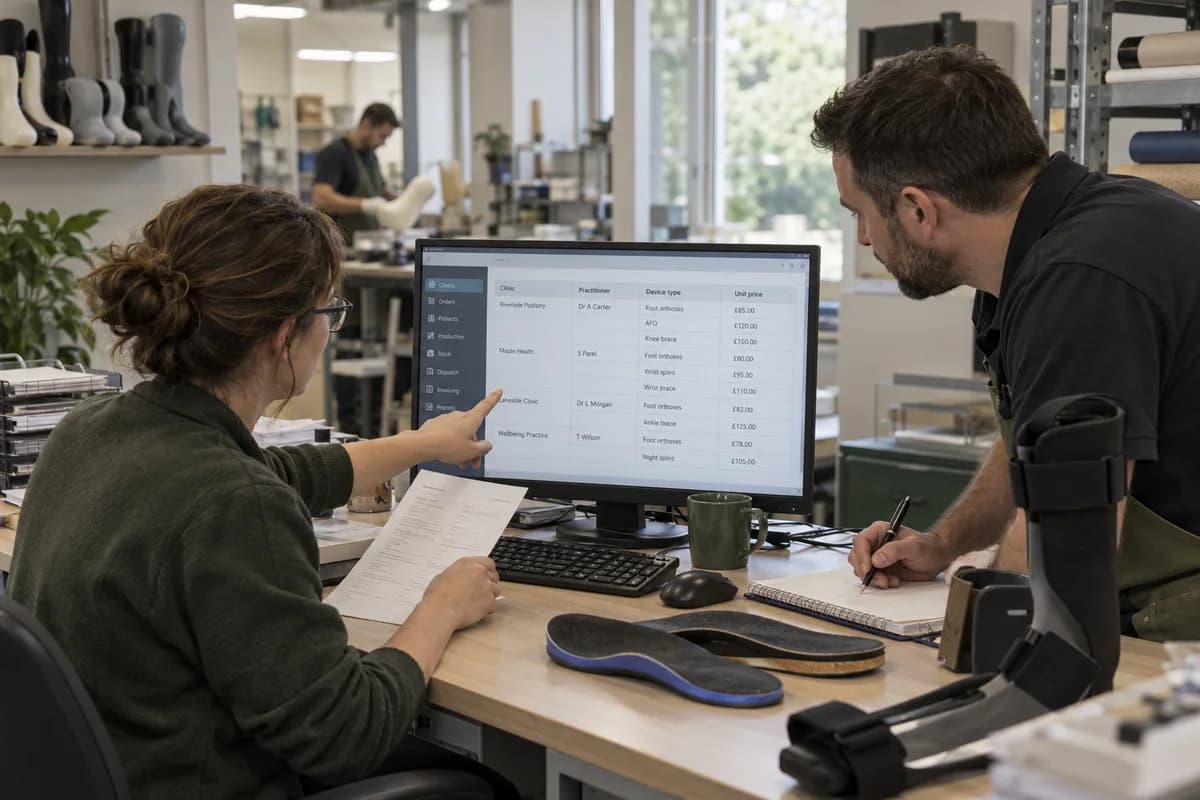
Yes, line by line. Each clinic’s price for each device type, its discount and its payment terms are read when the invoice is raised. Two clinics buying the same insole can pay different prices. Both invoices are right.
What happens to a disputed item on a statement?
It is held aside. The rest of the clinic’s balance still appears, with the oldest invoice first. The desk and the clinic settle the item, and it returns to the statement or is adjusted. One dispute no longer freezes the account.
Can clinics pay their invoices online?
Where a payment gateway is chosen as an integration, a clinic can pay online and the receipt is recorded. Otherwise the desk records receipts by hand. Gateway fees are third-party charges. They are settled between the laboratory and the provider.
Are tax lines shown on invoices?
Each invoice shows the currency and tax lines of the country you sell into. You approve a sample invoice before any real one goes out. Whether those lines are right is for your accountant. What is set up is what prints.
Can we send a statement by email?
Statements can be sent by email, where email is set up as an integration. Staff choose when to send them. Clinics with held disputes see the disputed items listed apart, so the rest of the balance is clear.
How this feature fits the system.
Orthotics Manufacturing Management Software: the parts that work with this feature, the trades that use it and the ways to put it in place.
Clinic accounts and price lists
Each clinic and podiatrist is a separate record, so a device is billed to the right account at that clinic’s agreed price.
Contact & Account ManagementPrescription orders
Every prescription becomes a numbered order from receipt to dispatch, with scans and clinical notes attached and its status visible to the order desk.
Order ManagementDevice specifications and bills of materials
Each device type lists its blank, sheet, cover, strap and adhesive quantities, so a work order reserves the right material without retyping.
Bill of MaterialsTell us what you need.
Tell us what your team does today, where work gets stuck and what you want to change.
What happens after you share your requirements
- We review your brief and the systems you already use.
- We clarify the workflow, missing information and the work to consider first.
- The proposed scope sets out the deliverables, responsibilities and dependencies.
- Review the scope and commercial terms before deciding whether to proceed.
Start with your requirements
Describe your current process, the people involved and the change you need. Start with the details you know; we can clarify the rest together.
Share your requirements