Weekly production planning for orthotics makers
Production planning places confirmed orthotics orders into a weekly plan by mill, heat oven and technician. The owner sees which devices leave on time and which sit held for a scan. The order desk quotes dates from the plan, and the bench works to it.
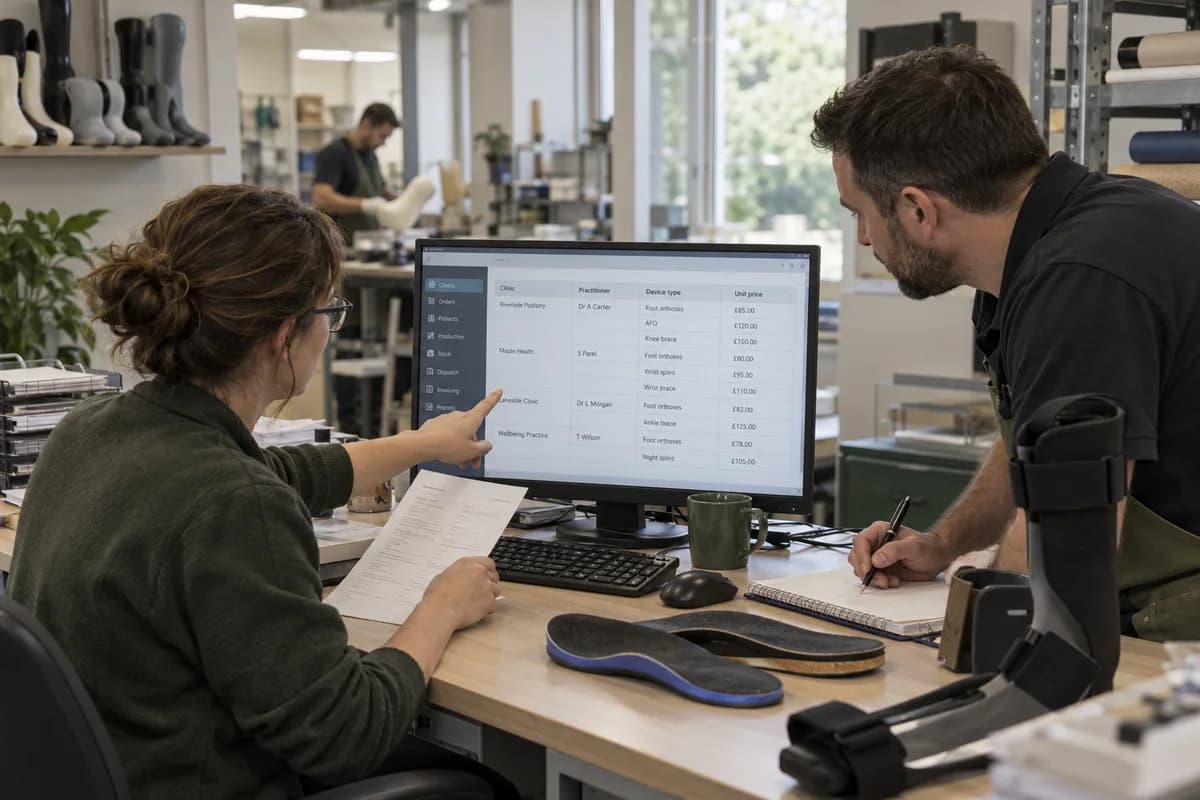
What the weekly production plan shows
The weekly plan is a view across three resources: the mill, the heat oven and the technicians. It shows who holds each slot. A slot is a day on one machine or with one person. Four things on it matter to readers.
A week of planning at the laboratory
Planning is a conversation held at the same time each week and revisited whenever something slips in the workshop. These four moments run from the Monday meeting to a Friday check on what left the building. Each needs only the screen.
Who plans and who follows the weekly plan
Planning is a shared view. One person shapes it, the desk quotes from it and the bench follows it. GullySystem sets who may move a slot and who may only look. Each view below is different.
Decisions to settle before planning starts
A plan is only as honest as the rules behind it. A few choices decide whether the bench trusts it. Bring a sample week of real orders to the first planning meeting. Four choices follow.
How planning links to work orders and dispatch
Planning sits between the confirmed order and the bench. It takes what the desk has confirmed, gives it a slot and passes dates and queues on. When a stage is ticked, the picture refreshes. Dispatch then closes the loop. Late work is easy to spot.
- Prescription orders become plannable once confirmed and complete
- Design files and revisions release the model to the mill
- Production work orders report stage progress back to the plan
- Material stock and batches show whether a blank is available
- Dispatch, invoices and statements take over when a device leaves
Where production planning stops
Planning shows slots and dates. It does not promise them, and it does not choose the best order of work for you. A breakdown, a sick day or a late courier still needs a human decision. Promises to clinics remain the owner’s. A laboratory with one mill, one oven and a short queue can plan on a sheet of paper.
Frequently asked questions
Does the plan decide the order of jobs for us?
No, staff slot the orders by hand. The plan shows the result and makes clashes and held devices visible. A supervisor decides what moves and when, since only the workshop knows its machines, its people and its habits.
How is a device held for a scan shown?
A held order is listed with its reason beside it. It stays on view while it waits. When the scan arrives, the order is released and can be given the next free mill slot. Each clinic being waited on is visible.
Can we plan around more than one mill?
You can list every mill, oven and technician your workshop has. Each is a resource on the plan. GullySystem enters them at set-up to match your layout and your benches. Later changes are made by GullySystem staff.
What happens when a mill breaks down?
A supervisor moves the affected slots to another day or another machine, and the plan shows the new dates. The clinics concerned are then warned by the desk. The product records the change. It does not repair the machine.
Can clinics see the planned date?
Through the portal, a clinic sees its own patients’ devices and their stages. You decide whether a planned date appears. Some laboratories prefer the desk to quote dates by phone, after checking the plan. The choice stays with the owner.
How this feature fits the system.
Orthotics Manufacturing Management Software: the parts that work with this feature, the trades that use it and the ways to put it in place.
Clinic accounts and price lists
Each clinic and podiatrist is a separate record, so a device is billed to the right account at that clinic’s agreed price.
Contact & Account ManagementPrescription orders
Every prescription becomes a numbered order from receipt to dispatch, with scans and clinical notes attached and its status visible to the order desk.
Order ManagementDevice specifications and bills of materials
Each device type lists its blank, sheet, cover, strap and adhesive quantities, so a work order reserves the right material without retyping.
Bill of MaterialsTell us what you need.
Tell us what your team does today, where work gets stuck and what you want to change.
What happens after you share your requirements
- We review your brief and the systems you already use.
- We clarify the workflow, missing information and the work to consider first.
- The proposed scope sets out the deliverables, responsibilities and dependencies.
- Review the scope and commercial terms before deciding whether to proceed.
Start with your requirements
Describe your current process, the people involved and the change you need. Start with the details you know; we can clarify the rest together.
Share your requirements