Manufacturing · Software for orthotics manufacturersKeep every prescription, scan, material lot and fitting check on one record per device.
Orthotics software for manufacturers holds each custom device as one order, from clinic prescription to delivery. The record carries the scan or cast, the design file, the materials used and the finishing steps. Clinics see where devices stand. Remakes and adjustments are logged against the original order, so a repeat fit is traced in one search.
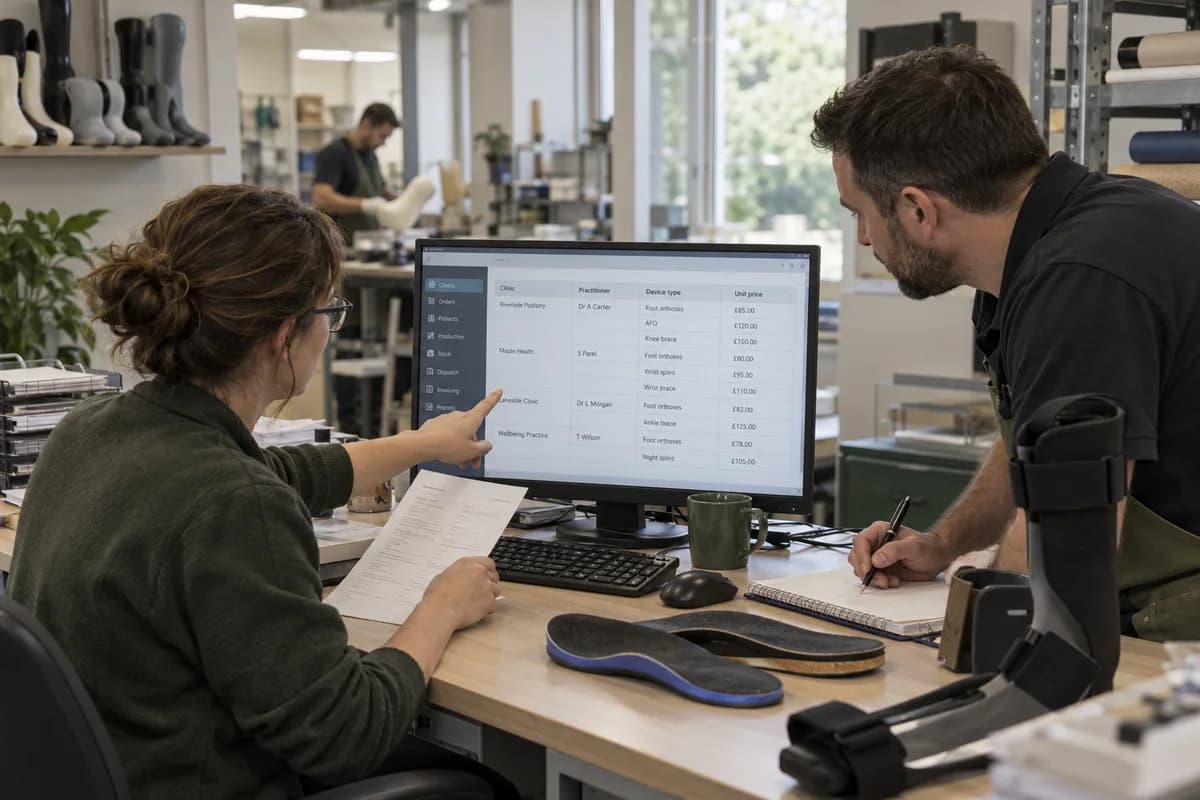
An orthotics manufacturer makes devices to a clinician’s prescription. Foot orthoses, braces, splints and supports are each made for one person, from a scan, a cast or a set of measurements. Volume is steady, but every piece is different.
Most of that detail sits in emailed prescriptions, shared folders of scan files and a whiteboard in the workshop. The software joins them. Each device then has one order that carries its scan, its design file, its materials and its remakes, from prescription to invoice.
Clinics, podiatrists and orthotists send prescriptions with a foot scan, a foam impression or a plaster cast, and a technician checks every detail against the order before anything is made. A designer shapes the model on screen. Then the order moves to milling, printing, vacuum forming or hand lamination, using materials cut from sheet stock: polypropylene, EVA, cork, carbon fibre and top covers in several finishes.
Finishing follows. Grinding, strapping, covering, then a final check against the prescription. The device is packed with its patient reference and sent to the clinic. Some come back for adjustment, and others are remade after a change of size or a clinical review, which means the workshop needs the original order in front of it. The office invoices each clinic monthly and answers calls about where a device is.
What goes wrong for orthotics manufacturers without a proper system.
What orthotics manufacturers gain from one system.
Not a feature list. These are the moments in the working day that go differently once the records sit together.
What we would build for orthotics manufacturers.
Named the way your team already talks about the work. We start with whichever part the audit shows is costing you most.
A requirements checklist for orthotics manufacturers.
What to cover, which reports to ask for and what to put to every vendor, ready to print or save as a PDF.
A product already built for orthotics manufacturers.
It is adapted to how your business works before it goes live, and anything your trade needs that it lacks is added then.
Orthotics Manufacturing Management Software
Prescriptions, STL scans, CAD revisions, EVA and polypropylene stock, fitting checks, remakes and clinic statements for orthotics laboratories.
What Orthotics Manufacturing Management Software covers, feature by feature
- Clinic accounts and price lists for an orthotics laboratory
- Prescription orders for an orthotics workshop
- Design files and revisions for orthotics labs
- Bills of materials and device specifications in orthotics
- Work orders from design to finishing in orthotics
- Weekly production planning for orthotics makers
- Material stock and lot tracing for an orthotics bench
- Purchasing from material suppliers for orthotics
- Closing fitting checks kept with each orthotic device
- Remakes, adjustments and returns for orthotics
- Dispatch, invoices and statements for orthotics
- A clinic ordering portal for orthotics makers
Other products in the same sector as orthotics manufacturers.
- Adhesive Manufacturer Management Software
- Aerospace Manufacturer Management Software
- Aerospace CNC Part Manufacturer Management Software
- Aerospace Fabrication Company Management Software
- Aerospace Tooling Company Management Software
- Agricultural Implement Manufacturer Management Software
- Agricultural Pump Manufacturer Management Software
- Aluminium Die Casting Company Management Software
- API Manufacturer Management Software
- Apparel Manufacturer Management Software
- Auto Parts Manufacturer Management Software
- Automation Equipment Manufacturer Management Software
- All industry products
The business modules orthotics manufacturers use most.
Each one is also available on its own, or inside a system built for you.
Contact & Account Management
Every clinic, podiatrist or orthotist has an account with its contacts, price list, delivery address and the practitioners who send prescriptions. Account staff see past orders in one view. New practitioners are added to the account.
Learn moreOrder Management
A prescription with its scan or cast is entered as one order for a device such as a custom insole. Left and right sides are listed separately. Remakes link back to the first order.
Learn moreBill of Materials
A device’s bill lists sheet material, top cover, straps and adhesive, with thickness and quantity. Polypropylene, EVA and cork versions of one insole are kept as separate bills. Costs follow the choice.
Learn moreWork Order Management
Each order is released as a work order through design, milling or printing, forming, grinding and covering. Technicians mark the stage reached. Finished devices wait for the final check.
Learn moreProduction Planning
Planners group orders by material and process, so vacuum formed pieces share one heating cycle and a milling pass. Urgent prescriptions are moved forward. Open orders are set against mill and printer time.
Learn moreStock Tracking and Alerts
Sheet stock of polypropylene, EVA, cork and carbon fibre is counted by thickness and size. Top covers are held by colour. Usable offcuts go on a remnant list.
Learn moreQuality Control
A fitter checks each finished device against the prescription: length, arch height, posting and cover. A failed check sends the order back with a note. Pass records stay with the order.
Learn moreDealer and Distributor Portal
Clinics log in to see order status, upload a new scan and download invoices. A distributor placing orders for several clinics sees only its own. Price lists show by account.
Learn moreAll solutions by area
- Applicant Tracking (5)
- CRM (8)
- Finance & Accounting (10)
- Helpdesk (4)
- Human Resources (13)
- Inventory Management (5)
- Project Management (7)
- Manufacturing (6)
- Procurement (4)
- Sales and Distribution (6)
- Field Service (5)
- Statutory and Compliance (4)
- Retail and POS (4)
- Bookings and Appointments (3)
- Subscriptions (2)
- Assets and Fleet (4)
- Platform (6)
- Analytics (2)
- Documents (1)
Where AI can help orthotics manufacturers.
Each one reads records you already keep, and a person approves every decision.
The services behind it.
Business Process Automation
Prescription intake, design approval, milling or lamination, finishing, dispatch and clinic invoicing become a chain of set steps. A device cannot be packed until the final check against the prescription is signed.
Learn moreCustom Software and Product Engineering
Build tools specific to orthotics. Examples are a viewer for foot scans and casts attached to the order, a design-file version register and a clinic portal for status. These sit alongside the workshop’s milling and printing equipment.
Learn moreData Migration and Moving Off Spreadsheets
Move clinic lists, prescription emails, shared folders of scan files and the workshop whiteboard into orders and clinic accounts. Scan and design files are linked to the device they produced, so past remakes stay traceable.
Learn moreAll our other services
- Software Maintenance, Support and Rescue
- AI and Intelligent Automation
- API and System Integration
- ERP, CRM and Business Software Implementation
- Data Engineering and Business Intelligence
- UI/UX Design and Prototyping
- Cloud Engineering and Managed Infrastructure
- DevOps & Automation Services
- QA and Software Testing
- Performance Engineering
- Cybersecurity and Application Security
- IoT and Edge Computing
- Technology Strategy and Product Consulting
- E-Commerce and Digital Commerce
- MVP Product Development
- Web and Mobile Application Development
- SaaS Product Development
- WhatsApp Business API and Chatbots
- Training and Adoption
- Data Protection and Privacy Readiness
- Tax and e-Invoice Engineering
- Managed IT Support
- Dedicated Team and Staff Augmentation
- Business Intelligence and Reporting Tools
- Cloud Cost Optimisation
- Global Compliance and Localisation
How the work runs from Bengaluru for your city.
- 1
The audit, by call
A screen-share and a look at the sheets, accounting reports and WhatsApp groups your team uses. No travel needed.
- 2
A written proposal
Scope, what we build first and the cost, agreed in writing before anything starts.
- 3
Build in short rounds
Working screens shared every few weeks. Your team tests them from your own office.
- 4
Go-live, in person when it helps
For data migration and training we can come to your city. Travel is agreed in advance.
- 5
Support online
Fixes, changes and hosting handled remotely by the same team that built it.
The work we have published.
We only name clients whose work is published. None of them is in this trade; they show how the team works, not that it has built for this trade.
PetSeva: matching owners to the right vet, at any hour
A two-sided veterinary platform where vets are searchable by specialisation and bookable outside clinic hours. It now carries more than 2,000 veterinary doctors.
Read the case study Paying guest accommodationSAM Atithi Pavathi: bed-level occupancy as the source of truth
PG management software where allocation, rates and invoices are derived from bed-level occupancy and not maintained in parallel spreadsheets.
Read the case study School transport servicesSAM Tours: school transport on a single ledger
Registration, fee collection, routing and finance write to the same records, closing the gap between journeys run and fees collected.
Read the case study Microfinance and Self Help GroupsVikasa RDO: making SHG loan recovery auditable
Loan proposals, recoveries and commissions sit on one record, with a person attached to every state change, so a business handling a bank’s money can show where each rupee went.
Read the case studyCheck the difficult cases before choosing software.
Use examples from your own records to test the workflows that matter in your business.
Production work orders
Is the plan based on demand that is still open?
Review “Production work orders” with an order that changes after planning. Check which material or capacity reservations need review before promising the revised completion date.
Background reading: ERPNext: production planning
Material stock and issue
What happens to movements entered while a count is being checked?
For “Material stock and issue”, choose a count date and trace the movements around it. Agree who investigates a difference before an adjustment changes the available balance.
Background reading: ERPNext: stock reconciliation
Questions orthotics manufacturers ask before they call.
Can scan and design files be kept with the order?
Yes. Scans, casts, photographs and design files attach to the prescription order. Each revision is kept, so the version sent to the machine is on record.
Does it handle one-off custom devices and repeat stock items?
Yes. A custom device runs as an order with its own file and materials. Standard supports are made to a stock level. Both appear in the same production plan.
Can clinics place and track their own orders?
Yes. A clinic logs in to send a prescription and see the status of its patients’ devices. What a clinic sees, and which prices it is shown, is set with you.
How is patient information treated?
Orders carry a patient reference and only the clinical details you choose to hold. Who can see them is set by role. Your privacy obligations are reviewed during implementation.
How is a device maker’s system quoted?
Design staff, technicians and clinic-facing users set the base. Prescription orders, design file revisions, work orders, material issue, remakes and statements are modules quoted apart. Scanner software or a ledger link adds scope. Clinic price lists to enter count too.
What should an orthotics maker line up first?
Line up a prescription sample, scan and design files, a work order, the sheet stock list, a remake record and a clinic statement. A lead designer and a dispatch person should check screens.
Who keeps clinic accounts and design history on leaving?
The maker. Code and records are the company’s property. Orders, designs, material use and statements leave in ordinary files. Support stays with its builders, and GullySystem is the host unless you prefer someone else.
What happens after I share my requirements?
We review your brief and clarify the work with you. We then look at the software, spreadsheets and WhatsApp groups your business runs on today and write down what works, what slows your team down and what is missing. A demo login, a screen-share or a few screenshots are enough. You get a short written summary ordered by priority, with no obligation to hire us afterwards.
How much will the software cost?
We don’t publish a price, because it depends on what the system has to do. That first review settles the scope, and the cost goes into a written proposal before any work starts.
Related industries.
- Adhesive manufacturers
- Aerospace and aviation manufacturers
- Aerospace CNC part manufacturers
- Aerospace fabrication companies
- Aerospace tooling companies
- Agricultural implement manufacturers
- Agricultural pump manufacturers
- Aluminium die casting companies
- API manufacturers
- Apparel manufacturers
- Auto parts manufacturers
- Automation equipment manufacturers
- Automotive component manufacturers
- Automotive fastener manufacturers
- Automotive plastics manufacturers
- Avionics hardware manufacturers
- Bakery product manufacturers
- Battery pack manufacturers
- Bearing manufacturers
- Beverage manufacturers
- Blow moulding companies
- Brake component manufacturers
- Cabinet manufacturers
- Cable and wire manufacturers
- Capsule manufacturers
- Cement product manufacturers
- Chemical manufacturers
- Cleaning product manufacturers
- CNC bending shops
- CNC machining companies
- CNC milling shops
- CNC turning shops
- Cold forging companies
- Commercial furniture manufacturers
- Commercial printers
- Commercial refrigeration companies
- Compressor manufacturers
- Concrete block manufacturers
- Construction chemical manufacturers
- Construction material manufacturers
- Contract pharma manufacturers
- Control panel manufacturers
- Conveyor belt manufacturers
- Conveyor manufacturers
- Corrugated box manufacturers
- Countertop manufacturers
- Deep drawing companies
- Defence component manufacturers
- Diagnostic equipment manufacturers
- Digital printers
- Door and window manufacturers
- Drone component manufacturers
- Electric motor manufacturers
- Electrical equipment manufacturers
- Electronic manufacturing services providers
- Electronic product manufacturers
- Embedded systems companies
- Energy storage system manufacturers
- Engine component manufacturers
- Engineering plastics processors
- EV charger manufacturers
- EV component manufacturers
- Fabric manufacturers
- Farm machinery manufacturers
- Fastener manufacturers
- Five-axis machining shops
- Flexible packaging manufacturers
- Flour mills
- Folding carton manufacturers
- Food ingredient manufacturers
- Food manufacturers
- Food packaging manufacturers
- Food processing machinery manufacturers
- Forged automotive parts manufacturers
- Foundry component manufacturers
- Frozen food manufacturers
- Furniture manufacturers
- Gear manufacturers
- Gravity die casting companies
- Herbal product manufacturers
- Home appliance manufacturers
- Home textile manufacturers
- Hospital furniture manufacturers
- Hot forging companies
- Household plastics manufacturers
- Household products manufacturers
- Hydraulic component manufacturers
- Industrial chemical manufacturers
- Industrial cleaning chemical manufacturers
- Industrial electronics manufacturers
- Industrial enclosure manufacturers
- Industrial lighting manufacturers
- Industrial packaging manufacturers
- Industrial printing companies
- Industrial pump manufacturers
- Industrial repair companies
- Industrial rubber parts manufacturers
- Industrial sensor suppliers
- Injection moulding companies
- Investment casting companies
- IoT device manufacturers
- Iron foundries
- Irrigation equipment manufacturers
- Jig and fixture makers
- Kitchenware manufacturers
- Label and sticker printers
- Label manufacturers
- Laser cutting shops
- Lighting manufacturers
- Machine tool manufacturers
- Machine vision companies
- Machinery manufacturers
- Material handling equipment manufacturers
- Medical device manufacturers
- Medical disposables manufacturers
- Medical equipment manufacturers
- Medical plastics manufacturers
- Metal fabricators
- Metal stamping companies
- Modular furniture manufacturers
- Nutraceutical manufacturers
- Office furniture manufacturers
- Offset printers
- Orthopaedic implant manufacturers
- Packaged food manufacturers
- Packaging film manufacturers
- Packaging machinery manufacturers
- Packaging manufacturers
- Paper bag manufacturers
- Paper product manufacturers
- Paver manufacturers
- PCB assembly companies
- PCB manufacturers
- Personal care product manufacturers
- Pharma packaging manufacturers
- Pharmaceutical manufacturers
- Pipe fitting manufacturers
- Plastic component manufacturers
- Plastic extrusion companies
- Plastic mould makers
- Plastic packaging manufacturers
- Plating companies
- PLC panel builders
- Plywood and timber dealers
- Plywood manufacturers
- Pneumatic component manufacturers
- Power distribution equipment manufacturers
- PPE manufacturers
- Precast concrete manufacturers
- Precision component manufacturers
- Precision forging companies
- Precision grinding shops
- Resin manufacturers
- Rice mills
- Rigid packaging manufacturers
- Robotic systems integrators
- Roll forming companies
- Roofing material manufacturers
- Rubber gasket manufacturers
- Rubber hose manufacturers
- Rubber moulding companies
- Sand casting foundries
- SCADA system integrators
- School furniture manufacturers
- Seal and O-ring manufacturers
- Sensor manufacturers
- Shaft manufacturers
- Sheet metal fabricators
- Silicone component manufacturers
- Snack manufacturers
- Solar component manufacturers
- Solar inverter manufacturers
- Solar mounting structure manufacturers
- Solar panel manufacturers
- Solvent manufacturers
- Special purpose machine builders
- Specialty chemical manufacturers
- Spice manufacturers
- Spring manufacturers
- Stainless steel fabricators
- Stationery manufacturers
- Steel foundries
- Steel mills
- Structural steel fabricators
- Surgical instrument manufacturers
- Suspension component manufacturers
- Switchgear manufacturers
- Tablet manufacturers
- Technical textile manufacturers
- Textile processors
- Tile manufacturers
- Tool rooms
- Toy manufacturers
- Tractor attachment manufacturers
- Transformer manufacturers
- Uniform manufacturers
- Valve manufacturers
- VMC machining shops
- Water treatment chemical manufacturers
- Water treatment companies
- Welding shops
- Wind turbine component manufacturers
- Wire EDM shops
- Wiring harness manufacturers
- Wooden door manufacturers
- Yarn manufacturers
Part of a wider group.
Tell us how your business runs today.
A few lines on your spreadsheets, software and WhatsApp groups is enough. We reply the same working day.
What happens after you share your requirements
- We review your brief and the systems you already use.
- We clarify the workflow, missing information and the work to consider first.
- The proposed scope sets out the deliverables, responsibilities and dependencies.
- Review the scope and commercial terms before deciding whether to proceed.
Start with your requirements
Describe your current process, the people involved and the change you need. Start with the details you know; we can clarify the rest together.
Share your requirements