One record for each damaged car, from assessed estimate to the delivery check.
Run a collision repair shop from one job per car. The record carries intake photographs, the assessed estimate, supplements found on teardown, insurer approvals, parts due, the panel stage, the paint code and mix, and the final inspection. Everyone who touches the car, from estimator to painter and parts clerk, reads and updates this one card, where the customer’s excess (deductible) sits next to the insurer’s share.
- Labour rates, panel list and paint codes entered the way you estimate
- Open jobs, insurer contacts and unpaid bills migrated
- Stage names and delivery checklist set with your foreman
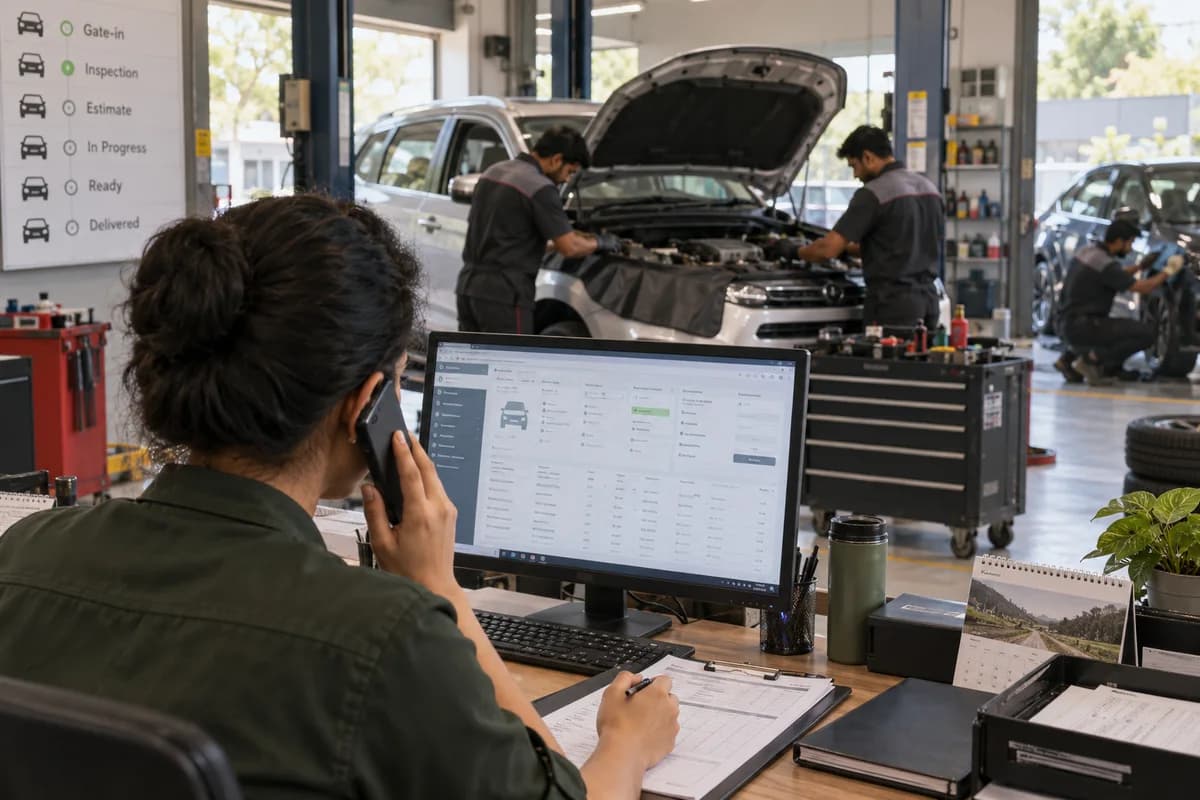
Auto Body and Paint Shop Management Software follows the repair job, from intake and estimate through supplements, parts, panel stages and the booth. Each damaged car has one job with its photographs, the insurer’s approved figure, supplements and the customer’s excess. Painters record the paint code and quantity used, and the foreman closes the job with a delivery inspection.
What goes wrong before the software.
How the work flows through it, step by step.
- 1
Intake
The car is received with photographs of each side. Odometer, fuel level and belongings are noted. Owner, insurer, claim number and the paint code from the plate go on the job.
- 2
Estimate and approval
The estimator lists panels to repair, replace or refinish with labour hours and part lines. For an insured car the figure goes to the insurer, and the approval is saved with its date.
- 3
Teardown and supplement
Panels come off and hidden damage is photographed. Each extra line is raised as a supplement, sent for approval and tracked separately from the original estimate.
- 4
Parts and panel work
Parts are ordered against the job and checked on arrival. Dent repair, filler, sanding and primer follow. The board shows who holds each stage.
- 5
Paint, bake and refit
The painter draws the mix for the paint code. A booth slot follows, then baking and polishing. Lamps, trim and clips are refitted. It is the last stage before the check.
- 6
Delivery check and billing
The foreman inspects each panel and saves final photographs. The invoice is split between the insurer’s approved share and the owner’s excess. Any repaint later is logged as rework.
What is inside.
Every module can be switched on, left out or changed to match how your team already works.
The business modules it is built from.
Each one is also available on its own, or inside a system built for you.
- Job Cards
One job per damaged car holds photographs, paint code, owner, claim details and every stage, so the whole repair is read from a single card.
- Estimate/Quotation Management
Estimates list each panel with repair, replace or refinish hours and part lines, priced at the shop’s own rates and kept with every revision.
- Workflow and Approvals
A supplement or estimate waits in a pending state until the insurer’s approval is entered, and extra work cannot be billed without it.
- Purchase Order Management
Panels, lamps and clips are ordered against a job with the dealer, rate and promised date, and the order stays open until parts arrive.
- Goods Receipt (GRN)
Each part is checked at the door against the order, and a wrong variant or damaged lamp is recorded before the car proceeds.
- Stock Tracking and Alerts
Clear coat, primer, tint and abrasives are drawn against a job, and the shelf shows what remains and what to reorder.
- Quality Control
The foreman works through a panel-by-panel checklist before handover, and a failed check sends the car back to its stage with a reason.
- Invoice Management
The invoice is raised from the closed job with the insurer’s share and the owner’s excess shown as separate amounts.
How we would put it in.
Setup, data migration, integrations and anything built on top.
Every part of the system, by area.
Take the modules you need. Each one works on its own or inside a larger system built for you.
- Applicant Tracking (5)
- CRM (8)
- Finance & Accounting (10)
- Helpdesk (4)
- Human Resources (13)
- Inventory Management (5)
- Project Management (7)
- Manufacturing (6)
- Procurement (4)
- Sales and Distribution (6)
- Field Service (5)
- Statutory and Compliance (4)
- Retail and POS (4)
- Bookings and Appointments (3)
- Subscriptions (2)
- Assets and Fleet (4)
- Platform (6)
- Analytics (2)
- Documents (1)
- All business solutions
One system, each person sees their part.
Owner’s view
Read cars in the shop by stage, approvals pending, parts overdue, booth use and paint cost against estimate, without walking the floor.
Estimators
Write estimates, raise supplements after teardown and follow each approval with the insurer until the figure is saved.
Panel beaters and painters
See the cars on your stage, the panels to do and the paint code. Mark each stage finished and record paint drawn.
Parts clerk
Order against jobs, check deliveries and list which cars are blocked by a missing or wrong part.
Front desk
Tell the owner where the car is, what the insurer approved and what excess is due on delivery.
The numbers the owner asks for.
- Cars in the shop by stage, bay and days since intake
- Supplements raised, approved and refused by insurer
- Parts ordered, received and overdue per job
- Paint and consumables drawn against estimated allowance
- Booth and oven use by day
- Rework jobs by painter and cause
- Balances due from insurers and owners, oldest first
Who this is built for.
- Independent collision repair and body shops
- Paint and refinish shops that take insurer jobs
- Dealer body shops attached to a showroom
- Fleet repair shops that fix company cars after accidents
- Dent removal and panel repair specialists with a booth
When it is not the right choice.
- A small dent-pulling stall with no booth and no insurer work can run on a job book.
- A workshop whose daily trade is oil changes, tyres and brake pads belongs on Garage Management Software instead, since its jobs have no panel or paint stages.
Adapted to your business before it goes live.
You are not handed a login and left to it. The product is set up around your records, your people and the tools you already use.
Works alongside
- SMS
- Phone camera photographs
- Card payments
- Accounting export
Questions owners ask before a demo.
Does it work for insured and private repairs together?
Yes. An insured job carries claim number, approval and excess. A private job carries a customer estimate and a normal invoice. Both run on the same stage board.
How are supplements kept apart from the first estimate?
Each supplement is dated, lists its own lines and photographs, and has its own approval state. The first estimate is never overwritten.
Can a painter see the paint code?
Yes. The code read from the plate at intake appears on the paint stage. The painter records the mix quantity drawn, and the job shows it against the estimate.
Does it mix paint?
No. Mixing stays on your own scales or tinting system. The software records code, quantity and job.
Can we see which cars are held up by parts?
Yes. A list shows each car whose part is ordered, late, wrong or damaged, with the clerk who is chasing it.
How do we split the bill between insurer and owner?
The job holds the approved figure and the excess. The invoice shows both shares, and payments from either side are posted separately.
Can we find a repaint complaint later?
Yes. Rework is logged against the original job with the painter, the day and the paint drawn, so a pattern across jobs can be read.
Can open jobs be moved from our current register?
Yes. Jobs open today, owner details, insurer contacts and bills not yet paid are taken from your register or sheet. The estimators check them before go-live.
What does it cost?
A shop with a single booth and a body group with several branches need different set-up. Branch count, staff on the system, insurer rules to encode and any payment or accounting link all move the quotation. Open jobs sitting in a register add migration work. It is written after your requirements are shared and screens are shown on your panel list, with prices per part.
How long until the workshop runs jobs on it?
Intake with condition photographs, estimates by panel and the stage board make the part to start with, because every car passes through them. Supplements, insurer approvals, parts arrival and booth slots come next. Paint consumables, delivery inspection and invoicing complete the build. Dates for each step go into the proposal.
What does the shop need to bring along?
Bring your panel list with labour rates, a few recent estimates and supplements, and the insurer approval forms you work with. Include the open job register, a paint code sheet and a delivery checklist. Name the estimator, the painter lead, the parts clerk and the front desk contact who can settle queries and try the screens. Messaging and payment accounts are needed for those connections.
Wondering what it would cost? Share your requirements and an engineer will come back with a scope.
Built for.
The trades this product is set up for. Pick yours to see how the work runs there.
Related products.
See Auto Body and Paint Shop Management Software set up around your records.
Tell us how you run things today. An engineer reads it and writes back with what fits as it is, what would need changing, and what we would start with.
What happens after you share your requirements
- A senior engineer reads your answers. Nobody phones first.
- Within one business day you get a written note: what we understood, what we would start with, and the questions we still have.
- If it fits, a proposal follows with the order of work, what we need from you and what you receive at each step.
- No call is booked and nothing is paid until you have read the note. Your details stay with us.
Start with your requirements
Seven short steps that tell us what you need. A senior engineer reads them before anyone gets in touch.
Share your requirements