Bookings, job cards, parts and invoices for car and bike workshops.
Run a car or bike workshop from booking to delivery. Every vehicle gets a job card with complaints, odometer, the mechanics assigned and the parts taken from stock. The estimate becomes the tax invoice, payments are recorded against it, and the next service date is set when the vehicle is delivered. The garage also gets its own website where customers book a slot.
- Service menu, labour charges and tax rates loaded before the first job card
- Customers, vehicle history and parts stock migrated from wherever they are kept
- Set up, hosted and supported by one team over remote video sessions
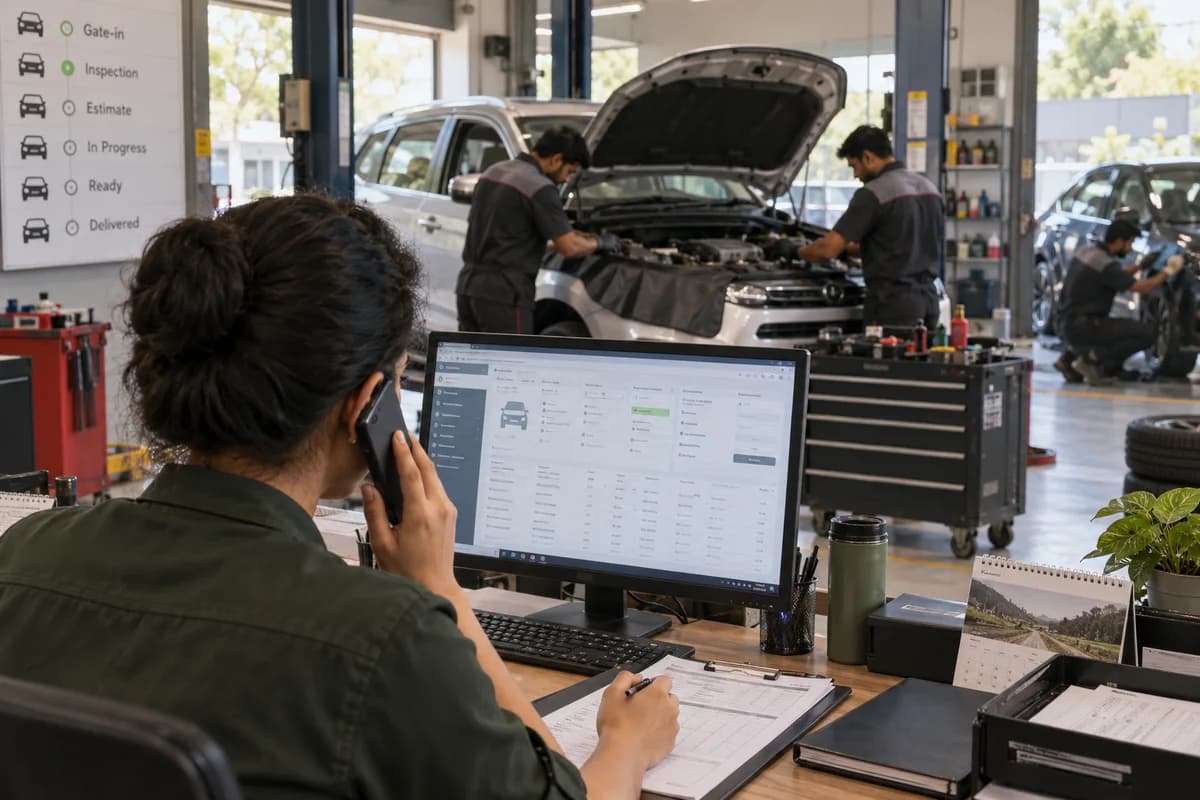
A car or bike workshop runs on job cards, and Garage Management Software from GullySystem keeps them. Each job card holds complaints, odometer, the mechanics assigned and the parts taken from stock, from brake discs to wiper blades. Estimates become tax invoices. Service advisors, mechanics and the owner work from it, and the garage website takes bookings.
What goes wrong before the software.
How the work flows through it, step by step.
- 1
Booking
The owner books on the garage website or by phone with vehicle, complaint, preferred date and time, and whether pickup and drop is needed.
- 2
Job card
The booking becomes a job card. The advisor notes odometer, fuel level, complaints and inspection findings, from tyre wear to a leaking radiator hose, sets an expected delivery time and assigns mechanics.
- 3
Estimate and approval
Labour, parts, consumables and services go on line by line with tax and discount. The owner approves, and the method of approval is recorded.
- 4
Work and parts
Every part is issued to the job card, and stock reduces as it goes. A shortage of brake discs, a timing belt or a steering rack boot shows before work begins, so the promise to the customer stays honest.
- 5
Invoice and payment
The approved estimate becomes the invoice, line for line, including towing and aircon gas top-ups. Cash, card, mobile wallet or bank transfer is recorded in full or in part, and fleet customers can be marked as credit.
- 6
Delivery and reminders
Marking the job delivered stamps the last service date and sets the next one from the odometer and the calendar. As the date approaches, the entry appears on the reminders list with a WhatsApp message ready to send.
What is inside.
Every module can be switched on, left out or changed to match how your team already works.
Job cards
Create one card per visit at gate-in, with its own number, odometer reading, fuel level, complaints and inspection notes. It carries the estimated cost, the delivery date and a status from created to delivered.
Learn moreMechanic and technician assignment
Assign one or more technicians and a service advisor to each job card, with the hoist bay and the time each mechanic started. Who is on which vehicle is visible to anyone at the counter.
Learn moreEstimates
Prepare line items for labour, parts, services and consumables such as degreaser, grease and rags with quantity, price, tax and discount. Share, approve, reject or revise them, with the approval method saved.
Learn moreTax invoices and payments
Generate invoices from the approved estimate with the tax rate on each line. Record payments one by one with transaction IDs, and let balance and status update.
Learn moreSpare-parts stock
Hold each part with code, category, vehicle fit, brands, purchase and selling price, supplier and a low-stock level, from rotors and gaskets to bulbs, wipers and bushings. Parts issued to a job card leave stock.
Learn moreBookings
Keep online, phone and walk-in bookings in one list, moving from new to confirmed to vehicle received. Converting a booking into a job card carries over the complaint, the pickup slot and the towing request.
Learn moreCustomers and vehicles
Tag customers by source and type, and record each vehicle’s registration, fuel type, kilometres, chassis and engine numbers. Cars, scooters and motorcycles sit in one list, each marked by type, with sprocket and tyre sizes noted for bikes.
Learn moreService reminders
Track next service, oil change, insurance expiry, emissions test expiry and general check-ups, each with a WhatsApp message and your booking link.
Learn moreWorkshop dashboard
View vehicles in the bays and on the hoists, today’s bookings, revenue, pending estimates and approvals, cars ready for delivery, unpaid invoices and low-stock alerts for pads, plugs and coolant.
Learn moreGarage website with booking
Publish a site with your services, hours, map, WhatsApp number, gallery and reviews. Its booking form feeds your bookings list.
Learn moreReviews and gallery
Choose which customer reviews appear on the website and upload photos of the workshop and completed work.
Learn moreThe business modules it is built from.
Each one is also available on its own, or inside a system built for you.
- Job Cards
A card opens per visit at gate-in with its own number, odometer, fuel level, complaints and inspection notes, and moves from created to delivered.
- Estimate/Quotation Management
Advisors prepare line items for labour, parts and consumables with tax and discount, then share, approve, reject or revise them with the approval method saved.
- Invoice Management
Invoices are generated from the approved estimate with the tax rate on each line, and payments are recorded one by one with transaction IDs.
- Stock Tracking and Alerts
Each part is held with code, vehicle fit, brand, prices, supplier and a low-stock level, and parts issued to a job card leave stock.
- Online Booking Portal
A garage website lists services, hours, map, gallery and reviews, and its booking form feeds the same bookings list the front desk uses.
- Service Reminders
Next service, oil change, insurance and emissions test expiry dates are tracked, each paired with a WhatsApp message and the garage’s booking link.
- Dashboards and KPIs
The workshop screen shows vehicles in the bays, today’s bookings, revenue, pending approvals, cars ready for delivery, unpaid invoices and low-stock alerts.
How we would put it in.
Setup, data migration, integrations and anything built on top.
Every part of the system, by area.
Take the modules you need. Each one works on its own or inside a larger system built for you.
- Applicant Tracking (5)
- CRM (8)
- Finance & Accounting (10)
- Helpdesk (4)
- Human Resources (13)
- Inventory Management (5)
- Project Management (7)
- Manufacturing (6)
- Procurement (4)
- Sales and Distribution (6)
- Field Service (5)
- Statutory and Compliance (4)
- Retail and POS (4)
- Bookings and Appointments (3)
- Subscriptions (2)
- Assets and Fleet (4)
- Platform (6)
- Analytics (2)
- Documents (1)
- All business solutions
Topics beyond the modules.
Each page covers one part of how the system is used, connected or controlled.
Garage Software Connections: WhatsApp, Payments, Maps
The garage software connects to WhatsApp through click-to-chat, records card, wallet and bank transfer payments, and places a Google Maps link on the garage website.
Learn moreReports for Garage Owners and Service Advisors
Revenue, unpaid invoices, job cards, estimates, low stock, reminders and bookings are reported from the records the counter and the workshop already keep.
Learn moreGarage Management Software for Each Role
A workshop has owners, advisors, mechanics and an accountant who all touch the same job card.
Learn moreOne system, each person sees their part.
For owners
See revenue for the day and month, unpaid invoices, low stock and every job card. Manage staff logins and the garage website.
For service advisors and receptionists
Take bookings, open job cards, build estimates, record approvals and tell customers where their vehicle stands.
For mechanics
See the job cards assigned to you, the complaints and inspection notes, and the parts issued to the job.
For accountants
Raise invoices, record payments and part-payments, and follow up on balances and credit customers.
The numbers the owner asks for.
- Today’s and this month’s revenue
- Unpaid and part-paid invoices
- Job cards by status, including cars ready for delivery
- Estimates shared and awaiting approval
- Parts at or below their low-stock level
- Service, insurance and emissions test reminders due, followed up or overdue
- Today’s bookings, with pickup and drop requests
Who this is built for.
- Multi-brand car workshops running several bays with a service advisor and mechanics
- Two-wheeler service centres handling many bikes a day
- Garages that keep a spare-parts store and lose track of it
- Detailing and repair centres that want online bookings and a gallery of their work
- Workshops servicing fleet or corporate vehicles on credit
When it is not the right choice.
- An authorised dealer workshop that must use the manufacturer’s own dealer system.
- A one-man roadside repair stand. A notebook and a payment QR code will serve you better.
Adapted to your business before it goes live.
You are not handed a login and left to it. The product is set up around your records, your people and the tools you already use.
Works alongside
- WhatsApp click-to-chat
- Card, wallet and bank transfer records
- Google Maps link on your website
Questions owners ask before a demo.
Can it print a tax invoice?
Yes. Each line carries its own tax rate, and the printed invoice shows the tax total. Your tax number and product codes are added to the layout at set-up. Returns are filed by your accountant from the sales report, and no government e-invoice code is generated here.
Does stock reduce when a part is fitted?
Yes. Issuing a part to a job card, such as a brake rotor or an exhaust gasket, takes it out of stock, and removing it puts it back. The screen will not issue more than is on the shelf.
Can it remind customers when the next service is due?
Yes. Delivering a job sets the next service date, and insurance and emissions test expiry dates are kept on the vehicle. Staff work from a reminders list with a WhatsApp message ready.
Do you handle insurance jobs and cashless claims?
No. The estimate and the invoice cover work the customer pays for. Claim numbers, insurer and surveyor paperwork and the ageing of claim receivables are not held. A vehicle’s insurance expiry date is kept only as a reminder.
Can we attach photos of the vehicle at gate-in?
No. Condition at gate-in is typed as inspection notes on the job card, and photos are not attached to it or to the estimate. Digital vehicle inspection sheets with annotated images are not part of this. The website gallery holds workshop photos only.
What happens during billing if the internet drops?
Billing and the job card need a connection, because GullySystem hosts the software. Offline billing is not part of it. It does run in a browser on phones and tablets, so an advisor can work beside the hoist on mobile data.
Does it push anything into our accounting package?
Not directly today. Invoices and payments are listed for your accountant, and an export can be scoped at set-up.
Can old customer and vehicle records be moved?
Yes. Customers, vehicles and parts come in from Excel or your old software before go-live, and a sample is checked with you.
Who owns the data?
Your garage does. There is no export button yet, so the written proposal states how you receive the whole record, including if you leave.
Should we just use a free billing app?
If you only need bills, a billing app is enough. This is for garages that lose money on unbilled parts, unapproved extra work and customers who do not return.
How long before the garage is writing job cards on it?
Duration depends on how many customers and vehicles you want loaded. Release one handles customers and vehicles, job cards with mechanic assignment, estimates, and tax invoices with payments. Spare-parts stock, bookings, service reminders and the website with booking come once the counter works from those. The proposal settles the sequence and the calendar.
What does the garage need to prepare for the start?
Bring the customer and vehicle list, the service and labour price list, current spare-parts stock, and a few recent job cards, estimates and invoices. Nominate one person at the front desk, one among the mechanics and one in accounts. They answer our questions and check each screen. We need access to your WhatsApp and website accounts too.
Wondering what it would cost? Share your requirements and an engineer will come back with a scope.
Every part, on its own page.
Each page covers one part of the system: what it records, who uses it and what it hands on.
- Job Card Software for Car and Bike Garages
- Estimates and Customer Approvals for Garages
- Spare Parts Stock for Workshops
- Service Reminders for Garage Customers
- Online Bookings for Garages
- GST Invoices and Payments for Garages
- Customer and Vehicle History for Garages
- Mechanic Assignment on Garage Job Cards
- Workshop Dashboard for Garage Owners and Advisors
- Garage Software Connections: WhatsApp, Payments, Maps
- Reviews and Gallery for Garage Websites
- Reports for Garage Owners and Service Advisors
- Garage Management Software for Each Role
Written for this trade.
Practical notes on running the business, not product marketing.
Garage Management Software: From Job Card to Invoice
How garage management software runs a car or bike workshop from vehicle intake and job card to estimate approval, parts, tax invoice and service reminder.
Learn moreWhat industry specific software is and what a generic ERP leaves out
Industry specific software is built around the records one trade keeps. See what a generic ERP leaves out, using a garage, a PG and a chit fund as examples.
Learn moreBuying software when one business runs two trades under one roof
Clinic with a pharmacy, garage with a tyre shop, showroom with a workshop: when one product is enough and when two linked ones fit better.
Learn moreBuilt for.
The trades this product is set up for. Pick yours to see how the work runs there.
Related products.
Selling these goods online as well?
These e-commerce pages describe the online side: the storefront, dealer ordering and the connections to a system like this one.
See Garage Management Software set up around your records.
Tell us how you run things today. An engineer reads it and writes back with what fits as it is, what would need changing, and what we would start with.
What happens after you share your requirements
- A senior engineer reads your answers. Nobody phones first.
- Within one business day you get a written note: what we understood, what we would start with, and the questions we still have.
- If it fits, a proposal follows with the order of work, what we need from you and what you receive at each step.
- No call is booked and nothing is paid until you have read the note. Your details stay with us.
Start with your requirements
Seven short steps that tell us what you need. A senior engineer reads them before anyone gets in touch.
Share your requirements