Batch and fermentation records for breweries
Batch and fermentation records keep the working notes of each brew: gravity, temperature, additions and transfers, all under one lot number. Cellar staff log readings at the tank instead of on paper beside the vessel. The head brewer reads the history, and the lot number follows the beer onward.
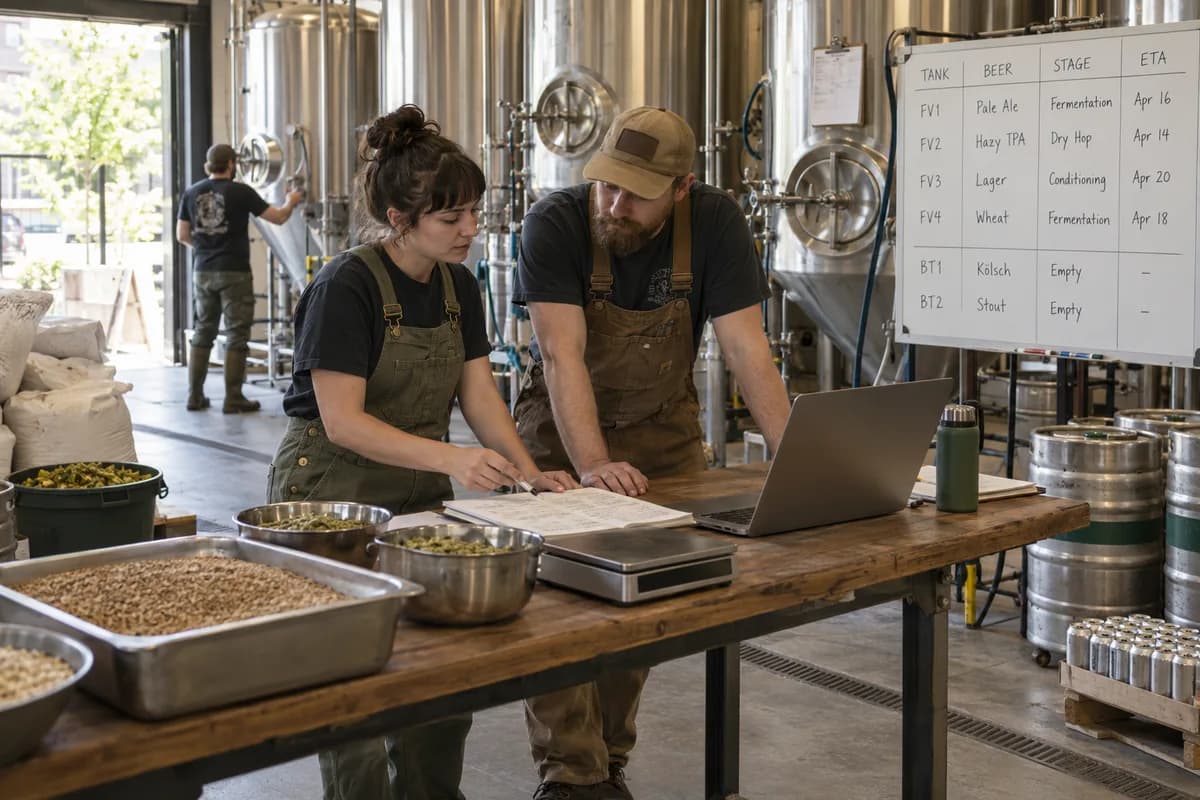
What a batch record holds from brew to transfer
A batch record starts when the brew is made and stays open until the beer is packaged. It collects readings, additions and moves in a single record. A lot number is given at brewing. Everything later hangs from that number, which the beer carries to the keg.
Fermentation records through a brewing week
Someone on the cellar team touches the batch record daily while a beer is in the tank. The entries are small. Together they become the history of the beer, and of the brew it came from. Here are the moments when a brewery writes to it.
Who writes to batch records, and who reads
Cellar staff write the readings. The head brewer reads and decides. The other roles read only the part that touches their own work, and that keeps each person’s screen short.
Decisions to settle for batch records
These choices decide how complete the history is once brewing is under way. Settle them with the head brewer and the cellar team before the first batch is logged. Each one is a short conversation.
How batch records connect to other features
Every batch has a source. It starts from a plan, borrows from stock and hands its lot number on to packaging, quality checks and tracing. The links below show what flows in and out. Follow them and the journey reads from malt to glass in order.
- Starts from the recipe and brew plan booking
- Draws ingredient lots from ingredient and packaging stock
- Moves beer between tanks on the tank schedule
- Waits for approval from quality checks before packaging
- Passes its lot number to packaging runs and tracing
Where batch records stop
The record keeps what staff write or import. Nothing more. It does not control the tank, set a temperature or judge whether a gravity is good. Whether a beer is sound is a decision for the brewer, with the quality checks beside it. Brewing method, yeast care and cellar practice stay with the head brewer. A brewer with one recipe and no sales can keep notes in a book.
Frequently asked questions
What readings can we log against each batch?
These are recorded against the batch. Gravity, temperature, additions and transfers all have a place. Brew day details such as mash, boil and cooling are kept there as well. Anything else you wish to log is raised at the requirements stage.
Does the lot number change when beer moves tanks?
No. The lot number is given at brewing and stays with the beer through every transfer, packaging run and delivery. That is what makes forward tracing possible. A transfer changes the tank, not the number.
Can fermentation logger readings be imported?
A fermentation logger import is listed as a connection. It is subject to your logger. Its files are checked during implementation, before go-live. Readings brought in appear against the batch like any typed entry, in the same series.
Can we correct a wrong gravity reading?
Yes, by someone allowed to edit. Who that is gets decided at set-up. A mistyped reading is corrected by that person. Agree a house rule for noting why the figure was changed, so the next reader understands.
How does a batch record help with a complaint?
A complaint names a lot or a delivery. A delivery leads to the lot, and the lot to the batch record with readings, additions, transfers and ingredient lots. Everything the head brewer needs is read in one place.
How this feature fits the system.
Brewery Management Software: the parts that work with this feature, the trades that use it and the ways to put it in place.
Recipes and brew plan
Each recipe lists malt, hops, yeast and water by quantity, and scales to the batch size so the brewer sees what a brew will use.
Bill of MaterialsBatch and fermentation records
A lot number is given at brewing and carried through every transfer, packaging run and delivery, so a beer can be traced forward.
Batch and Serial TrackingTank schedule
Brews are booked into tanks by date, and the plan shows when each vessel frees up so the next brew can be placed.
Production PlanningTell us what you need.
Tell us what your team does today, where work gets stuck and what you want to change.
What happens after you share your requirements
- We review your brief and the systems you already use.
- We clarify the workflow, missing information and the work to consider first.
- The proposed scope sets out the deliverables, responsibilities and dependencies.
- Review the scope and commercial terms before deciding whether to proceed.
Start with your requirements
Describe your current process, the people involved and the change you need. Start with the details you know; we can clarify the rest together.
Share your requirements