GullySystem

Grocery Store Software – Features & Modules

GullySystem brings all essential grocery store features into one simple system. From billing and inventory to delivery and reports, every module is designed to reduce daily effort, avoid mistakes, and give store owners full control.

Complete Grocery Store Modules – One System

GullySystem offers a complete set of grocery store software modules built specially for kirana and local stores. Each module solves a real daily problem—fast billing, accurate stock, easy delivery tracking, or clear profit visibility.

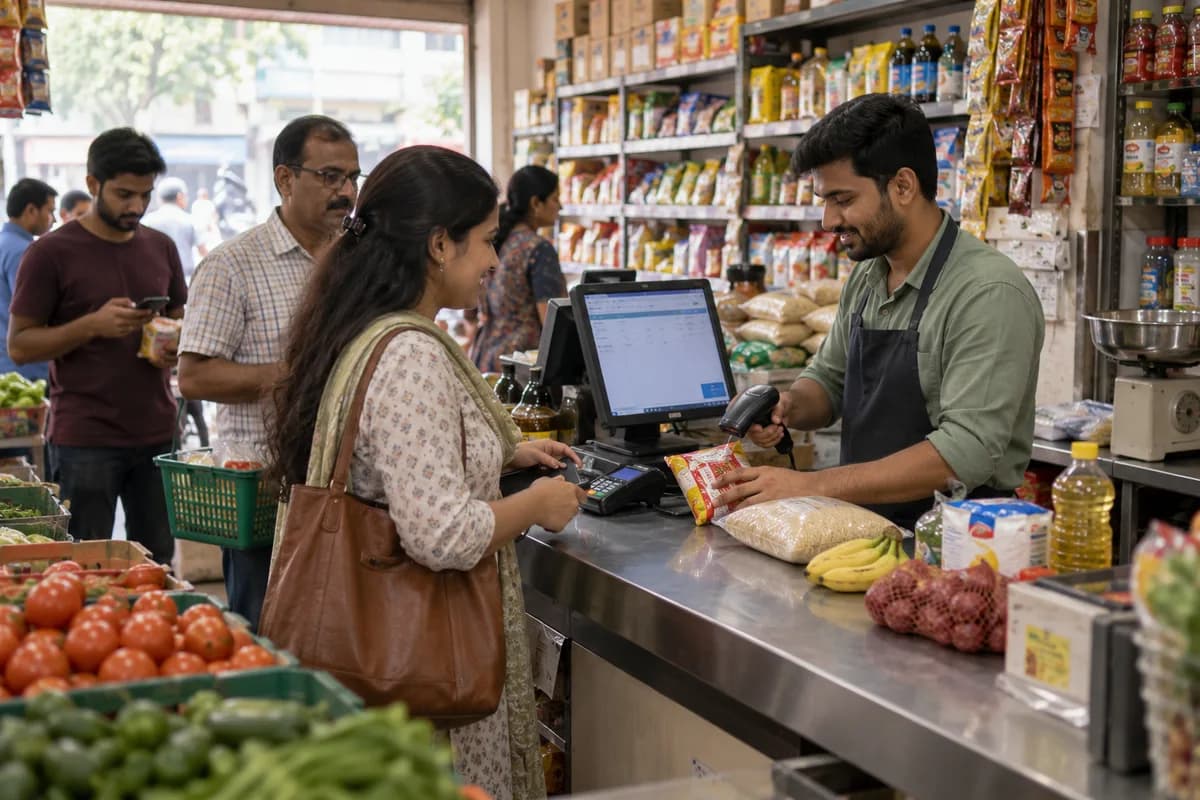
Billing & POS Module

Fast counter billing designed for busy grocery stores.

  • GST-ready invoices
  • Cash, UPI, and card payments
  • Faster checkout during rush hours
  • Auto stock updates

Inventory & Stock Alerts

Real-time grocery inventory management is simple.

  • Automatic updates after sale
  • Low-stock alerts
  • Supplier tracking
  • No Excel or paper books

Orders & Home Delivery

Manage all grocery orders from one place.

  • Walk-in counter orders
  • Phone and WhatsApp orders
  • Online customer orders
  • Delivery staff assignment

Customer Management

Keep all customer information in one system.

  • Customer contact details
  • Complete order history
  • Identify repeat customers
  • Faster service & search

Expense & Profit Tracking

Understand where your money goes.

  • Record daily store expenses
  • Track operational costs
  • View clear profit numbers
  • No spreadsheets required

Reports & Dashboards

Simple reports made for store owners.

  • Daily, weekly, monthly sales
  • Inventory movement reports
  • Expense & profit summaries
  • Delivery performance insights

For Store Owners

Get complete visibility of your grocery business.

  • Sales, inventory, expenses, and profit
  • Delivery performance tracking
  • Business health at a glance
  • No manual reporting

For Counter Staff

Serve customers faster and more accurately.

  • Fast POS billing
  • Easy order handling
  • Reduced billing errors
  • Shorter queues

For Delivery Staff

Deliver orders smoothly and on time.

  • Assigned orders in mobile app
  • Real-time delivery status updates
  • Clear delivery instructions
  • Better coordination

Without Software

  • Handwritten bills with errors
  • Paper or Excel stock registers
  • Constant phone calls for delivery tracking
  • No clear daily/monthly profit view
  • Scattered customer credit/khata records

With GullySystem

  • GST-ready POS counter billing
  • Automatic real-time inventory
  • Integrated delivery tracking app
  • Built-in expense & profit module
  • Central customer khata & database

Multiple Payment Support

Accept cash, UPI, and card payments easily. All transactions record automatically in reports.

SMS & WhatsApp

Send automatic confirmations, delivery alerts, and order invoices. Improve client communications.

Export-Ready Reports

Download sales, expense, and transaction reports for accounting or GST filing in one click.

Zero Complex Setup

No technical knowledge or developers are required. All integrations work instantly out of the box.

Controlled Permissions

Give staff access only to what they need. Protect billing, inventory, and reports from misuse.

Regular Data Backups

Your sales, inventory, and customer data are backed up regularly to prevent any potential loss.

Reliable Cloud System

Runs on stable cloud infrastructure with minimal downtime—even during your busiest counter rush hours.

Secure Role Login

Each user has secure login access based strictly on their role—owner, staff, or delivery user.

Use Only What You Need

Enable only the modules required for your store. No unnecessary features, no screen clutter.

Start Small, Grow Anytime

Begin with billing and POS. Add inventory, delivery, reports, or customer apps later.

No Data Migration

New modules work on the same platform. Your existing data remains completely safe and unchanged.

Can I use only billing and POS modules?

Yes. You can start with only billing and add other modules later.

Can I disable modules I don’t need?

Yes. Unused modules can be disabled anytime from the settings panel.

Will adding modules slow the system?

No. Only enabled modules run on your devices, ensuring smooth performance.

Can modules be upgraded later?

Yes. All module upgrades happen in the cloud without downtime or data loss.

See Modules in Action

We’ll show billing, inventory, delivery, and reports using real grocery store examples.

Talk to us

Tell us what you need.

Send a short brief and one of our engineers will come back to you — usually the same day.

  • No obligation
  • We reply the same working day
  • Your details stay private

Your details are private and secure. Protected by reCAPTCHA.