Show schedule and screen planning for cinemas
The show schedule lays out each screen by day, with the film, start time, cleaning gap and advert reel of every show. Managers build the programme here and publish it. A clash between two shows is flagged before it goes out to the box office, kiosks and website.
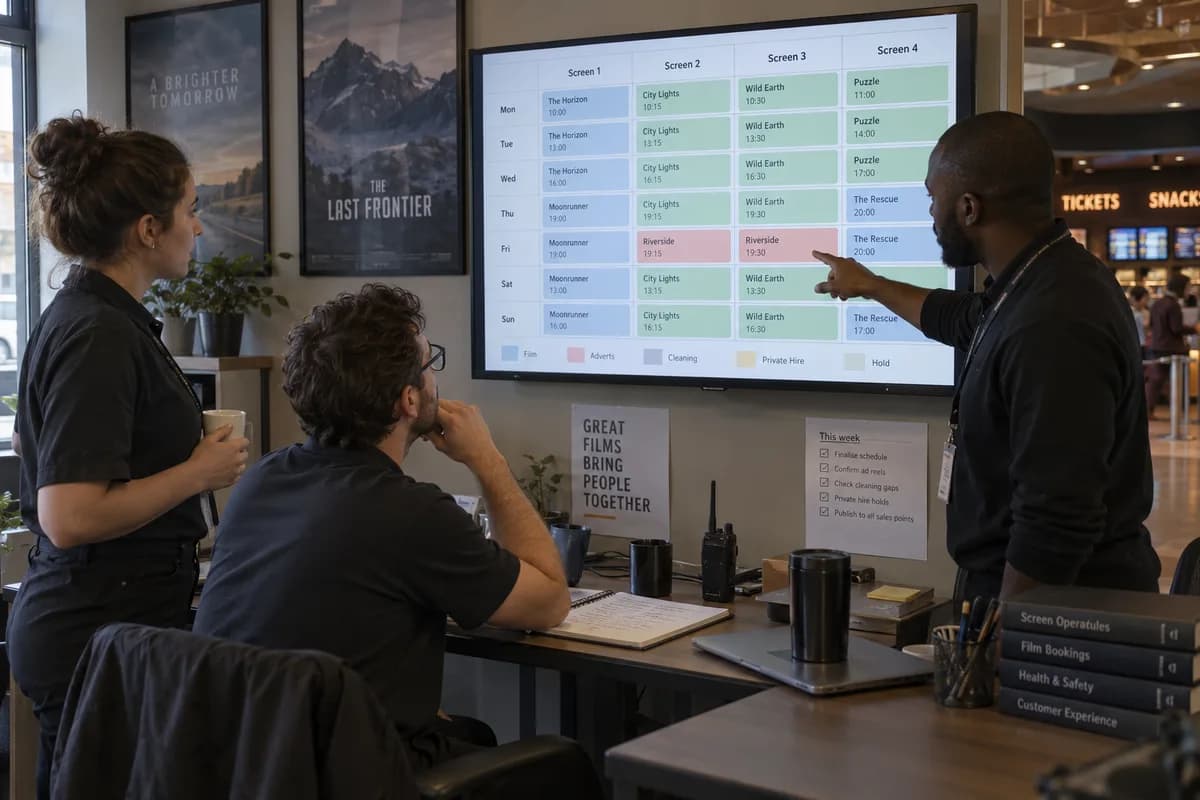
What the cinema show schedule records
Every screen in the building carries its own day sheet. Each entry is a show, and each show holds details that the box office, the projection room and the distributor return all read later on. These are the records it keeps.
A cinema week from draft to last show
Different people open the schedule at different moments of the cinema week, from Monday planning to the last show. Some plan the programme well ahead. Others only look at it on the morning of a show. Here is how four of them use the sheet.
Who works from the show schedule
Everyone in the building reads the schedule. Few people edit it. Each role below sees the part of the sheet that matches its work, and changing a show stays with the people who plan the programme.
Cinema schedule decisions to settle before set-up
A few choices decide how the sheet behaves on the first morning of trading. Settle them with the manager, the box office lead and the owner before set-up. Each choice changes a screen.
How the schedule feeds the rest of the cinema
The show schedule sits near the start of the chain. It takes the film from a booking and passes the shows to every place that sells a seat, including the booking page. Finished shows go on to the return for the distributor. These are its links.
- Takes each film and its run dates from film bookings
- Gives every show its own seat map and price bands
- Publishes shows to counter, kiosk and online ticket sales
- Passes shows run to the distributor settlement for each film
- Gives the staff rota the show times to plan around
Where the show schedule stops
The schedule plans shows. It does not choose the films, negotiate terms with a distributor or judge what makes a good programme. That stays with the owner and the manager. Nor does it repair a screen or a projector. A theatre that plays one film on one screen a few times a week can keep a printed timetable instead.
Frequently asked questions
Can one screen run different films on different days?
Yes, because each screen is planned by day. Monday can carry one film and Tuesday another. Every show on a day sheet is tied to a booked film and to the run dates in that booking, whichever title it is.
What happens to the shows when a film’s run ends?
The sheet lists only the dates the manager places. When a booking’s run finishes, the manager stops placing that film and fills its slots with the next booked title. Earlier shows stay on record for the return.
Can the advert reel differ from show to show?
The reel is recorded per show. A long one before a family film and a short one before a late show both appear on the sheet. The hall is marked busy for the full block of time.
Is the programme published to every sales point together?
Publishing sends the same shows to the box office, the kiosks and the booking page. Nobody quotes a different start time. A later move is made once on the sheet and published again, so all three stay in step.
Can staff view the schedule without editing it?
That is a set-up choice. The theatre names who may place, move or cancel a show, and everyone else reads the published programme. Access is agreed during implementation, and the manager normally holds the pen.
How this feature fits the system.
Movie Theatre Management Software: the parts that work with this feature, the trades that use it and the ways to put it in place.
Screens and show schedule
Each screen is a shared resource booked by show, with cleaning gaps and advert reels, so overlapping shows are flagged before publishing.
Resource and Room BookingTicket sales at counter, kiosk and online
The booking page shows live seats from the same map the box office uses, so a ticket sold online is gone at the counter.
Online Booking PortalConcession sales and combos
The counter screen sells snacks, drinks and combos, with each combo priced against the items inside it and a bill printed at once.
Point of Sale BillingTell us what you need.
Tell us what your team does today, where work gets stuck and what you want to change.
What happens after you share your requirements
- We review your brief and the systems you already use.
- We clarify the workflow, missing information and the work to consider first.
- The proposed scope sets out the deliverables, responsibilities and dependencies.
- Review the scope and commercial terms before deciding whether to proceed.
Start with your requirements
Describe your current process, the people involved and the change you need. Start with the details you know; we can clarify the rest together.
Share your requirements