Run each room from enquiry and site survey to handover and service contract.
Home theatre and AV dealers run enquiries, site surveys, multi-brand quotations, room-wise projects, supplier orders, serial-numbered stock, installation stages and service contracts from one record. Every room carries its equipment list, its wiring and calibration stages, its advances and its warranty dates. Engineers see their visits on a phone. The office knows what was fitted, what was billed and what a customer still owes.
- Brand price lists, room types and installation stages entered the way you quote
- Open projects, installed equipment and unpaid advances brought across
- Changes to stages, checklists and quotation layouts made by GullySystem staff on request
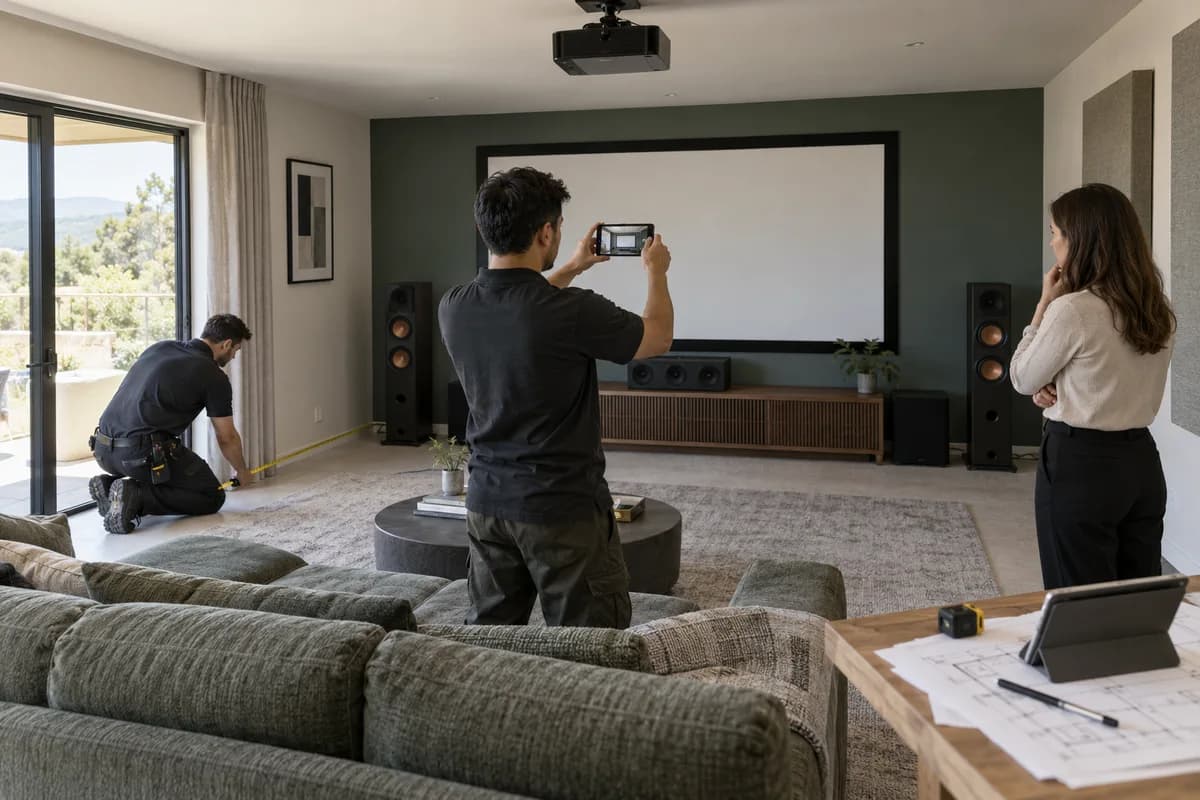
Enquiries, site surveys, quotations and installations for home theatre dealers, AV integrators and multi-room audio installers all run through Home Theatre and AV Dealer Management Software. Each room keeps its bill of materials, installation stages, serial numbers, advances and handover record. Engineers log visits from a phone. Warranty dates and maintenance contract renewals then bring the customer back.
What goes wrong before the software.
How the work flows through it, step by step.
- 1
Enquiry
A homeowner, interior designer or office manager asks for a room. The budget, the site and what they want to watch or hear are logged, with the person who took the call.
- 2
Survey and design
The engineer records room size, seating layout, power points and acoustic notes with photographs. A speaker layout and a screen and projector position are saved against the room.
- 3
Quotation
Equipment from several brands, cabling, acoustic panels and labour are priced into one bill of materials. Each revision is kept until the client approves one.
- 4
Purchase and stock
Orders go to suppliers for the approved list. Received units are entered with serial numbers and allocated to a room, so nothing is shared between jobs by accident.
- 5
Installation
Pre-wiring, acoustic work, delivery, mounting, rack build, network setup, testing and calibration run as stages. Technicians log each visit with photographs and the cable and brackets used.
- 6
Handover and service
The installed list, warranty terms and completion photographs go to the client for sign-off. Maintenance contracts and service tickets carry the relationship forward.
What is inside.
Every module can be switched on, left out or changed to match how your team already works.
The business modules it is built from.
Each one is also available on its own, or inside a system built for you.
- Lead Management
Every enquiry is logged with its budget, site and listening wishes, then a survey is assigned, so nobody is asked the same questions twice.
- Quote & Proposal Management
A quotation draws speakers, receivers, screens, cable and labour from separate brand price lists, and each revision is kept until the client approves one.
- Project Timelines with Gantt Charts
Pre-wiring, mounting, rack setup and calibration sit on a timeline per room, so a ceiling closing early shows up before the cable is needed.
- Batch and Serial Tracking
Every projector, receiver and speaker pair is received with its serial number and allocated to a room, so a warranty claim can name the exact unit.
- Purchase Order Management
Orders for the approved list go to each distributor, and arrivals are matched against them, so a late projector holds up only its own room.
- Technician Scheduling
Visits are assigned to installers by day and site, and each one records photographs, work done and the cable and brackets drawn from stock.
- AMC and Service Contracts
Maintenance contracts hold the sites covered, recurring visit dates and renewal dates, so calibration checks and firmware updates are booked before the customer complains.
- Project Management Reports
Quoted cost sits beside equipment, labour and extra visits booked to each project, which shows how much margin a finished room really kept.
How we would put it in.
Setup, data migration, integrations and anything built on top.
Every part of the system, by area.
Take the modules you need. Each one works on its own or inside a larger system built for you.
- Applicant Tracking (5)
- CRM (8)
- Finance & Accounting (10)
- Helpdesk (4)
- Human Resources (13)
- Inventory Management (5)
- Project Management (7)
- Manufacturing (6)
- Procurement (4)
- Sales and Distribution (6)
- Field Service (5)
- Statutory and Compliance (4)
- Retail and POS (4)
- Bookings and Appointments (3)
- Subscriptions (2)
- Assets and Fleet (4)
- Platform (6)
- Analytics (2)
- Documents (1)
- All business solutions
One system, each person sees their part.
For owners and branch heads
Read open quotations, projects by stage, stock held against orders, collections due and margin by project. No calls to sites.
For sales and design engineers
Capture enquiries, record surveys, price the multi-brand equipment list and send revisions. Follow each quote to a yes or no.
For project coordinators
Plan stages around the interiors team, assign installers and watch for rooms whose ceiling closes soon. Chase supplier delivery.
For installers and technicians
See the day’s visits, the room layout and the checklist. Log work, photographs and materials before leaving, and take a signature at handover.
For stores and accounts
Receive equipment against orders, enter serial numbers and issue to rooms. Raise advances and invoices, and post receipts against each project.
The numbers the owner asks for.
- Enquiries and quotations by source, status and engineer
- Projects by stage, with rooms behind the install date
- Stock by serial number, allocated and unallocated
- Supplier orders open, received and overdue
- Warranty and maintenance contracts due for renewal
- Advances, milestone bills and outstanding balances by client
- Margin by project, with extra visits and materials added
Who this is built for.
- Home theatre and home cinema design and installation companies
- Hi-fi, speaker, projector and screen dealers who also install
- Smart-home integrators and multi-room audio installers
- Commercial AV integrators and conference and boardroom AV providers
- Acoustic treatment and soundproofing firms working beside AV teams
- AV distributors with an installation and maintenance arm
When it is not the right choice.
- A shop that sells soundbars and televisions off the shelf needs a billing and stock app, not room-wise projects.
- Firms whose main work is security cameras or electrical contracting will find CCTV Installer Management Software or Electrical Contractor Management Software closer.
Adapted to your business before it goes live.
You are not handed a login and left to it. The product is set up around your records, your people and the tools you already use.
Works alongside
- SMS
- Card and payment gateway
- Accounting export
- Spreadsheet import
Questions owners ask before a demo.
Can it quote equipment from several brands in one document?
Yes. Speakers, receivers, projectors, screens, cable and labour are drawn from separate price lists into a single bill of materials. A fourth revision sits beside the first, and only the approved one converts to a project.
Can one customer job have many rooms?
Yes. A villa with a cinema room, a lounge and four sound zones is one project with a layout, stages and cost for each room. The invoice can be raised for the whole job or room by room.
Does it track serial numbers of installed equipment?
Yes. Each unit is received with its serial number and allocated to a room. Years later, a search by customer or serial number shows the model, the supplier, the invoice and the warranty end.
How does it help with pre-wiring before the ceiling closes?
Pre-wiring is a stage with a planned date on the room’s timeline. The coordinator sees which rooms are due and can warn the interiors team. Their own system is not linked.
Can installers use it on site, and does it work with no signal?
Installers open their visits on a phone, log work, add photographs and tick the stage checklist. With no signal in a basement cinema, the entry waits on the phone until the technician is back in range.
Can we run maintenance contracts and charge for them?
Yes. A contract holds the sites covered, the visit dates, the fee and the renewal date. Calls under it are logged without charge, and those outside it are billed as extra work.
Will our accountant still use the current package?
Yes. Advances, stage bills and receipts are held here and can be handed to your accountant as a file. A direct link to a particular package is a quoted extra, discussed in the first workshop.
Can it handle several branches?
Yes. Showroom stock, projects and users are kept per branch, and head office reads the totals together. Role settings decide who sees quotation margins and supplier cost.
Can our current projects and equipment records be loaded?
Yes. Running projects, installed equipment, warranty dates and unpaid advances come from your spreadsheets. Your coordinator checks a sample of rooms before anyone starts using the new records.
What does it cost, and who owns the records?
Branch count, logins and what is configured shape the figure, along with the card gateway or accounting export and any spreadsheets to import. Supplier price lists add some effort. A walk through your own sample room precedes the written figure, with modules priced apart. The records are yours, and the export format is agreed in writing at the start.
How long before the first room is run in it?
What goes first is the driver. Enquiries, site survey notes, multi-brand quotations and room-wise projects tend to lead, since the sales and design desks work from them daily. Serial stock, installation checklists, handover packs and service tickets follow. Dates track that order.
What does a dealer bring from the showroom side?
A live project with its quotation, a site survey note and a supplier price list. Add the serial register for stock, an installation checklist and a service contract sample. Sales, projects and service each nominate a person who can respond to screens within the day. Gateway and accounting details are wanted if connected.
Wondering what it would cost? Share your requirements and an engineer will come back with a scope.
Built for.
The trades this product is set up for. Pick yours to see how the work runs there.
See Home Theatre and AV Dealer Management Software set up around your records.
Tell us how you run things today. An engineer reads it and writes back with what fits as it is, what would need changing, and what we would start with.
What happens after you share your requirements
- A senior engineer reads your answers. Nobody phones first.
- Within one business day you get a written note: what we understood, what we would start with, and the questions we still have.
- If it fits, a proposal follows with the order of work, what we need from you and what you receive at each step.
- No call is booked and nothing is paid until you have read the note. Your details stay with us.
Start with your requirements
Seven short steps that tell us what you need. A senior engineer reads them before anyone gets in touch.
Share your requirements