One calendar for therapists, cubicles, packages, billing and commission.
Manage salons, day spas and wellness centres in one system. Bookings by therapist and by treatment room, walk-ins and the waitlist share a single calendar. Confirmations and reminders go out before the appointment. Massage and facial packages tick down one visit at a time. Each therapist’s commission follows the treatments she or he finished.
- Treatment menu, cubicles, packages and commission rules entered as you sell them
- Client list, patch-test notes and every package balance migrated
- Menu and commission changes made by our team on request
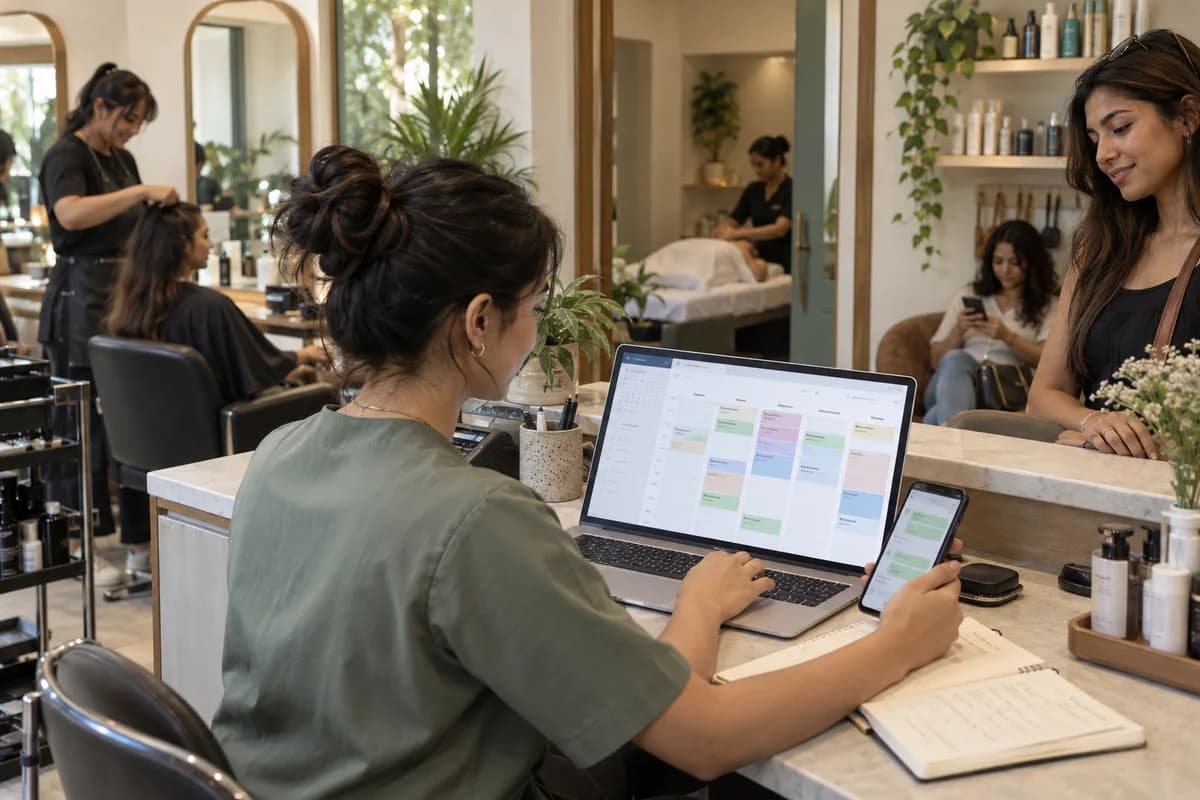
Day spas, unisex salons and wellness centres keep massage, facial, manicure and waxing appointments by therapist and cubicle on one calendar, with walk-ins and the waitlist beside them. Intake cards, packages counted visit by visit, tax invoices, and oil, robe, towel and serum stock sit in the same system, so reception never opens a second book. Commission comes from completed treatments.
What goes wrong before the software.
How the work flows through it, step by step.
- 1
Booking
A booking arrives online, by phone or as a walk-in. The treatment goes on the calendar against a therapist and a cubicle with its changeover gap, or the client joins the waitlist if the day is full.
- 2
Arrival
Reception opens the client’s profile with past treatments, preferences, patch-test notes, allergies and any package balance. Reception greets the client by name.
- 3
Service
The therapist marks the treatment done from a phone. It counts toward the therapist’s commission for the month. Gratuity is recorded apart from the bill.
- 4
Billing
The tax invoice covers the treatment and any retail serum or scrub. A discount applies, or one visit comes off the package, and payment is taken by cash, card or transfer, with the receipt sent to the client’s phone.
- 5
Month end
Commission, attendance and shift hours for each therapist come together for payroll, with the day’s cash reconciled against the till float and the gratuity jar.
- 6
Retention
Loyalty points build from visits. Clients who have not returned for a while receive an offer over SMS, mail or WhatsApp, and a lapsed facial regular is nudged to rebook.
What is inside.
Every module can be switched on, left out or changed to match how your team already works.
Appointments and calendar
Manage online bookings, walk-ins, reschedules, cancellations, no-shows, overbooking warnings and the waitlist, with views by therapist, cubicle, steam room and branch, and a block for deep cleaning.
Learn moreClient records
Keep intake cards, treatment history, visit frequency, products bought, skin and hair notes, allergies, contraindications, pressure preferences and the therapist each client usually asks for.
Learn moreBilling and payments
Bill at the counter as a salon till, with tax invoices for massages, manicures, retail and packages, discounts, gratuity, split payments, and cash, card or transfer settlement.
Learn morePackages and memberships
Sell prepaid massage packages, membership plans, gift vouchers and discount cards, with visits used, visits left, expiry and renewals tracked, and a transfer to a spouse recorded when allowed.
Learn moreTherapist shifts and commission
Track shifts, attendance, service ratings and commission calculated from completed treatments, with retail serum incentives and gratuity shares, ready for payroll at month end.
Learn moreConsumables and retail stock
Manage massage oils, paraffin wax, robes, towels, gloves, scrubs and retail products with reorder levels, supplier orders and batch expiry dates, so a stocked-out eucalyptus blend never stalls a ritual.
Learn moreLoyalty points and rewards
Award points for visits, purchases and referrals, redeemed for a discount, a hand massage, a free manicure or a brow threading, with point expiry shown on the client’s profile.
Learn moreCampaigns
Send booking confirmations and appointment reminders, and SMS, email or WhatsApp offers to members, clients who have gone quiet, or everyone when you launch a Balinese ritual.
Learn morePhone access
Let therapists see their day and commission earned, and managers and owners check bookings, stock and sales from anywhere, even from the sauna floor.
Learn moreReports
Review appointments, sales by treatment, client trends, therapist utilisation, stock and campaign results for one branch or all of them, with cubicle occupancy by hour of the day.
Learn moreThe business modules it is built from.
Each one is also available on its own, or inside a system built for you.
- Appointment Scheduling
Reception manages bookings, walk-ins, reschedules, no-shows and the waitlist, with calendar views by therapist, room and branch.
- Point of Sale Billing
The counter bills services, retail and packages as a salon POS, raising tax invoices with discounts and payment by cash, card or wallet.
- Loyalty and Offers
Clients earn points for visits, purchases and referrals, and redeem them at billing for a discount or a free service.
- Commission and Incentives
Therapist shifts, attendance and service ratings sit alongside commission calculated from completed services, ready for payroll.
- Stock Tracking and Alerts
Oils, creams and retail products carry reorder levels and batch expiry dates, and low items go straight into a supplier order.
- Online Booking Portal
Clients book a slot online and the request joins the same calendar the front desk uses for walk-ins and waitlist entries.
- WhatsApp, SMS and Email Notifications
Booking confirmations and appointment reminders go out automatically, and SMS, email or WhatsApp offers reach members, lapsed clients or everyone for a new service.
How we would put it in.
Setup, data migration, integrations and anything built on top.
Every part of the system, by area.
Take the modules you need. Each one works on its own or inside a larger system built for you.
- Applicant Tracking (5)
- CRM (8)
- Finance & Accounting (10)
- Helpdesk (4)
- Human Resources (13)
- Inventory Management (5)
- Project Management (7)
- Manufacturing (6)
- Procurement (4)
- Sales and Distribution (6)
- Field Service (5)
- Statutory and Compliance (4)
- Retail and POS (4)
- Bookings and Appointments (3)
- Subscriptions (2)
- Assets and Fleet (4)
- Platform (6)
- Analytics (2)
- Documents (1)
- All business solutions
Topics beyond the modules.
Each page covers one part of how the system is used, connected or controlled.
Reports for spa and salon owners and managers
These reports come from the bookings, bills, packages and stock that the front desk already enters.
Learn moreSpa software connections to WhatsApp, SMS and payments
The spa and salon system connects to the messaging and payment channels that a front desk uses every day.
Learn moreSpa software views for owners, reception and therapists
A spa or salon has several people who touch the same booking.
Learn moreOne system, each person sees their part.
For owners
See sales by treatment and branch, package money received, commission payable and clients who have stopped visiting.
For the front desk
Manage the calendar, walk-ins and waitlist, client profiles, package balances, gratuity and billing.
For therapists and stylists
See your appointments for the day, client notes, allergies and the commission earned this month.
For branch managers
See shifts, attendance, towel and oil stock to reorder and the day’s takings for the branch.
The numbers the owner asks for.
- Sales by treatment, therapist and branch
- Commission payable by therapist, with gratuity shown apart
- Package and membership balances and renewals due
- Clients who have not visited in two months
- Oils, paraffin wax and retail serums to reorder or near expiry
- Campaign results by offer
Who this is built for.
- Day spas with several therapists and treatment cubicles
- Unisex salons where each stylist keeps an appointment book
- Ayurveda and wellness centres selling therapy packages
- Salon and spa chains with two or more branches
- Hotel and resort spas billing guests, sauna users and walk-ins
When it is not the right choice.
- A one-chair salon with walk-ins only can manage with a diary and a card reader.
- A hair-first business, where cutting and colour fill the chairs and there are no treatment rooms, is better served by Hair Salon Management Software.
- Ayurveda centres that keep doctors’ prescriptions and case sheets will find Hospital/Clinic Management System fits that part better.
Adapted to your business before it goes live.
You are not handed a login and left to it. The product is set up around your records, your people and the tools you already use.
Works alongside
- SMS
- Card, transfer and wallet payments
Questions owners ask before a demo.
Is it salon software or spa software?
Both. The calendar works by therapist or stylist and by cubicle, so it suits a salon, a day spa or a wellness centre. Your service menu decides which it looks like.
Can it calculate therapist commission?
Yes. Commission is worked out from the massages, facials and waxing each therapist completed, using your rules. When two staff work on one bill, each service line credits the person who did it. Therapists can see what they have earned.
Can it handle salon packages and memberships?
Yes. You sell a package or membership once, and each visit is taken off the balance at billing. The rest of the bill is paid in cash, by card or by wallet. Renewals and remaining visits show at the front desk.
Can clients book online?
Yes. Online bookings land on the same calendar as phone bookings and walk-ins, so reception sees that a cubicle is taken before confirming. No advance is collected at booking, and the bill is paid at the counter. A no-show or a late cancellation is marked on the appointment and stays on the client’s record.
Is there an app for staff?
Yes. Therapists see their appointments and commission on a phone, and managers check bookings, stock and sales from anywhere.
Does anything go into our accounting software?
Not built in. Sales, package and commission reports stay in the system for your accountant. A link to your accounting package is scoped and quoted during set-up.
Can clients and package balances be moved?
Yes. Clients, patch-test notes and package balances are imported from your current software or paper diary, and reception reviews the list against the card index before go-live.
Who owns the client data?
You do. How you take everything with you is agreed in the proposal before work starts.
What does it cost?
Outlets, therapists and the set-up work decide the quotation. Online booking, payment links and moving clients and balances are listed apart. You see the system running first, then read the cost in a written proposal.
Does it send appointment reminders?
Yes. A booking confirmation goes out, and a reminder follows before the appointment. Both travel by WhatsApp, SMS or email, and the timing and wording are set with you.
When can the front desk book appointments on it?
Appointments come first. Release one holds the appointment calendar, client records, billing, and packages with memberships. Commission, stock, loyalty and campaigns follow. The pace depends on how many client records must be moved in. You get the order of stages and their dates in the proposal.
What should the spa have ready beforehand?
Collect your service menu, room list, package and membership terms, commission rules, the client list with balances and a few bills. Name an owner, a front desk lead and a senior therapist.
Wondering what it would cost? Share your requirements and an engineer will come back with a scope.
Every part, on its own page.
Each page covers one part of the system: what it records, who uses it and what it hands on.
- Appointment Booking Calendar for Spa Rooms and Therapists
- Spa Billing with Retail, Packages and GST
- Client Records for Spas and Salons
- Spa Inventory for Consumables and Retail
- Spa Offers by SMS, Email and WhatsApp
- Prepaid Packages and Loyalty for Spas
- Mobile Access for Spa Staff and Owners
- Spa Sales, Therapist and Package Reports
- Spa Therapist Commission, Shifts and Attendance
- Loyalty Points and Rewards for Spa Clients
- Reports for Spa and Salon Owners and Managers
- Spa Software Connections to WhatsApp, SMS and UPI
- Spa Software Views for Owners, Reception and Therapists
Written for this trade.
Practical notes on running the business, not product marketing.
Built for.
The trades this product is set up for. Pick yours to see how the work runs there.
See Spa and Salon Management System set up around your records.
Tell us how you run things today. An engineer reads it and writes back with what fits as it is, what would need changing, and what we would start with.
What happens after you share your requirements
- A senior engineer reads your answers. Nobody phones first.
- Within one business day you get a written note: what we understood, what we would start with, and the questions we still have.
- If it fits, a proposal follows with the order of work, what we need from you and what you receive at each step.
- No call is booked and nothing is paid until you have read the note. Your details stay with us.
Start with your requirements
Seven short steps that tell us what you need. A senior engineer reads them before anyone gets in touch.
Share your requirements