Book the pickup, tag every bag and confirm each drop in one system.
Manage pickup bookings, rider rounds, bag tags, item counts, partner laundry batches, plans, wallets and invoices together. Each order carries its slot, its tagged items and its hub photographs from the customer’s door to the wash line and back. A missing shirt is traced to a stage and a person, because dispatchers, riders, the tagging desk and support all read the same record.
- Service menu, rates and pickup windows entered as customers read them, starch and fold choices included
- Plan holders, wallet balances and orders still in the wash moved over, so nobody rebooks a pickup
- Our staff change plans, slot windows and item lists whenever you ask
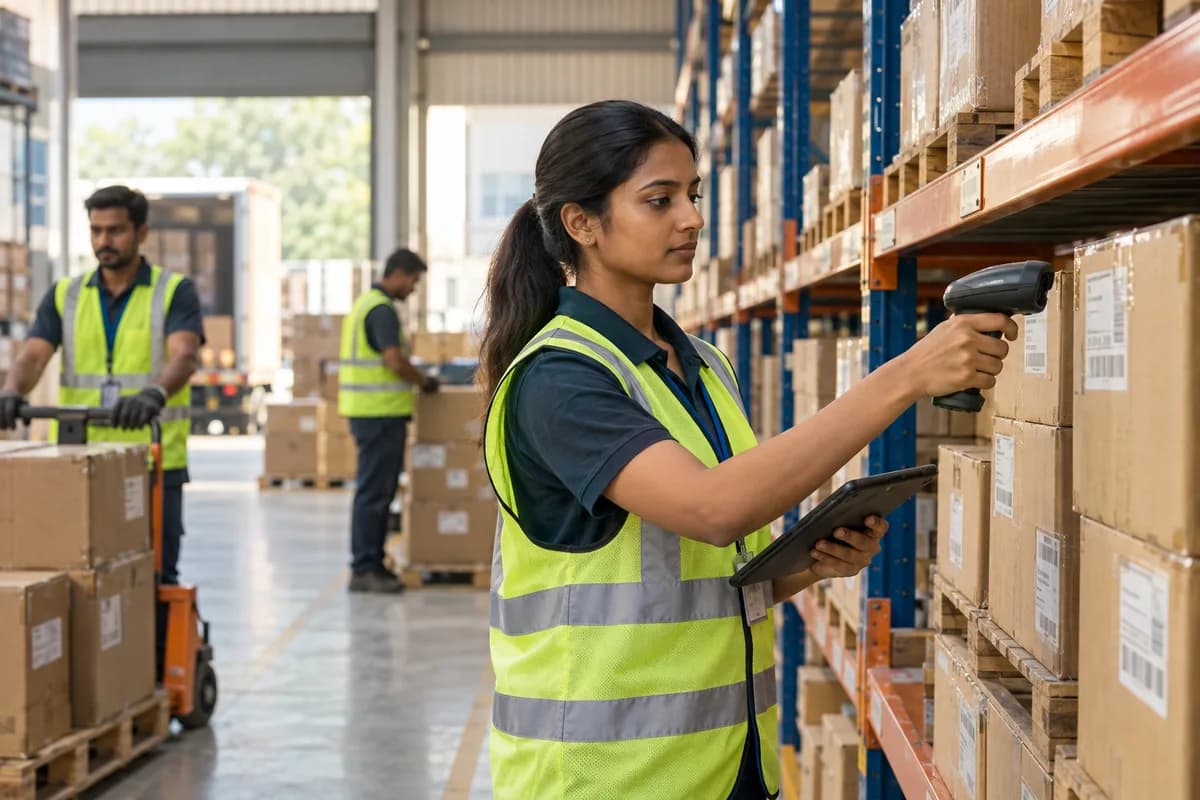
Services that collect laundry from homes and offices and bring it back clean work with Laundry Delivery Service Management Software from GullySystem. Bookings, rider rounds, tagged bags, partner batches, plans, wallets and invoices share one record per order. Handover codes confirm each drop. Slot rules and plan limits are reviewed with your staff.
What goes wrong before the software.
How the work flows through it, step by step.
- 1
Booking
The customer chooses a pickup slot and adds notes such as dry clean only, light starch or fold on the hanger. Staff can key a phone booking.
- 2
Rider pickup
The rider follows the round on a phone, messages on arrival, collects the bag and enters the visible item count at the door. Access notes for gated flats sit on the stop.
- 3
Tagging at the hub
The tagging desk opens each bag and counts. It photographs stains, loose buttons and torn seams, reads the care label for fabric and prints a tag for every piece.
- 4
Wash or partner batch
Each item goes to the own wash line or to a partner laundry, and a partner batch leaves with a manifest and a due date.
- 5
Quality check and packing
Returned pieces are checked against the manifest, pressed or folded as requested, repacked per order and held on a rack for the chosen delivery slot.
- 6
Delivery and close
The rider delivers in the slot and enters a one-time code or takes a photo at the door. The order closes with its invoice or plan deduction.
What is inside.
Every module can be switched on, left out or changed to match how your team already works.
The business modules it is built from.
Each one is also available on its own, or inside a system built for you.
- Online Booking Portal
Customers choose a collection slot online, and each window closes when its rider limit is reached, so the evening round stays reachable for every rider on it.
- Vehicle and Trip Management
Each rider’s morning and evening round lists its stops in order with gate and lift notes, and records which stops were completed and which were skipped.
- Barcodes and Labels
A printed tag on every bag and piece lets a scan at the hub, the wash line and the packing rack show exactly which order it belongs to.
- Job Work Management
A batch leaves for a partner with a piece manifest and due date, and each returning garment is ticked off against it before repacking.
- Subscription Billing
Monthly plans carry pickup and piece limits, renew on their date and charge overage when an order passes the limit set on the plan sheet.
- WhatsApp, SMS and Email Notifications
Slot confirmations, rider-nearby alerts and ready notices go out from the order itself, so staff do not type each message by hand.
- Ticket Management
A missing sock or a late drop becomes a numbered ticket tied to the tagged bag, with its hub photographs and a named owner.
- Receipts Management
Payments by wallet, card or cash on delivery are posted to the order, and the customer’s balance shows beside it for the next pickup.
How we would put it in.
Setup, data migration, integrations and anything built on top.
One system, each person sees their part.
For owners
Read the day’s pickups, deliveries, plan renewals, partner returns and complaints, then compare how each rider’s round ran, so a slow round stands out before the weekend backlog builds.
For dispatchers
Fill slots against rider capacity, reassign a stop when a rider is delayed on the road and watch the rounds as they run.
For riders
See the round on a phone, enter the door count, take the code or photo and mark each stop done.
For the tagging desk and plant coordinator
Count and tag every bag, split work between the own line and partners, and clear returned batches against their manifests.
For support agents
Open an order, read its tags and photographs, and settle a complaint about a shrunk sweater or a missing sock with the facts in view.
The numbers the owner asks for.
- Pickups and drops by slot, rider and round
- Door counts against hub counts, by order
- Partner batches out, returned and short
- Plan usage, overage and renewals by subscriber
- Complaints by type, stage and rider
- Wallet balances and unpaid orders, oldest first
Who this is built for.
- Services that collect household laundry through an app, a call or a messaging chat
- Pickup and delivery brands that send garments out to partner laundries and chase each batch until it comes back
- Operators running their own wash line and tumble dryers, with riders on fixed morning and evening rounds across several neighbourhoods
- Subscription laundry plans for flats, hostels and offices that hand over a regular weekly bag of shirts, towels and bedsheets
- Dry clean and wash-and-fold brands that added a delivery arm to a shop and now keep two sets of tickets
When it is not the right choice.
- A shop where customers drop and collect garments over the counter is closer to Dry Cleaner Management Software, which is built around the counter ticket and the rack.
- Hotel and hospital linen arrives by the tonne and is washed in a plant, so Commercial Laundry Management Software fits that work better than a rider-led service.
Adapted to your business before it goes live.
You are not handed a login and left to it. The product is set up around your records, your people and the tools you already use.
Works alongside
- SMS
- Card and payment gateway
- Maps
- Accounting export
Questions owners ask before a demo.
Can a customer book without calling?
Yes. A booking link or app lets them pick a slot and write wash notes, and staff can also key an order taken on the phone.
How does a rider confirm the bag was collected?
The rider notes the door count and takes a photo or enters a code from the customer. Both are saved on the order with the stop time.
Can some orders go to a partner while others stay in-house?
Yes. Each tagged piece is marked as own line or partner, and a partner batch carries its own manifest and due date.
What happens when a returning batch is short?
The missing piece is flagged against the manifest. The support desk can open the hub photograph and contact the partner with the tag number in hand.
Can I run monthly plans with limits?
Yes. A plan holds pickups and pieces per month, each order deducts from it, and overage is priced from your own sheet.
Are riders tracked live on a map?
Not by default. Riders follow a round and confirm each stop, and live location is a separate item to discuss in the first workshop.
Can customers pay by wallet or card?
Yes. A wallet can be topped up and charged per order, and card payments are taken through a payment gateway set up with you.
What does the subscriber import involve?
Names, addresses, plan terms and balances come from your sheet, and your support desk reviews a sample of imported subscribers before any order goes live.
Do we get a price list for this?
No price is listed. We start with a working demo on your own slots and rounds, then quote once your rider count, hubs and partner laundries are settled.
Wondering what it would cost? Share your requirements and an engineer will come back with a scope.
Businesses that use this.
See Laundry Delivery Service Management Software with your own data.
Tell us how you run things today. We’ll show you the parts that matter to you and say plainly what would need changing.
- No obligation
- A reply within one business day
- Your details stay private
Start with your requirements
Seven short steps that tell us what you need. An engineer reads them before getting in touch.
Share your requirements