One connected system for bookings, hub scans, run sheets, proof of delivery, cash and billing.
Manage a delivery company in one system. Bookings create consignment records with airway-bill style tracking codes, hub scans place each parcel in a roll cage on a line-haul or last-mile run, and riders capture proof at the door. The same scans and run sheets drive cash taken at the door, customer invoices and rider pay. No separate files are needed.
- Zones, weight bands, surcharges and run structure set as your company works
- Customer lists, rate cards and open parcels migrated
- Edits to rate cards and zone lists handled by GullySystem staff when asked
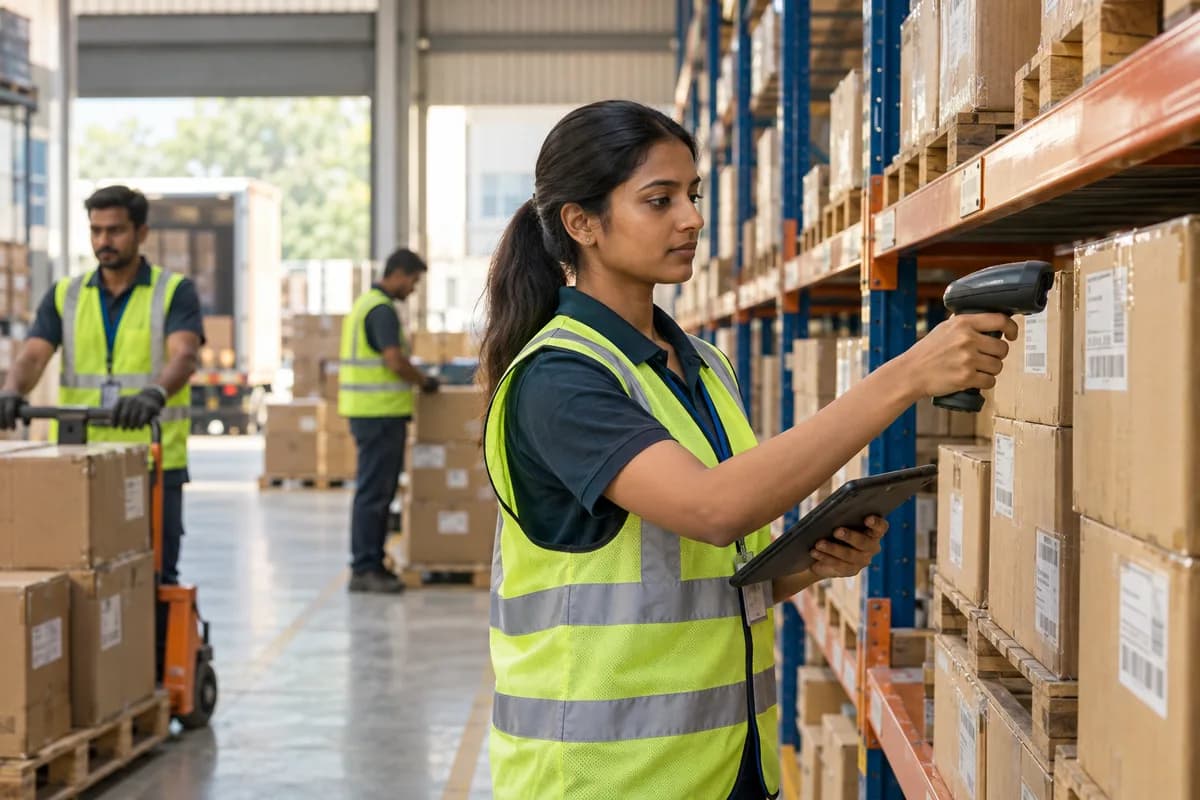
Courier and delivery companies work in this system, which GullySystem configures around their zones, runs and rate cards. Dispatchers, hub staff, riders, customer service and accounts work from it. Each parcel carries its booking, scans, run, proof of delivery, cash collected and charge, so billing and payouts follow the actual movement.
What goes wrong before the software.
How the work flows through it, step by step.
- 1
Booking
An order arrives by form, bulk file or phone. Each parcel gets a consignment record, a tracking code and a printed or digital label.
- 2
Pickup
A pickup run is assigned to a rider or van. Parcels are scanned at the sender’s door or on arrival at the hub.
- 3
Hub sort
Parcels are scanned in, grouped by zone, placed in cages or bags and loaded onto a run. A missing parcel shows up before the vehicle leaves the dock.
- 4
Delivery
The rider follows the run sheet. Each stop ends with a signature, photo or code, or a recorded reason for failure such as refused, closed or wrong address.
- 5
Cash and returns
Money taken at the door is matched against the run sheet. Failed parcels are rebooked for a second attempt or returned to the sender by the next linehaul.
- 6
Billing and pay
Business customers are invoiced on their rate cards, with fuel surcharge and volumetric weight applied. Rider earnings are worked out from drops, attempts and distance.
What is inside.
Every module can be switched on, left out or changed to match how your team already works.
The business modules it is built from.
Each one is also available on its own, or inside a system built for you.
- Order Management
Each booking from a form, bulk file or phone call becomes a consignment record with sender, consignee, service level and tracking code.
- Barcodes and Labels
Parcel labels carry a barcode, and scans at pickup, hub, bagging, loading and handover build the movement history of each parcel.
- Vehicle and Trip Management
A run ties a rider, a van and an ordered list of stops together, and the dispatcher sees stops completed as the day goes on.
- Service Reports and Proof of Visit
The rider’s signature, photo or code is stored on the consignment, so a dispute about a handover is answered from the record.
- Receipts Management
Cash and payments taken at the door are matched with the run sheet, and the amount owed to each sender is listed.
- Price Lists and Schemes
Zone, weight band, volumetric and surcharge rules are kept per customer, so every parcel is priced from the terms agreed with that sender.
- Fuel and Driver Records
Fuel fills, odometer readings, tyre changes and service dates are logged per vehicle, giving a running cost for every run and driver.
- Commission and Incentives
Earnings per rider are worked out from drops, attempts and distance using the pay rules your company sets for its own team.
How we would put it in.
Setup, data migration, integrations and anything built on top.
Tools it connects to.
Each connection is scoped for your own account, one data flow at a time.
One system, each person sees their part.
For dispatchers
See open pickups, runs in progress, consignments not yet assigned and the stops running behind the cut-off, with the rider who holds each one.
For hub staff
Scan parcels in and out, check cages and bags against run sheets, and see what is waiting on the sort belt. A mis-sort is caught before the van leaves.
For riders and drivers
See the run sheet in drop order, capture proof at each stop, and record a reason when a parcel cannot be handed over. Navigation links open from each stop.
For customer service
Look up a parcel by tracking code or consignee, see its scans and proof, and answer a sender without calling the hub. Claims are checked against the scan history.
For accounts and owners
See cash outstanding, customer invoices, rider pay and the cost of each run by van and zone, so a loss-making route shows up before the quarter ends.
The numbers the owner asks for.
- Parcels delivered, failed and returned by day and depot
- Run sheet completion by rider and zone
- Cash on delivery collected, short and owed to senders
- Invoices by customer, fuel surcharge and billing period
- Rider earnings by drops, attempts, pickups and distance
- Fuel, tyre and service cost per van and run
- Parcels held in cages at the hub beyond agreed handling
Who this is built for.
- Local courier firms with their own riders
- Last-mile delivery companies working for shops and platforms
- Parcel and document delivery services with a hub
- Same-day delivery operators with a fleet of vans
- Delivery companies that collect cash on delivery
- Regional carriers with several depots
When it is not the right choice.
- A small operator with a few riders and little volume can run from a shared sheet and a messaging group.
- A trucking firm that moves full loads between cities needs the logistics and transport product, which is built around trips and consignments.
Adapted to your business before it goes live.
You are not handed a login and left to it. The product is set up around your records, your people and the tools you already use.
Works alongside
- SMS
- WhatsApp or other messaging
- Barcode scanners and label printers
- Mapping service
- Shop platform order files
- Accounting software export
Questions owners ask before a demo.
Is this for couriers or for trucking companies?
Couriers and local delivery firms. Parcel records, scans and proof of delivery are the core. Full-load trucking is better served by the logistics and transport product.
How does a rider capture proof of delivery?
On a phone, the rider takes a signature, a photo or a one-time code at the door. It attaches to the consignment and shows to customer service, so a claim of non-delivery is answered with the scan.
What happens when a recipient is not at home?
The rider logs the reason, and the parcel returns to the hub. The dispatcher books a second attempt or sends it back, and the sender receives a message each time without anyone phoning.
Can cash collected by riders be reconciled per parcel?
Yes. Each run sheet shows what should have been collected, and the cashier enters what the rider handed in. A difference points to a specific consignment, not a whole shift.
Can we give business customers their own rates?
Yes. A customer can hold its own zones, weight bands and surcharges, and invoices list every consignment with the charge applied.
Can senders track parcels themselves?
Senders and recipients get a tracking code and status messages. Whether a self-service tracking page is added is agreed when the scope is written.
Can we keep the barcode scanners and label printers we already own?
Common handheld barcode scanners and thermal label printers work with it. The exact models are checked during implementation before anything is bought.
Can current parcels and customers be moved across?
Yes. Customer details, rate cards and parcels in transit are imported, and a dispatcher compares a sample against the old manifests before the first live day.
What does it cost?
The figure depends on parcel volume, depots, rider count and integrations. You first watch a demonstration built on your own zones and rate card. The quotation follows in writing.
Wondering what it costs? Six questions give you a written scope and the buckets any quote should separate.
Businesses that use this.
See Delivery Company Management Software with your own data.
Tell us how you run things today. We’ll show you the parts that matter to you and say plainly what would need changing.
- No obligation
- A reply within one business day
- Your details stay private
Start with your requirements
Seven short steps that tell us what you need. An engineer reads them before getting in touch.
Share your requirements