Workshop Job Cards for Signage Fabrication
A job card gives the workshop what it needs for one board: sizes, approved artwork, materials, finish and delivery date. Each step is marked as it finishes, so the office sees where the job stands.
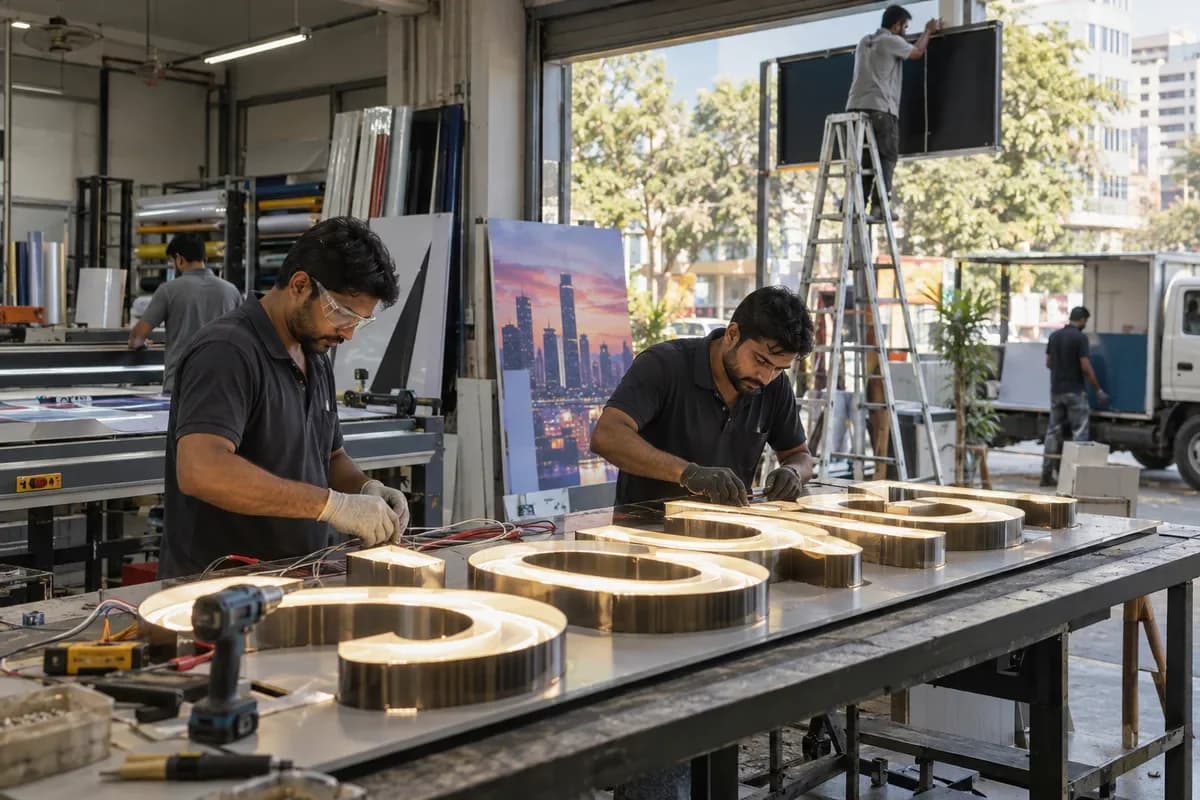
What the card carries
Everything on the card is there so nobody walks to the office to ask.
Steps through the workshop
A typical board passes through cutting, printing, bending or welding, lighting and a final check. Your own steps are set up as stages. The person doing a step marks it done, and the office sees the board move. A lit board adds wiring and a burn test before it is crated.
The final check
Checking is where a wrong board is caught while it is still in the shop. Fixing it at the site costs a crew day.
Reading the week’s load
- Cards due this week, grouped by installation date
- Jobs waiting on material that is not in stock
- Jobs held at one stage while others move on
- Cards for outside vendor work, shown with the vendor
Questions for your workshop head during set-up
- Which stages does a flex board skip that an acrylic letter board does not?
- Who is allowed to mark the final check complete?
- How should a damaged sheet and the remake be recorded?
- Should a board stay on the card while it waits at an outside printer?
Handling a remake without losing the cost
A remake is part of sign work. The risk is that the cost vanishes into the overhead. Open the remake as a note on the same card with the cause: wrong size, damaged sheet, spelling, a failed module or a fault at the vendor. Material issued again is booked against the same job. The month-end view shows how many boards were made twice and why, so the owner can tell whether surveys, artwork or cutting caused the faults.
Cards for different board families
One card layout rarely suits every board. A flex banner needs print size and eyelets, while a steel letter needs thickness, welding and a paint code. Set up separate fields per family so the workshop sees only what applies. Fewer fields mean the card is read, not skipped.
What the card does not do
The card records steps. It does not schedule machines or time each task. How the workshop floor is organised, and who may sign off a final check, remains your call.
A board’s day in the workshop
A job card follows a board from the first cut to the loading bay, and different people write on it along the way. Tracing one board through a day shows who opens the card and what each marks. Every step leaves a mark.
Agree the evidence before signing off this part.
Use a representative scenario to decide what this part of the system must show and where review is still needed.
What the card carries
What happens to movements entered while a count is being checked?
For “What the card carries”, choose a count date and trace the movements around it. Agree who investigates a difference before an adjustment changes the available balance.
Background reading: ERPNext: stock reconciliation
Frequently asked questions
Is there one card per board or one per order?
One per board. An order with six boards has six cards under it, so each can be at its own stage.
Can the workshop add a note about a fault?
Yes. A note can say that a sheet was damaged or a module failed, and the office sees it when planning the remake.
Who creates the card?
It is created from a confirmed quotation, so sizes and materials are not typed a second time.
Can a card be printed for the shop floor?
A printed copy is possible for workshops that prefer paper. Most shops mark stages on a handset on the floor, and we choose between that and paper while configuring.
What if the client changes the size after cutting starts?
The card is flagged, the change is recorded and the office picks between a remake and an adjustment. The cost of the change is a conversation with the client.
Can stages differ for each board type?
Yes. Flex, vinyl on ACP, acrylic letters and lit boxes can each have their own list of stages.
How does the workshop see the delivery date?
It is printed on the card and drives the order of work. When the installation date moves, the card shows the new date.
How this feature fits the system.
Signage Business Management Software: the parts that work with this feature, the trades that use it and the ways to put it in place.
Quotations and rate card
Quotations are built from square foot rates for flex, ACP, acrylic, letters and lighting, with installation and transport added as separate lines.
Estimate/Quotation ManagementWorkshop job cards
The workshop works from one card per sign, listing sizes, materials, finish and steps, and fabrication and printing stages are ticked off as they finish.
Job CardsMaterial stock and offcuts
Stores track ACP sheets, flex rolls, acrylic, LED modules and power supplies against jobs, with reorder levels and a list of reusable offcuts.
Stock Tracking and AlertsTell us what you need.
Tell us what your team does today, where work gets stuck and what you want to change.
What happens after you share your requirements
- We review your brief and the systems you already use.
- We clarify the workflow, missing information and the work to consider first.
- The proposed scope sets out the deliverables, responsibilities and dependencies.
- Review the scope and commercial terms before deciding whether to proceed.
Start with your requirements
Describe your current process, the people involved and the change you need. Start with the details you know; we can clarify the rest together.
Share your requirements