One connected system for machine stock, implements, trade-ins, seasonal parts, field service and warranty.
Manage a farm equipment dealership from one record per machine. Tractors, combines and implements are held with serial numbers, hours and attachments. Salespeople quote packages, value trade-ins and arrange financing. The parts counter plans stock for planting and harvest, and the workshop sends service trucks to farms with the right parts, recording hours and work against the same machine for warranty.
- Machine models, implement lists, parts catalogues and depot layout entered as your dealership runs
- Stock list, farm customers and open quotes migrated
- Changes to checklists and seasonal rules handled by GullySystem staff when asked
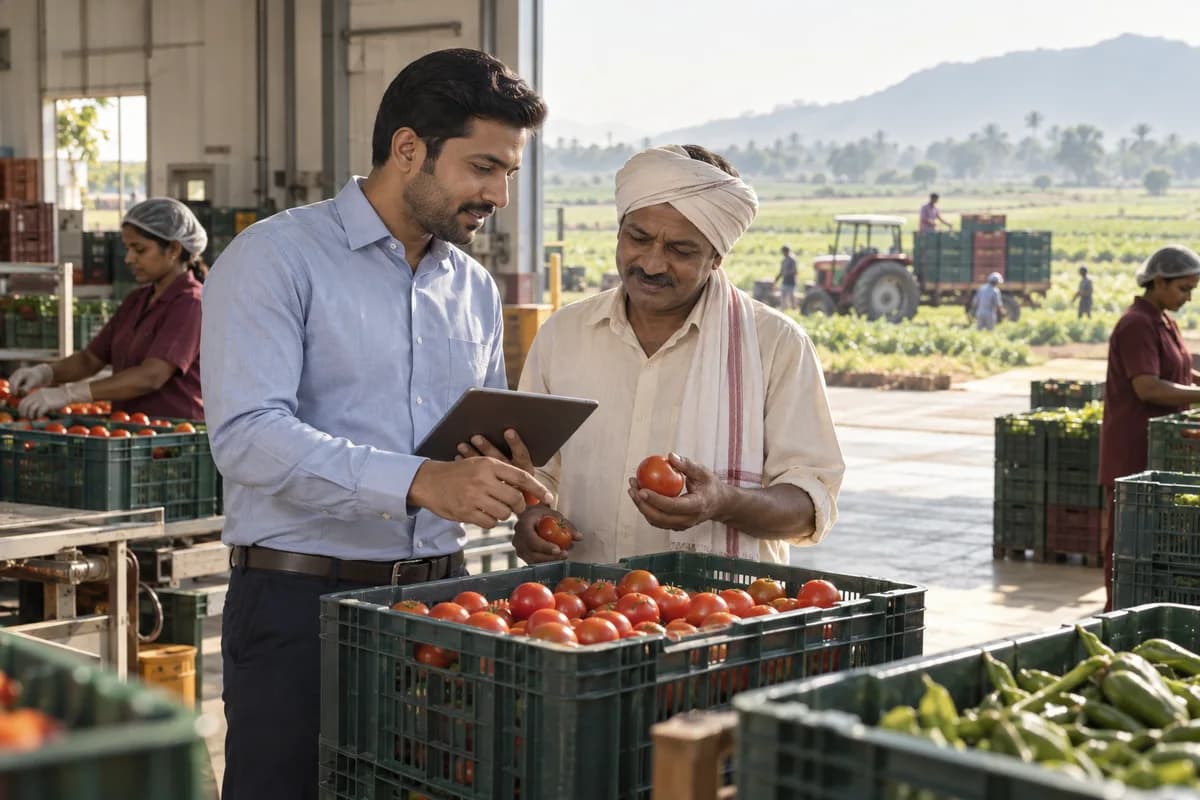
This GullySystem product is made for farm equipment dealers. Salespeople, the parts counter, workshop and field technicians and the accounts desk work from one machine record. It holds serial numbers, hours, implements, trade-in values, financing, parts used, service calls and warranty claims.
What goes wrong before the software.
How the work flows through it, step by step.
- 1
Enquiry
A farmer asks about a machine in the showroom, by phone or at a field day. The salesperson records the crop, acreage and the tractors already on the farm.
- 2
Quote and demo
A package lists the machine, implements, attachments, trade-in and financing. A demo machine is lent against a date and returned with its hours.
- 3
Order and delivery
The deposit is received, the machine is reserved and set up. The farmer signs at handover with hours and serial numbers recorded.
- 4
Seasonal readiness
Before planting and harvest, the parts counter raises orders against last season’s sales and the workshop books pre-season service.
- 5
Service and field calls
Breakdowns and scheduled service become jobs. A truck leaves with the parts list pulled, and hours and work are written up at the farm.
- 6
Warranty and used sales
Claims go to the manufacturer with the record attached. Traded machines are reconditioned and listed with their history.
What is inside.
Every module can be switched on, left out or changed to match how your team already works.
The business modules it is built from.
Each one is also available on its own, or inside a system built for you.
- Batch and Serial Tracking
Every tractor, combine and implement keeps its serial from inward receipt to sale, so hours and repairs attach to the right machine.
- Quote & Proposal Management
A tractor, loader and baler are quoted as one package with the hitch kit listed, and each revision stays on file beside the accepted one.
- Lead Management
Enquiries from field days, calls and the showroom are logged against the farm, with its crop, acreage and the machines it already runs.
- Stock Tracking and Alerts
Belts, knives and filters carry higher reorder levels for planting and harvest months, and a warning appears before the shelf empties.
- Job Cards
A job card holds the complaint, parts and labour for each repair or pre-season service, and the cost lands on the machine’s history.
- Technician Scheduling
Trucks and technicians are assigned to farm calls by day, with machine-down calls placed first and the parts list ready before departure.
- Service Reminders
Pre-season service reminders go to farms by machine hours or date, so the workshop fills its bays before the rush instead of during it.
- Multi-Branch Consolidation
Each depot keeps its own parts, bays and cash, while machines and farms are shared, so a transfer note moves a baler between yards.
How we would put it in.
Setup, data migration, integrations and anything built on top.
One system, each person sees their part.
For the dealer principal
See machine stock by age, demo loans out, seasonal parts position and warranty money outstanding.
For salespeople
Work your farms, packages, trade-ins and finance approvals, and see which demos are due back.
For parts counter staff
Sell by counter or phone, receive orders and watch the seasonal reorder list.
For workshop managers and field technicians
Read the day’s jobs and truck calls, with the parts list and machine history on a phone.
For accounts staff
Follow deposits, lender payments, supplier bills, hire invoices and warranty claims awaiting payment.
The numbers the owner asks for.
- Machines in stock by model, hours and age
- Demo machines on loan and days out
- Trade-ins valued against price achieved
- Parts sold per week against earlier seasons
- Field calls by fault type and response
- Warranty claims raised and paid
- Hire days and invoices by machine
Who this is built for.
- Dealers selling tractors, combines and balers
- Dealers of tillage, seeding and spraying implements
- Dealers with a used-equipment and trade-in business
- Dealers with field service trucks and a parts counter
- Groups with several depots across farming regions
When it is not the right choice.
- A farmer who buys equipment for his own use will not need a dealer system.
- A repair workshop that sells no machines will find a service shop product closer to its work.
Adapted to your business before it goes live.
You are not handed a login and left to it. The product is set up around your records, your people and the tools you already use.
Works alongside
- Manufacturer ordering and warranty portals
- Lender and finance partner exports
- Accounting software export
- Telematics data from machines
- SMS or messaging
Questions owners ask before a demo.
Can one quote include a tractor and its implements?
Yes. The package lists the tractor, loader, plough or baler, with the hitch and hydraulic kit each needs. The accepted package becomes the delivery list.
How does it help ahead of planting and harvest?
Reorder levels rise for those months, and the parts list shows what sold in the same weeks of earlier seasons. The workshop can book pre-season checks for each machine.
Will our service technicians use it out on the farm?
Yes. A technician opens the job in a browser, reads the machine’s history, notes hours and work done and closes the call from the farm.
How are demo machines tracked?
Each loan records the farm, the dates and the hours out and back. A reminder shows when a demo is overdue.
Can it value a trade-in?
Yes. The valuation sheet records hours, condition and fitted attachments, and the figure reduces the balance on the deal. The machine enters used stock after the sale.
Does it keep finance details for each sale?
Yes. Lender, scheme, deposit and balance are held on the deal, and a finance approval still pending is visible to the salesperson.
Can it record telematics hours from machines?
Where a machine reports hours through the manufacturer’s telematics, the feed can be linked in implementation. Otherwise a technician enters hours at each visit.
Can we hire out equipment too?
Yes. A hired machine goes out with a condition record, returns with another, and the hire invoice is built from days and any damage found.
How does our existing stock and service data get in?
Send the stock sheet, farm list and service files you keep. Columns are mapped to the machine record, and a salesperson reviews the loaded data with us.
How is a dealership priced?
The figure depends on depots, users, service trucks and the links to manufacturer systems. A demonstration using your own tractors and implements comes before any proposal is drafted.
Wondering what it costs? Six questions give you a written scope and the buckets any quote should separate.
Businesses that use this.
See Farm Equipment Dealer Management Software with your own data.
Tell us how you run things today. We’ll show you the parts that matter to you and say plainly what would need changing.
- No obligation
- A reply within one business day
- Your details stay private
Start with your requirements
Seven short steps that tell us what you need. An engineer reads them before getting in touch.
Share your requirements