Patient Registration and Test Orders for Pathology Labs
Every sample in the lab starts with a registration. The desk records who the patient is, who referred them and which tests or profiles they need, and that order drives the barcode, the worklist and the bill.
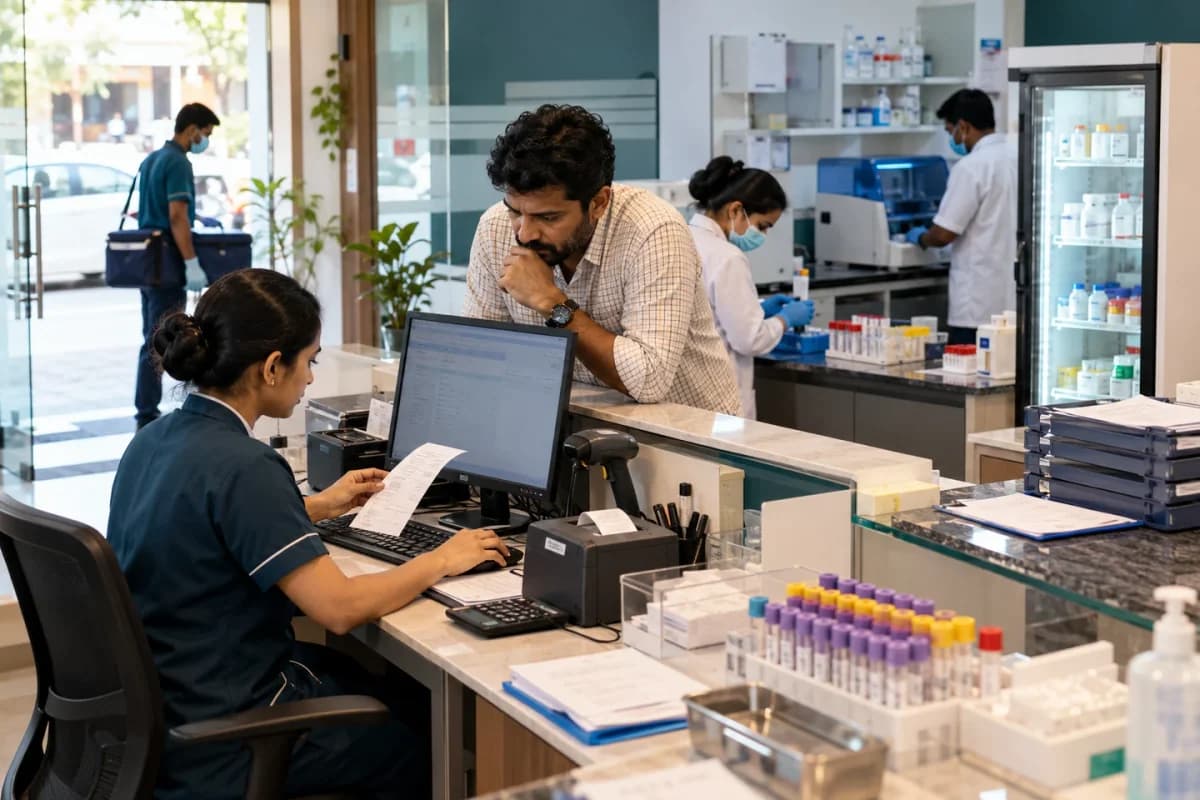
What the registration holds
A registration is short to fill, because the desk is handling a queue of fasting patients. Fields the desk cannot fill at once, such as a doctor’s full name, can wait until the queue clears, provided the lab has marked them as optional at the counter.
Returning patients
A returning patient is found by phone number. Their earlier visits and results are already on the record. The pathologist sees them at sign-off, which helps when a value has moved sharply since the last test. Because history sits under one phone number, a patient who returns after a gap is not a stranger. Nobody repeats the same questions.
The desk at eight in the morning
The first hour is the hardest one. Fasting patients arrive together, each waiting with an empty stomach and a prescription. A clerk must read an unfamiliar doctor’s handwriting, find the right tests and quote a price. Anything that slows the screen shows up as a queue at the door. A good registration form therefore asks for little, accepts short codes and lets the clerk move on, while the checks that matter, such as sex and age, are hard to skip.
- Short test codes the desk can type from memory
- Profiles that expand into their tests in one step
- A phone number search that finds family members at once
- A visible total before the patient reaches the cashier
Orders, prescriptions and unclear requests
A request form may list a test by a nickname, a brand panel or only a clinical complaint. Staff need a way to match it to the lab’s catalogue without guessing. Keep the image of the doctor’s request form with the order, so a later question can be answered from the original. Some orders also arrive from centres, where staff may enter the patient themselves. The lab decides how much of that entry it trusts and how much it checks.
What the lab decides
- Which fields are compulsory at the desk and which can wait.
- How referring doctors and hospitals are named in the list.
- Whether a TRF image is attached to the registration.
- Who may edit a registration once samples are collected.
Questions to settle for registration setup
Fix these before the first morning on the new screen.
Registration through a morning rush
From then on, the desk meets a queue before the bench has warmed up. Each patient is registered once, and the order drives everything after. These four moments follow the desk from the first arrival to a returning patient. The queue never waits.
Agree the evidence before signing off this part.
Use a representative scenario to decide what this part of the system must show and where review is still needed.
What counts as a duplicate patient?
Which identifier keeps two similar names from becoming the same record?
Choose similar-looking entries in “What counts as a duplicate patient?” and agree how the team distinguishes them. Check which linked history must remain separate before approving a merge or import.
Background reading: ERPNext: importing linked records
What the registration holds
What does one row mean before totals are combined?
Choose one period in “What the registration holds” and compare it with the source records. Define the date basis and grouping before accepting a total that combines several kinds of entry.
Background reading: Microsoft: reporting grain and relationships
Frequently asked questions
Can a test be added after registration?
Yes. Staff add it to the open order, a new barcode prints if another container is needed, and the bill updates.
Can two patients share one phone number?
Yes. Yes. One number can serve several family members, and the right person is picked from the list that the number brings up.
Does registration need the patient’s ID document?
Not by default. Whether an ID is recorded is the lab’s choice, set during implementation.
Can we register a patient without the doctor’s name?
That depends on the compulsory fields the lab sets. A lab can allow a self-referred option for walk-in patients.
Why does the system ask for age and sex?
Reference ranges differ by age and sex for tests such as haemoglobin and creatinine, so the report shows the right range only when both are recorded.
Can a registration be corrected after samples are drawn?
Who may edit is the lab’s decision. An edit of a name or age is logged, because it can change the range shown on the report.
How this feature fits the system.
Pathology Lab Management Software: the parts that work with this feature, the trades that use it and the ways to put it in place.
Sample collection and barcodes
A barcode prints for every container at collection, recording sample type and time, and the lab marks any rejected sample with a reason.
Barcodes and LabelsHome collection visits
Home collections are booked by area and time slot and assigned to a phlebotomist, and the front desk sees which samples have reached the lab.
Appointment SchedulingQuality control records
Technologists record daily control runs by test and machine, plot them against limits the lab sets, and note the action taken on a failed run.
Quality ControlTell us what you need.
Tell us what your team does today, where work gets stuck and what you want to change.
What happens after you share your requirements
- We review your brief and the systems you already use.
- We clarify the workflow, missing information and the work to consider first.
- The proposed scope sets out the deliverables, responsibilities and dependencies.
- Review the scope and commercial terms before deciding whether to proceed.
Start with your requirements
Describe your current process, the people involved and the change you need. Start with the details you know; we can clarify the rest together.
Share your requirements