Design & Build · Carpentry Contractor Management SoftwareMeasurements, quotations, cutting lists, stock, crews and stage bills for every carpentry job.
Run wardrobe, door, panelling and furniture jobs from site measurement to the last snag. Measurements, quotations, approvals, cutting lists, board stock, workshop cards, fitting crews and stage payments stay on one job record. The workshop reads the sizes the client approved. The fitter sees the list on site, while the owner reads the margin.
- Rate cards, board grades, laminate shades and hardware lists entered the way you price them
- Open quotations, running jobs and payments received brought over from your sheets
- Changes to quotation layouts and stage terms made by GullySystem staff when you ask
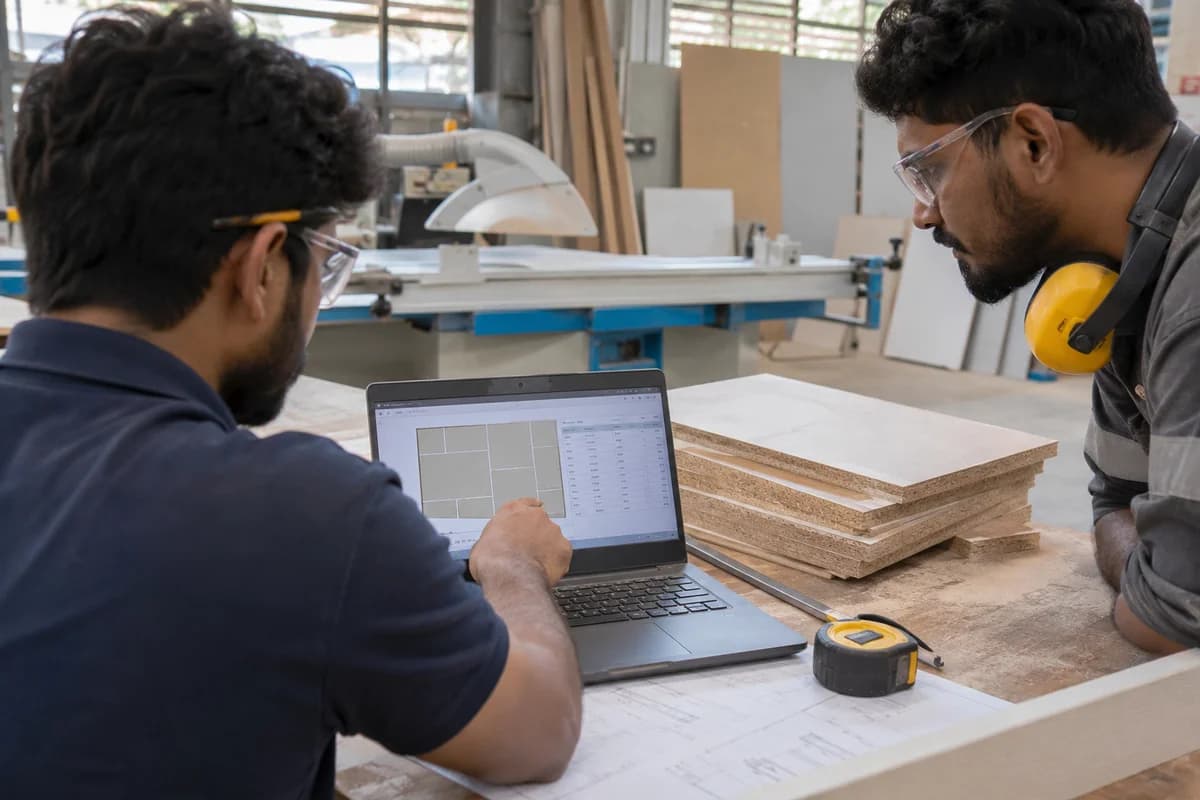
Carpentry Contractor Management Software from GullySystem suits contractors who measure on site, make in a workshop and fit at a client’s home or office. Each job keeps its dimensions, drawings, board use, labour and payments together. Workshop and site teams read one record. Nothing is retyped. A repair call months later finds the original job too.
What goes wrong before the software.
How the work flows through it, step by step.
- 1
Site visit
An enquiry becomes a job. The visitor measures walls, openings and loft space, takes photos and notes the finishes the client likes. One visit, one record.
- 2
Quotation and approval
A priced quotation goes out. Scope, board and hardware are named. Drawings are approved, and the date and name are stored.
- 3
Cutting list and stock
Approved sizes become a panel list. Sheets needed are compared with the store. A purchase order covers the gap.
- 4
Workshop
A job card moves through cutting, edge banding, drilling, assembly and finishing. PU and polish coats are scheduled between drying days. The card shows the delay.
- 5
Site fitting
A gang takes the panels to the address, and the foreman marks attendance and every piece fitted against the room and the day. Stage bills follow progress.
- 6
Handover and warranty
The client walks through with a snag list, and each fault is fixed and closed by a named carpenter. Then the last bill is raised. The warranty starts.
What is inside.
Every module can be switched on, left out or changed to match how your team already works.
The business modules it is built from.
Each one is also available on its own, or inside a system built for you.
- Lead Management
Enquiries are logged by address and type of work, visits are scheduled, and unanswered quotations are listed for follow-up.
- Estimate/Quotation Management
Wardrobes, doors and panelling are priced by area or piece from your rate card, with board and finish named.
- Stock Tracking and Alerts
Board, laminate and hardware levels are tracked by shade and thickness, with an alert when a store runs low.
- Attendance & Time Tracking
Foremen mark who worked at which site, and the days feed the wage sheet.
- Invoice Management
Stage bills follow the agreed terms, carry tax where it applies, and record every receipt.
- Task Management
Faults are noted by room, assigned to a carpenter and closed before the final bill is sent.
How we would put it in.
Setup, data migration, integrations and anything built on top.
Explore moreBrowse business and AI solutions
Looking for another part of your workflow? Browse the modules by business function.
- Applicant Tracking (5)
- CRM (8)
- Finance & Accounting (10)
- Helpdesk (4)
- Human Resources (13)
- Inventory Management (5)
- Project Management (7)
- Manufacturing (6)
- Procurement (4)
- Sales and Distribution (6)
- Field Service (5)
- Statutory and Compliance (4)
- Retail and POS (4)
- Bookings and Appointments (3)
- Subscriptions (2)
- Assets and Fleet (4)
- Platform (6)
- Analytics (2)
- Documents (1)
- All business solutions
One system, each person sees their part.
For owners and contractors
See jobs running, quotations waiting, money due by stage and the margin left on each finished job. Compare a wardrobe quoted by area with what the board, hardware and labour actually cost. Spot the loss early.
For site engineers and estimators
Record measurements, prepare quotations, check drawings with the client and follow approvals through.
For the workshop and store
Read cutting lists, issue board and hardware against each job, track offcuts for reuse, and move job cards along. Missing stock is flagged before the saw is switched on.
For foremen and fitting gangs
Get the site list, mark attendance and pieces fitted, and close snags room by room.
The numbers the owner asks for.
- Quotations sent, won and still open by estimator
- Board and hardware used against each job
- Stock on hand with offcuts and low levels
- Workshop jobs by stage and days waiting
- Fitting wages by gang, with advances and balances
- Stage bills raised, received and overdue
- Open snags by site and age
Who this is built for.
- Contractors who build wardrobes, wall units and modular storage at client sites
- Door, frame and panelling specialists working for builders and homeowners
- Office and shop fit-out carpenters with a small workshop and fitting gangs
- Furniture makers who take made-to-measure orders for homes and offices
- Owners who pay gangs by piece and by day and need clean settlements
When it is not the right choice.
- A factory that mass-produces standard furniture for dealers needs a manufacturing product with production planning, not job-by-job site work.
- A lone carpenter doing few jobs a year may be fine with a diary and a phone.
Adapted to your business before it goes live.
You are not handed a login and left to it. The product is set up around your records, your people and the tools you already use.
Works alongside
- SMS
- Payment links and gateways
- Accounting software export
Checks to bring to your product demo.
Review these scenarios against the product configuration and record anything that still needs to be agreed.
Warranty and repair visits
What proves that a planned task was actually completed?
Select an overdue entry in “Warranty and repair visits”. Ask which work record closes it and what remains visible when the visit is postponed or only part of the job is done.
Background reading: ERPNext: maintenance plans
Stage payments and invoices
Can the same receipt be allocated without counting the money twice?
Take an unallocated amount in “Stage payments and invoices” and apply it to the intended balance. Review the remaining amount and the original receipt reference together.
Background reading: ERPNext: payment allocation
Questions owners ask before a demo.
Can I quote by square foot for one job and by item for another?
Yes. Each quotation picks its own basis. A wardrobe and a door both price from your own figures, because the rate card is entered at setup.
Does it plan sheet layouts for the panel saw?
It builds the panel list per board and shows the sheets a job needs. Optimised nesting for a saw is done in dedicated software, and the list can be exported to it.
How are offcuts handled?
A useful offcut is saved as its own stock line with size, board and edge finish. The next cutting list can draw on it before a new sheet is ordered. Small scraps can be written off.
Can fitters be paid both by day and by piece?
Yes. Each worker carries a pay basis. The wage sheet reads days marked or pieces recorded and deducts advances to show the balance.
Can a measurement be entered on site without a network?
Yes. The phone saves sizes and photos on the device and syncs them when a connection returns, so a basement flat is not a problem.
Does it produce tax invoices?
Invoices carry the tax rules you set for goods and works contracts. Your accountant confirms which rates apply to your type of work, and the setting can be changed later.
What decides the cost of a carpentry system?
Users, the modules in the first release, systems to connect and how much history is brought in. Each part is a separate quote line, so dropping one shows the new total. A quotation is sent only after the scope is understood.
How long before a team can use it?
It turns on how big your rate card and stock list are, and how fast your people adapt to screens. Quotations and measurements go first. Stock, wages and stage bills follow in the order agreed in the proposal, so the workshop is never asked to learn everything in a single week.
What should be prepared ahead of kickoff?
Your rate card, recent quotations, board and hardware lists, gang wage sheets and a sample snag list. Name one person in the workshop and one on sites to review screens as they appear.
What will the carpentry software not do?
It will not draw furniture or replace design software. Drawings hang off the job. Machine nesting for sheet cutting stays in the tools made for that.
Wondering what it would cost? Share your requirements and an engineer will come back with a scope.
Every part, on its own page.
Each page covers one part of the system: what it records, who uses it and what it hands on.
- Enquiries and Site Visits for Carpentry Contractors
- Site Measurement Sheets for Carpentry Jobs
- Quotations by Area or Item for Carpenters
- Design Approval Records for Carpentry Jobs
- Cutting Lists and Board Planning for Carpentry
- Timber, Plywood and Hardware Stock for Carpenters
- Purchase Orders and Dealer Accounts for Carpenters
- Workshop Job Cards for Carpentry Jobs
- Fitting Crews and Wages for Carpentry Contractors
- Stage Payments and Invoices for Carpentry Contractors
- Snag Lists and Handover for Carpentry Jobs
- Warranty and Repair Visits for Carpentry Jobs
Built for.
The trades this product is set up for. Pick yours to see how the work runs there.
See Carpentry Contractor Management Software set up around your records.
Tell us how you run things today. An engineer reads it and writes back with what fits as it is, what would need changing, and what we would start with.
What happens after you share your requirements
- We review your brief and the systems you already use.
- We clarify the workflow, missing information and the work to consider first.
- The proposed scope sets out the deliverables, responsibilities and dependencies.
- Review the scope and commercial terms before deciding whether to proceed.
Start with your requirements
Describe your current process, the people involved and the change you need. Start with the details you know; we can clarify the rest together.
Share your requirements