Field Services · Elevator Service Management SoftwareOne system for lift records, service contracts, breakdown calls, spare parts and billing.
Run a lift company in one system. Every lift is on record with its make, model, load, floors served and the building it stands in. Each annual maintenance contract (AMC) carries its visit frequency and renewal date, so the office sees which lifts are covered and until when. Routine visits are signed off against a checklist, and breakdown calls are logged from the first phone call to the fault found. Spare parts leave the store against a lift number, and invoices carry the tax.
- Lift records, makes, models and service checklists entered as your technicians work
- Building list, AMC contracts, renewal dates and outstanding balances migrated
- We update checklists and spare part lists at your request
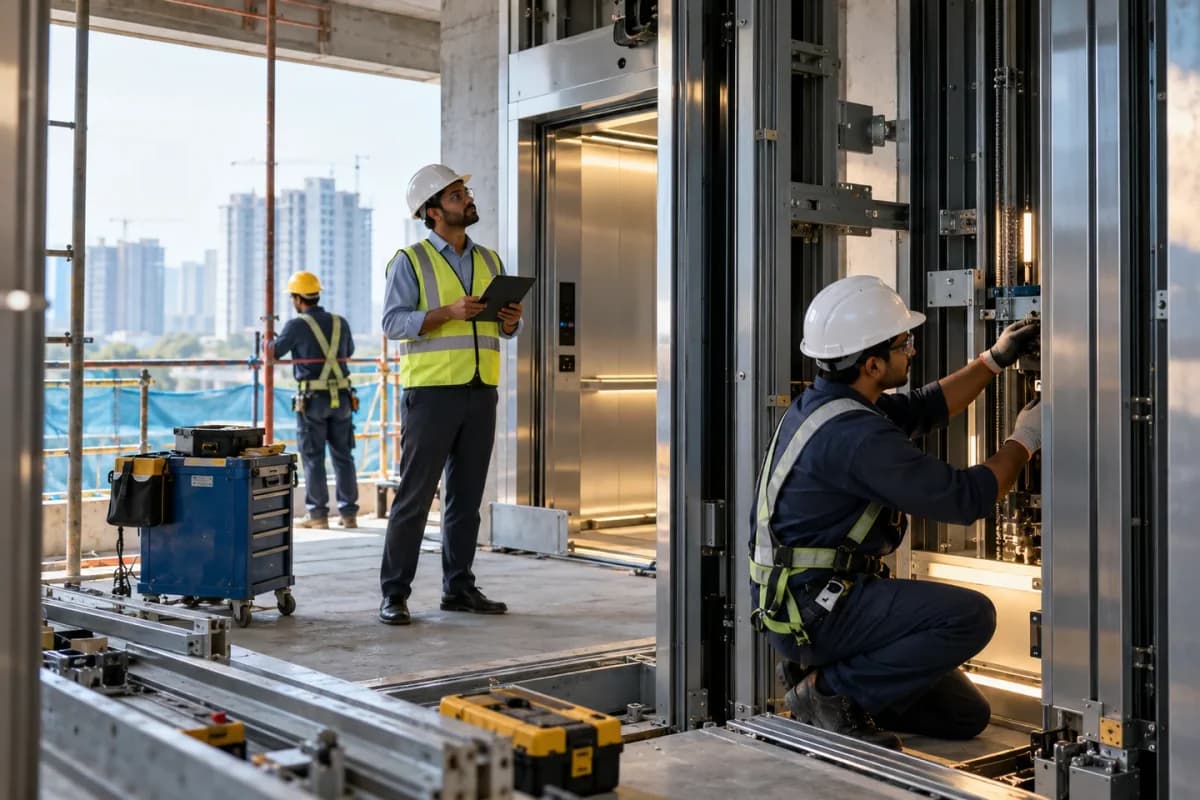
Lift companies installing and servicing elevators use Elevator Service Management Software, which GullySystem sets up for owners, the service desk, technicians and erection supervisors. Each lift is on record with its building, AMC contract and visit history. Breakdown calls, spare parts issued and test records are logged too. Billing follows the contract terms you already sell.
What goes wrong before the software.
How the work flows through it, step by step.
- 1
Enquiry and site survey
A builder, society or facility manager asks for a lift or for service cover. The survey notes the shaft, pit depth, headroom, floors served and the existing machine where there is one, with the machine room dimensions.
- 2
Quotation and order
A quotation covers the lift or the cover offered, with spares and labour included. When it is accepted, the order and payment stages are recorded against the building. Nothing is retyped.
- 3
Installation and commissioning
Erection runs in stages from guide rails, machine and counterweight to car, doors, controller and trial runs. Commissioning and handover close the job, with the governor and buffer test records filed against the lift.
- 4
AMC and routine service
The lift goes on a contract with its visit frequency. Each routine visit opens with a checklist for the machine room, car, hoistway and landing doors, and closes with the technician’s signature. Lubrication is logged.
- 5
Breakdown call
The desk logs the caller, the lift and the fault reported. A technician is sent, and the fault found and the parts used are entered. The call is closed with the outcome, and a trapped passenger is noted as a rescue.
- 6
Billing and renewal
AMC instalments, repair work and chargeable spares are invoiced with tax. Renewal dates appear in advance, so the office can speak to the committee or the facility team before cover lapses.
What is inside.
Every module can be switched on, left out or changed to match how your team already works.
Lift and building records
Hold each lift with its machine number, make, model, load, speed, floors served, drive type, controller and the building and wing it stands in. A gearless machine is told apart from a geared one at a glance.
Learn moreEnquiries and site surveys
Record enquiries from builders, societies and facility teams, with survey notes on the shaft, pit, headroom and the machine already installed. Photographs of the hoistway and machine room stay with the enquiry.
Learn moreQuotations and modernisation proposals
Quote for a new lift, a repair or a modernisation, listing the parts and labour offered, from a new controller to rope and sheave replacement. Track the quotation to an order, with revisions kept on file.
Learn moreInstallation project stages
Follow an erection job through guide rails, machine, counterweight, car, doors, wiring, controller and trial runs. Each stage carries its supervisor and dates. Delays show against the stage that caused them.
Learn moreAMC contracts and renewals
Keep the cover type, the lifts included, the visit frequency, the instalment plan and the renewal date for every building. Full-parts cover and labour-only cover are told apart, so a billing dispute is settled from the contract.
Learn moreRoutine service schedules
Plan the monthly or quarterly visit for each lift, raise the visit with its checklist, and see which visits are still pending. Governor, brake, door operator and lubrication checks are each ticked.
Learn moreBreakdown and entrapment calls
Log the caller, the lift, the fault reported and the time, then send a technician. Closing the call records the fault found. Passenger entrapments and fireman’s-switch faults are flagged for the desk.
Learn moreTechnician routes and attendance
Group buildings into routes, assign a technician or a pair to each, and record where the day’s visits and calls were attended. A rescue call can pull the nearest technician off the route.
Learn moreSpare parts store and van stock
Count door rollers, guide shoes, buttons, control cards, ropes, photocells and rescue-device batteries in the store and with each technician. A van stock below its set level is flagged at the morning handover.
Learn moreTest records and document file
File the test readings, commissioning notes, drawings and certificates your office keeps for each lift. Each one carries the date it was added, and the overspeed governor test sits beside the buffer test.
Learn moreAMC billing and collections
Raise tax invoices for AMC instalments, repair work and chargeable spares, accept card or bank transfer, and follow what is outstanding. Statements go to the committee or the facility team by mail.
Learn moreThe business modules it is built from.
Each one is also available on its own, or inside a system built for you.
- Estimate/Quotation Management
Quotations list the parts and labour for a new lift, a repair or a modernisation, and are tracked to an order with revisions kept on file.
- AMC and Service Contracts
Each building’s contract records cover type, the lifts included, visit frequency and instalments, so the service team sees renewal dates and visits owed.
- Technician Scheduling
Buildings are grouped into routes with a technician or pair assigned, and the day’s visits and calls are recorded as attended.
- Ticket Management
A breakdown or entrapment call is logged with caller, lift, fault and time, handed to a technician, and closed with the fault found.
- Asset AMC Tracking
Every lift is held with machine number, make, model, load, speed, floors and controller, so contract and service history attach to the right machine.
- Service Reports and Proof of Visit
Test readings, commissioning notes, drawings and certificates are filed against each lift with the date added, giving the office documents to hand a customer.
- Invoice Management
Accounts staff raise tax invoices for AMC instalments, repairs and chargeable spares, accept card or bank transfer, and follow what each building still owes.
- Lead Management
Enquiries from builders, societies and facility teams are recorded with survey notes on shaft, pit, headroom and the installed machine, each with an owner.
How we would put it in.
Setup, data migration, integrations and anything built on top.
Explore moreBrowse business and AI solutions
Looking for another part of your workflow? Browse the modules by business function.
- Applicant Tracking (5)
- CRM (8)
- Finance & Accounting (10)
- Helpdesk (4)
- Human Resources (13)
- Inventory Management (5)
- Project Management (7)
- Manufacturing (6)
- Procurement (4)
- Sales and Distribution (6)
- Field Service (5)
- Statutory and Compliance (4)
- Retail and POS (4)
- Bookings and Appointments (3)
- Subscriptions (2)
- Assets and Fleet (4)
- Platform (6)
- Analytics (2)
- Documents (1)
- All business solutions
Topics beyond the modules.
Each page covers one part of how the system is used, connected or controlled.
Elevator Software Views for Owners, Desk and Technicians
Each person in a lift company sees the part of the record their own work needs. The desk sees calls. Technicians see checklists. Supervisors see erection stages.
Learn moreReports for Elevator Company Owners and Service Managers
These reports are drawn from the lifts, contracts, visits, calls and spares your staff already enter, so the owner reads one page, not a stack of logbooks.
Learn moreElevator Service Software Connections to WhatsApp and Accounting
The lift system connects to the messaging, payment and accounting tools a service office already uses, from WhatsApp call updates to card links and a ledger export.
Learn moreOne system, each person sees their part.
For owners
See lifts under cover, visits done against visits due, open breakdown calls, spares consumed, installation jobs by stage and money outstanding. Approve a quotation or a discount above your limit.
For the service desk
Log breakdown calls and send technicians. Reassign a call when someone is stuck. Raise the day’s routine visits and tell a caller where the technician has reached.
For service technicians
Read the day’s buildings and lifts, fill the visit checklist, enter the fault found and record the parts fitted, whether an encoder or a door hanger.
For erection supervisors
Mark each installation stage done at a site, note material received and raise the lift for commissioning and handover. Plumbing of the guide rails and the pit work are signed off stage by stage.
For store and accounts staff
Issue spares against a lift number, reorder what is short, raise AMC and repair invoices and record collections. Chargeable and under-cover parts are told apart on every issue.
The numbers the owner asks for.
- Lifts under contract by building and cover type
- Routine visits done against visits due, by route
- Breakdown calls by lift, with the fault found
- Spares issued by lift and by technician
- AMC renewals falling due in the coming months
- Installation jobs by stage and supervisor
- AMC and repair invoices outstanding by customer
Who this is built for.
- Lift companies that install their own lifts and then hold the service contract
- Service-only firms holding AMCs on lifts of other makes
- Dealers for an imported lift brand with their own erection team
- Companies serving housing societies, hospitals and commercial buildings
- Lift firms whose technicians work set routes across a city
- Elevator companies with branches in more than one city
When it is not the right choice.
- One technician looking after a handful of lifts in a single locality may find a diary and WhatsApp enough.
- A firm whose main contracts are air conditioning plants will find HVAC Service Management Software closer to its work.
- A builder who wants to follow the lift as one activity inside a site programme should look at Construction Project Management Software.
Adapted to your business before it goes live.
You are not handed a login and left to it. The product is set up around your records, your people and the tools you already use.
Works alongside
- SMS
- Payment links and gateway
- Accounting export
- Mobile location on the technician app
- Biometric or app attendance devices
- QR or label printer for machine tags
Checks to bring to your product demo.
Review these scenarios against the product configuration and record anything that still needs to be agreed.
Quotations and modernisation proposals
Which assumptions stop being valid when the quotation changes?
For “Quotations and modernisation proposals”, compare an accepted version with a later revision. Identify changed quantities, exclusions and validity dates before the revised amount is used downstream.
Background reading: ERPNext: quotation terms
AMC billing and collections
Can you explain the balance from its original documents?
Select a partly settled example in “AMC billing and collections”. Ask for the invoice, allocated receipts and remaining balance to be shown together before agreeing the opening figures.
Background reading: ERPNext: outstanding invoices
Questions owners ask before a demo.
Is it only for elevator companies?
Yes, it is built for companies that install or service lifts. AMC cover, routine visits, breakdown calls and spares follow the way a lift company works, with hoistway checks and governor tests.
Can each lift be kept as its own record?
Yes. Machine number, make, model, load, speed, floors served, drive and controller type sit on one record, with the building and wing it belongs to.
How are routine service visits planned?
Each contract carries a visit frequency, and the visits for the month are raised from it. Visits not yet signed off stay on the pending list, in front of the service manager.
What happens when a breakdown call comes in?
The desk records the caller, the lift and the fault reported, then sends a technician. The call closes with the fault found and the parts fitted. A trapped passenger is flagged as a rescue.
Can the technician fill the checklist on a phone?
Yes. The visit checklist and the fault note can be filled on a phone in the machine room or beside the car, and the entry carries the technician’s name.
Does it hold inspection and test papers?
It files the test readings, drawings and certificates your office keeps for each lift. What any inspecting authority asks for is a matter for you and your advisors.
Can spares be tracked to a particular lift?
Yes. A part is issued against a lift number, so the history of that lift shows every control card, roller, rope or photocell fitted to it, with date and technician.
Can AMC instalments be invoiced automatically?
Not by default, because instalments due appear for the office to raise. Whether an invoice goes out without a person looking at it is settled with you at set-up, contract by contract.
Does any of this go across to the accounts?
Not built in. Your accountant can read AMC and repair figures in GullySystem. We settle the ledger layout with you, then quote the export.
Who owns the lift and customer records?
You do. Terms for taking your building list, lift register, call history and invoices away are stated in the proposal, before any work starts.
How soon can technicians and the office run on it?
Lift records, AMC contracts and routine service schedules are the sensible start, with breakdown calls beside them. Spare parts, test papers, installation stages and AMC billing follow. Dates are agreed before work starts.
What does a lift company prepare in advance?
Prepare your building and lift list, AMC contract copies, service checklists, a breakdown log and the spare parts store sheet. Add sample AMC invoices. A service supervisor, a store keeper, a technician and the accounts person need to be named.
Wondering what it would cost? Share your requirements and an engineer will come back with a scope.
Every part, on its own page.
Each page covers one part of the system: what it records, who uses it and what it hands on.
- Lift and Building Records for Elevator Companies
- Elevator Enquiry and Site Survey Records
- Lift Quotations and Modernisation Proposals
- Lift Installation Project Stage Tracking
- Elevator AMC Contracts and Renewal Tracking
- Lift Breakdown and Entrapment Call Desk
- Lift Spare Parts Store and Van Stock
- Lift Test Records and Document File
- Elevator Technician Routes and Attendance Records
- Routine Lift Service Schedules and Visit Checklists
- Elevator AMC Billing and Collection Records
- Elevator Software Views for Owners, Desk and Technicians
- Reports for Elevator Company Owners and Service Managers
- Elevator Service Software Connections to WhatsApp and Tally
Built for.
The trades this product is set up for. Pick yours to see how the work runs there.
Related products.
See Elevator Service Management Software set up around your records.
Tell us how you run things today. An engineer reads it and writes back with what fits as it is, what would need changing, and what we would start with.
What happens after you share your requirements
- We review your brief and the systems you already use.
- We clarify the workflow, missing information and the work to consider first.
- The proposed scope sets out the deliverables, responsibilities and dependencies.
- Review the scope and commercial terms before deciding whether to proceed.
Start with your requirements
Describe your current process, the people involved and the change you need. Start with the details you know; we can clarify the rest together.
Share your requirements