Automotive · Software for fleet leasing companiesFollow every leased vehicle from handover to monthly rental, service, renewals and return.
A fleet leasing company owns vehicles and rents them to corporate lessees on multi-year contracts, and the contract can bundle maintenance, insurance and replacement cars. The software built for you keeps a record for each vehicle and each contract: handover, rental invoices, service, renewals, accident repairs, traffic fines and the return inspection.
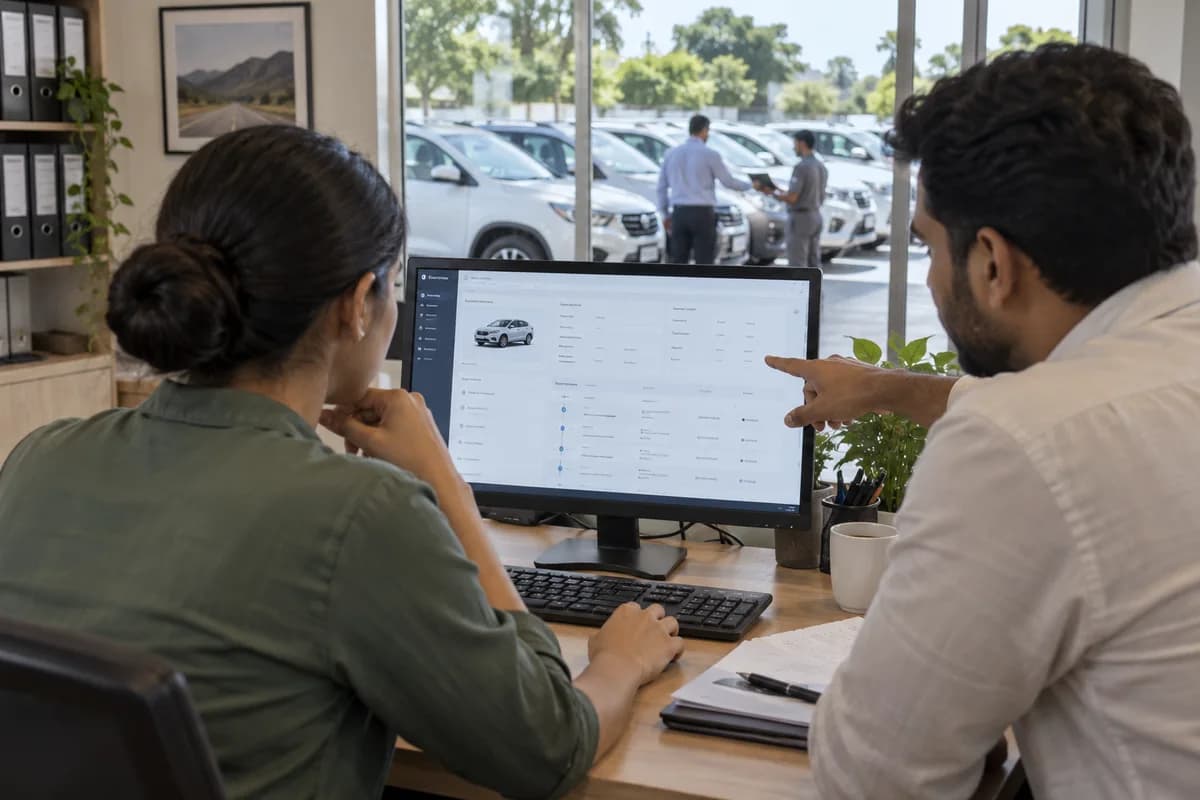
Each vehicle is an asset with its own contract, its own service history and its own papers. The lessee, the financier, the insurer and the workshop all need a different part of that record.
No standard product covers lease contracts, so GullySystem builds a custom system around yours. The first step is to write down what a rental covers, and what is billed on top.
A contract is signed with a lessee for a set number of vehicles, a monthly rental and a kilometre limit. Vehicles are registered, handed over with a checklist and photographs, and linked to the driver or the department that uses them.
Through the term, the vehicle goes for scheduled service at an approved workshop. Insurance, roadworthiness and permit dates come up one after another, and accidents are repaired and claimed. A replacement vehicle goes out when one is off the road, and the lessee’s fuel card and toll tag charges are passed on.
Rental invoices go out monthly, with extra charges for excess kilometres, traffic fines and damage. At the end of the term the vehicle is inspected, any damage is charged, and it is sold or re-leased.
What goes wrong for fleet leasing companies without a proper system.
What fleet leasing companies gain from one system.
Not a feature list. These are the moments in the working day that go differently once the records sit together.
What we would build for fleet leasing companies.
Named the way your team already talks about the work. We start with whichever part the audit shows is costing you most.
A requirements checklist for fleet leasing companies.
What to cover, which reports to ask for and what to put to every vendor, ready to print or save as a PDF.
A product already built for fleet leasing companies.
It is adapted to how your business works before it goes live, and anything your trade needs that it lacks is added then.
Fleet Leasing Company Management Software
Lease contracts, vehicle register, handover and return inspections, service, renewals, accident cases, rental invoices and disposal for fleet leasing companies.
What Fleet Leasing Company Management Software covers, feature by feature
- Lease quotations for fleet leasing firms
- Vehicle and contract register for leased fleets
- Handover and return inspection for leased vehicles
- Service and maintenance schedule for leased vehicles
- Insurance, registration and permit renewals for lessors
- Accident cases and replacement cars in fleet leasing
- Fines, toll and fuel card charges for leased fleets
- Rental and recoverable invoicing for lessors
- Workshop and supplier bills for leased fleets
- Lessee portal for fleet leasing companies
- Disposal and remarketing for leased vehicles
Other products in the same sector as fleet leasing companies.
- Auto Body and Paint Shop Management Software
- Auto Manufacturer Management Software
- Auto Parts Shop Management Software
- Wholesale and B2B Ordering Software
- Bike Service Workshop Management Software
- Auto Dealer Management System
- Car Rental Company Management Software
- Garage Management Software
- Car Detailing Management System
- EV Charging Operator Management Software
- EV Dealer Management Software
- Motorcycle Dealer Management Software
- All industry products
The business modules fleet leasing companies use most.
Each one is also available on its own, or inside a system built for you.
Quote & Proposal Management
Lessee quotes are built from vehicle model, term, kilometre allowance and the maintenance bundle. Sales staff keep each revised rental offer in order. Procurement sees the sent version.
Learn moreVehicle and Trip Management
Swap cars get a record. It shows the lessee’s driver, the pickup branch, the odometer and the return. Fleet controllers see which vehicle is out on a swap.
Learn moreService Reminders
Service intervals, roadworthiness dates and insurance expiry on every leased car turn into reminders. The maintenance coordinator calls the lessee’s driver before the date. Missed visits show against the contract.
Learn moreTicket Management
A lessee’s fleet manager reports a breakdown or a billing query and gets a numbered ticket. Roadside assistance staff assign it to a garage. Everyone sees the replacement car status.
Learn moreFuel and Driver Records
Fuel card transactions are matched to the leased vehicle and the named driver on the day. Account managers compare litres against kilometres on each contract. Odd fills stand out.
Learn moreInvoice Management
Monthly rentals, maintenance recoveries and damage charges are raised against each lease contract. Credit notes for off-hire days sit in the same series. The billing clerk sees what each lessee owes.
Learn moreVendor Management
Garages, tyre dealers, insurers and towing firms each get one record with agreed labour rates. The workshop coordinator checks a repair bill against that rate. Repeat overcharges are easy to spot.
Learn moreClient Portal
A corporate lessee logs in to see its vehicles, contract end dates and service history. Fleet managers book a service slot there. Invoices and fines for their own drivers sit in one place.
Learn moreAll solutions by area
- Applicant Tracking (5)
- CRM (8)
- Finance & Accounting (10)
- Helpdesk (4)
- Human Resources (13)
- Inventory Management (5)
- Project Management (7)
- Manufacturing (6)
- Procurement (4)
- Sales and Distribution (6)
- Field Service (5)
- Statutory and Compliance (4)
- Retail and POS (4)
- Bookings and Appointments (3)
- Subscriptions (2)
- Assets and Fleet (4)
- Platform (6)
- Analytics (2)
- Documents (1)
Where AI can help fleet leasing companies.
Each one reads records you already keep, and a person approves every decision.
The services behind it.
ERP, CRM and Business Software Implementation
Lease contracts, vehicle registers, rental invoicing and lessee accounts are set up as one system. Your contract terms, kilometre limits and maintenance bundles drive the records, and the finance team works from the same vehicle file as the account managers.
Learn moreBusiness Process Automation
Insurance, roadworthiness and permit renewals, service reminders and recoverable-charge invoices run on their own rules. A handover checklist or a workshop approval moves the vehicle record forward and alerts the right person, so the fleet desk stops chasing dates.
Learn moreWeb and Mobile Application Development
A lessee and driver portal shows the car, its next service and open requests. A mobile app lets the inspector photograph a vehicle at handover and return. Drivers report an accident or book a workshop slot from the roadside.
Learn moreAPI and System Integration
Vehicle records connect to your accounting software, the insurer’s system and the telematics or fuel card feeds you already pay for. Mileage, fines and policy data arrive on the right vehicle automatically, so nobody re-keys figures between screens.
Learn moreAll our other services
- Custom Software and Product Engineering
- Software Maintenance, Support and Rescue
- AI and Intelligent Automation
- Data Engineering and Business Intelligence
- UI/UX Design and Prototyping
- Cloud Engineering and Managed Infrastructure
- DevOps & Automation Services
- QA and Software Testing
- Performance Engineering
- Cybersecurity and Application Security
- IoT and Edge Computing
- Technology Strategy and Product Consulting
- E-Commerce and Digital Commerce
- MVP Product Development
- SaaS Product Development
- WhatsApp Business API and Chatbots
- Data Migration and Moving Off Spreadsheets
- Training and Adoption
- Data Protection and Privacy Readiness
- Tax and e-Invoice Engineering
- Managed IT Support
- Dedicated Team and Staff Augmentation
- Business Intelligence and Reporting Tools
- Cloud Cost Optimisation
- Global Compliance and Localisation
Written for fleet leasing companies.
Practical notes on running the business, not product marketing.
How the work runs from Bengaluru for your city.
- 1
The audit, by call
A screen-share and a look at the sheets, accounting reports and WhatsApp groups your team uses. No travel needed.
- 2
A written proposal
Scope, what we build first and the cost, agreed in writing before anything starts.
- 3
Build in short rounds
Working screens shared every few weeks. Your team tests them from your own office.
- 4
Go-live, in person when it helps
For data migration and training we can come to your city. Travel is agreed in advance.
- 5
Support online
Fixes, changes and hosting handled remotely by the same team that built it.
The work we have published.
We only name clients whose work is published. None of them is in this trade; they show how the team works, not that it has built for this trade.
PetSeva: matching owners to the right vet, at any hour
A two-sided veterinary platform where vets are searchable by specialisation and bookable outside clinic hours. It now carries more than 2,000 veterinary doctors.
Read the case study Paying guest accommodationSAM Atithi Pavathi: bed-level occupancy as the source of truth
PG management software where allocation, rates and invoices are derived from bed-level occupancy and not maintained in parallel spreadsheets.
Read the case study School transport servicesSAM Tours: school transport on a single ledger
Registration, fee collection, routing and finance write to the same records, closing the gap between journeys run and fees collected.
Read the case study Microfinance and Self Help GroupsVikasa RDO: making SHG loan recovery auditable
Loan proposals, recoveries and commissions sit on one record, with a person attached to every state change, so a business handling a bank’s money can show where each rupee went.
Read the case studyCheck the difficult cases before choosing software.
Use examples from your own records to test the workflows that matter in your business.
Rental and recoverable invoicing
Can you explain the balance from its original documents?
Select a partly settled example in “Rental and recoverable invoicing”. Ask for the invoice, allocated receipts and remaining balance to be shown together before agreeing the opening figures.
Background reading: ERPNext: outstanding invoices
Handover and return inspection
Who decides whether a failed result blocks the next step?
For “Handover and return inspection”, bring an accepted result and a failed one. Agree who can authorise an exception and what evidence must accompany that decision.
Background reading: ERPNext: inspection criteria
Questions fleet leasing companies ask before they call.
Does a packaged product exist for fleet leasing?
No. The logistics product follows trips and consignments, and a loan product follows repayments. Neither handles lease contracts with service and renewals, so this is a custom build.
Can vehicle location come from GPS devices?
Possibly. It depends on the tracker make and whether its provider opens the data, which is checked during scoping. Kilometres can also be entered from the odometer at each service.
Does it handle the lease accounting?
Not on its own. It keeps contract and invoice records for your accountant. How a lease is treated in the books is a matter for your accountant.
Can our finance package take figures from it?
The books are not connected live. Your accountant can be handed a bundle of lease invoices and receipts, priced as separate work after we see the ledger layout.
What shapes a quotation for a vehicle lessor?
Vehicles, lessees and desk users set the base. The contract register, inspections, service schedules, renewals, replacement log, rental invoicing and the lessee portal are modules priced individually. Telematics or ledger links add work. Registers held in sheets count too.
What does a lessor need available at the start?
Provide the vehicle register, a signed contract, a handover checklist, the renewal dates sheet, workshop bills, and an invoice with its extra charges. A contracts lead and a workshop coordinator should review screens.
Who owns the lease records if the lessor leaves?
Code and records belong to the lessor. Contracts, inspections, renewals and invoices leave in plain files whenever the lessor wants them. Support continues from the original builders. GullySystem runs the hosting, or the lessor can move it.
What happens after I share my requirements?
We review your brief and clarify the work with you. We then look at the software, spreadsheets and WhatsApp groups your business runs on today and write down what works, what slows your team down and what is missing. A demo login, a screen-share or a few screenshots are enough. You get a short written summary ordered by priority, with no obligation to hire us afterwards.
How much will the software cost?
We don’t publish a price, because it depends on what the system has to do. That first review settles the scope, and the cost goes into a written proposal before any work starts.
Related industries.
- Auto body and paint shops
- Auto manufacturers
- Auto parts dealers
- Bike service workshops
- Car and bike dealers
- Car rental companies
- Car service and detailing centres
- EV charging operators
- EV dealers
- Motorcycle dealers
- RV dealers
- Towing and vehicle recovery services
- Truck and trailer companies
- Tyre dealers
- Used car dealers
Part of a wider group.
Tell us how your business runs today.
A few lines on your spreadsheets, software and WhatsApp groups is enough. We reply the same working day.
What happens after you share your requirements
- We review your brief and the systems you already use.
- We clarify the workflow, missing information and the work to consider first.
- The proposed scope sets out the deliverables, responsibilities and dependencies.
- Review the scope and commercial terms before deciding whether to proceed.
Start with your requirements
Describe your current process, the people involved and the change you need. Start with the details you know; we can clarify the rest together.
Share your requirements