Automotive · Software for rV dealersKeep each motorhome, trailer and warranty claim on one record from lot to service bay.
An RV dealership sells a unit once and services it for years. The RV dealer software holds each coach by serial number, from the manufacturer’s invoice to the deal sheet, and then the repair orders, warranty claims and storage booking that follow. Parts, accessories and consignment units sit beside it.
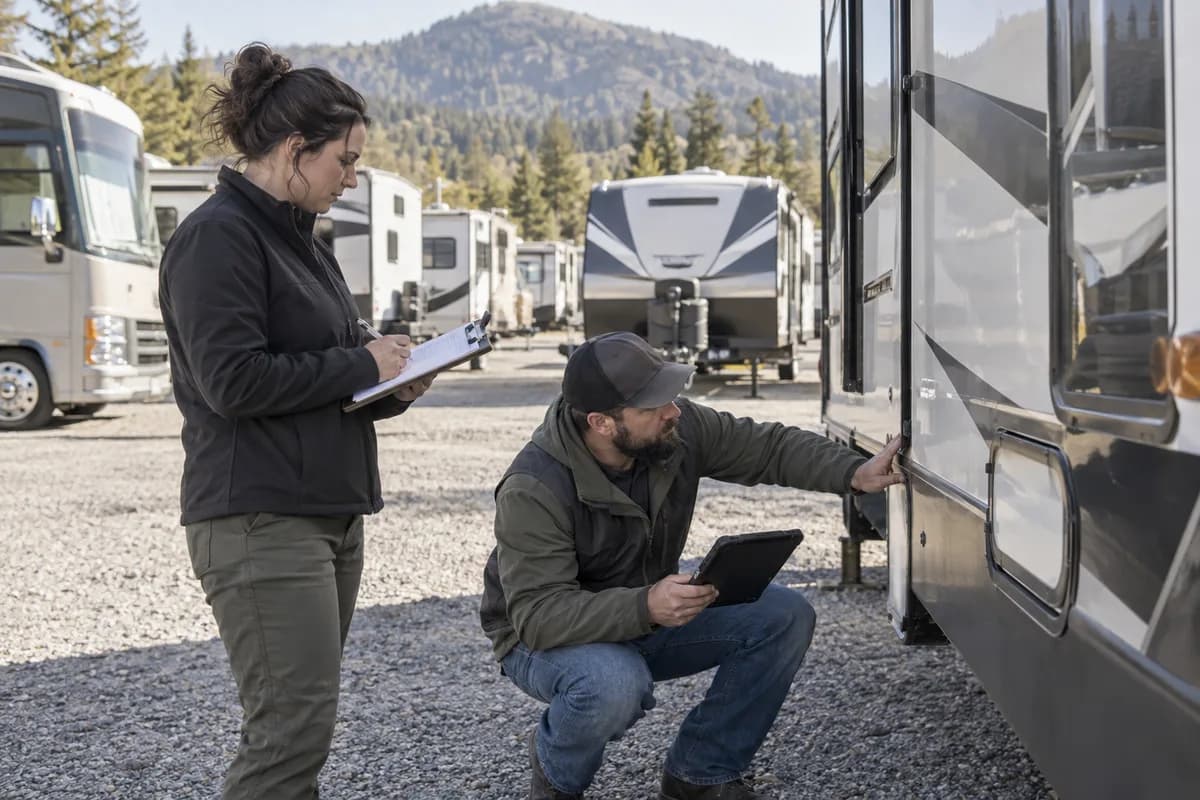
A dealer sells a high-value unit that is also a home on wheels. One serial number ties together floorplan finance, a trade-in, a deposit and a fitted awning, yet a different person holds each of them. That is the gap.
Dealer management for RV sellers starts from the unit, not the customer. Every coach, fifth wheel or towable keeps its options, its inspection list, its claims, its storage bookings and its service history in one place, whichever department touches it next.
The sales desk takes enquiries from walk-ins, web forms and rally shows, then walks buyers through coaches on the lot. A deal sheet lists the unit, any dealer-fitted options, the trade-in appraisal, the deposit and the finance route. Units arrive on a transport truck with a delivery report. The yard marks which ones carry damage in transit.
Before handover, the pre-delivery inspection runs through slide-outs, awnings, the roof seal, the water system, the gas lines and the electrical panel. The service department then works from repair orders: warranty claims for the manufacturer, customer-pay repairs and winterisation jobs. Parts staff stock filters, seals, hitches and accessories. The yard manager books storage bays for customers who leave their unit with you over the cold months.
What goes wrong for rV dealers without a proper system.
What rV dealers gain from one system.
Not a feature list. These are the moments in the working day that go differently once the records sit together.
What we would build for rV dealers.
Named the way your team already talks about the work. We start with whichever part the audit shows is costing you most.
A requirements checklist for rV dealers.
What to cover, which reports to ask for and what to put to every vendor, ready to print or save as a PDF.
A product already built for rV dealers.
It is adapted to how your business works before it goes live, and anything your trade needs that it lacks is added then.
RV Dealer Management Software
Unit stock, deal sheets, trade-in appraisals, pre-delivery inspections, repair orders, warranty claims, parts and storage bays for RV dealerships.
What RV Dealer Management Software covers, feature by feature
- Unit Stock by Serial Number for RV Dealers
- Enquiry Log and Showings for RV Dealers
- Quotations and Deal Sheets for RV Sales
- Deposits, Receipts and Balance Due on RV Deals
- Trade-in Appraisals for RV Dealerships
- Pre-Delivery Inspection and RV Handover Checklist
- Repair Orders and Bay Scheduling for RV Service
- Warranty Claim Packs for RV Dealerships
- Parts and Accessories Counter for RV Dealers
- RV Storage Bays and Winterisation Booking
- Tax Invoices and Customer Balances for RV Dealers
Other products in the same sector as rV dealers.
- Auto Body and Paint Shop Management Software
- Auto Manufacturer Management Software
- Auto Parts Shop Management Software
- Wholesale and B2B Ordering Software
- Bike Service Workshop Management Software
- Auto Dealer Management System
- Car Rental Company Management Software
- Garage Management Software
- Car Detailing Management System
- EV Charging Operator Management Software
- EV Dealer Management Software
- Fleet Leasing Company Management Software
- All industry products
The business modules rV dealers use most.
Each one is also available on its own, or inside a system built for you.
Lead Management
Walk-ins at the lot, web form enquiries and rally contacts land in one list with the coach model each person asked about. The sales desk assigns a follow-up. A buyer who toured a motorhome is reminded when a similar unit arrives.
Learn moreQuote & Proposal Management
A buyer gets a written offer for a unit, with fitted options such as an awning or a solar panel and the trade-in figure. Revisions are kept. The finance route and deposit appear on the final sheet.
Learn moreReceipts Management
Deposits on an ordered coach, part payments for accessories and storage fees are each receipted against the buyer and the unit’s serial number. The accounts clerk sees what is held on deposit. A refund leaves its own entry.
Learn moreJob Cards
A repair order for a leaking roof seal or a faulty fridge opens as a job card on the unit’s serial number. Parts used and labour hours are added. The service adviser can tell the owner what is done so far.
Learn moreTechnician Scheduling
Bays in the workshop, mobile technicians and specialist fitters for slide-outs or gas systems are scheduled against booked repair orders. A coach waiting for a part moves aside. Pre-delivery inspections get a fixed slot before the handover day.
Learn moreStock Tracking and Alerts
Awnings, leisure batteries, water pumps, seals and gas fittings in the parts room carry reorder levels. The parts counter sees what is short before a booked repair. Slow accessories are listed for a price review.
Learn moreService Reminders
Annual habitation checks, gas safety checks, damp tests and warranty service visits come due on different dates for each coach. Owners are reminded by message. Storage customers get a call before the season starts.
Learn moreInvoice Management
A coach sale invoice carries the unit serial number, the fitted options and the trade-in credit. Workshop invoices split labour, parts and any warranty portion. Long repairs show their balance.
Learn moreAll solutions by area
- Applicant Tracking (5)
- CRM (8)
- Finance & Accounting (10)
- Helpdesk (4)
- Human Resources (13)
- Inventory Management (5)
- Project Management (7)
- Manufacturing (6)
- Procurement (4)
- Sales and Distribution (6)
- Field Service (5)
- Statutory and Compliance (4)
- Retail and POS (4)
- Bookings and Appointments (3)
- Subscriptions (2)
- Assets and Fleet (4)
- Platform (6)
- Analytics (2)
- Documents (1)
Where AI can help rV dealers.
Each one reads records you already keep, and a person approves every decision.
The services behind it.
Business Process Automation
Moves a unit from arrival through pre-delivery inspection, deal sheet and handover, with each step assigned to a named person. A claim is prompted when a repair order closes with a manufacturer-covered fault.
Learn moreERP, CRM and Business Software Implementation
Sets up unit inventory, deal sheets, repair orders and the parts counter in one system. Enquiries from rallies and web forms link to the same buyer’s later service visits and storage bookings.
Learn moreData Migration and Moving Off Spreadsheets
Brings unit stock lists, owner records, past repair orders and storage bookings from spreadsheets and the old dealer system into serial-number records. Open warranty claims move across with their evidence attached.
Learn moreWeb and Mobile Application Development
Builds a phone screen for the yard and service bay to photograph damage, tick slide-out and water system checks and sign off a unit. An owner portal handles service and storage bookings.
Learn moreAll our other services
- Custom Software and Product Engineering
- Software Maintenance, Support and Rescue
- AI and Intelligent Automation
- API and System Integration
- Data Engineering and Business Intelligence
- UI/UX Design and Prototyping
- Cloud Engineering and Managed Infrastructure
- DevOps & Automation Services
- QA and Software Testing
- Performance Engineering
- Cybersecurity and Application Security
- IoT and Edge Computing
- Technology Strategy and Product Consulting
- E-Commerce and Digital Commerce
- MVP Product Development
- SaaS Product Development
- WhatsApp Business API and Chatbots
- Training and Adoption
- Data Protection and Privacy Readiness
- Tax and e-Invoice Engineering
- Managed IT Support
- Dedicated Team and Staff Augmentation
- Business Intelligence and Reporting Tools
- Cloud Cost Optimisation
- Global Compliance and Localisation
How the work runs from Bengaluru for your city.
- 1
The audit, by call
A screen-share and a look at the sheets, accounting reports and WhatsApp groups your team uses. No travel needed.
- 2
A written proposal
Scope, what we build first and the cost, agreed in writing before anything starts.
- 3
Build in short rounds
Working screens shared every few weeks. Your team tests them from your own office.
- 4
Go-live, in person when it helps
For data migration and training we can come to your city. Travel is agreed in advance.
- 5
Support online
Fixes, changes and hosting handled remotely by the same team that built it.
The work we have published.
We only name clients whose work is published. None of them is in this trade; they show how the team works, not that it has built for this trade.
PetSeva: matching owners to the right vet, at any hour
A two-sided veterinary platform where vets are searchable by specialisation and bookable outside clinic hours. It now carries more than 2,000 veterinary doctors.
Read the case study Paying guest accommodationSAM Atithi Pavathi: bed-level occupancy as the source of truth
PG management software where allocation, rates and invoices are derived from bed-level occupancy and not maintained in parallel spreadsheets.
Read the case study School transport servicesSAM Tours: school transport on a single ledger
Registration, fee collection, routing and finance write to the same records, closing the gap between journeys run and fees collected.
Read the case study Microfinance and Self Help GroupsVikasa RDO: making SHG loan recovery auditable
Loan proposals, recoveries and commissions sit on one record, with a person attached to every state change, so a business handling a bank’s money can show where each rupee went.
Read the case studyCheck the difficult cases before choosing software.
Use examples from your own records to test the workflows that matter in your business.
Repair orders and warranty claims
What proves that a planned task was actually completed?
Select an overdue entry in “Repair orders and warranty claims”. Ask which work record closes it and what remains visible when the visit is postponed or only part of the job is done.
Background reading: ERPNext: maintenance plans
Storage bays and seasonal bookings
What becomes available when a booking is moved or cancelled?
Use “Storage bays and seasonal bookings” to move a booking, then cancel a second example. Check the released slot, the person or resource still assigned, and any amount left to settle before accepting the revised schedule.
Background reading: ERPNext: appointment records
Questions rV dealers ask before they call.
Can one unit keep its full history across owners?
Yes. A unit is held by serial number, so a coach taken in on trade keeps the repair orders, claims and inspections from its first sale. A later buyer sees what was done.
Does it send claims to the manufacturer?
No direct portal link is built in. Claim documents, photographs and labour times are gathered in one pack for your claims clerk to submit, and any portal export is quoted at the first workshop.
Can a small lot with a few dozen units use it?
It suits a lot with a sales desk, a service bay and a parts counter. A seller who moves a handful of towables a season may manage with a spreadsheet and a binder.
Can service technicians open repair orders on a phone?
Yes. A technician sees the orders assigned for the day, adds notes and photographs, and closes each job from a phone browser, even in a yard bay far from the office. Prices and tax lines follow your country.
What makes an RV dealer’s quote larger or smaller?
Units on the lot, service bays, parts counter and storage bays set the size. Manufacturer warranty claim links and a phone view for technicians are extra. Your inventory sheet is loaded for a trial run. After that, quotation lines follow, one per part.
What should the dealership bring first?
The unit inventory with serials, a deal sheet, a trade-in appraisal form, a pre-delivery inspection checklist and a repair order with warranty detail. Invite a sales manager and a service writer to the first walk-through. Half an hour will do.
Whose is the unit history if we change dealer software?
The dealership’s. Serial histories, deal sheets, repair orders and storage bookings stay with you, plus the source code. Open-format downloads are available on request. Nobody new inherits the upkeep. Hosting defaults to GullySystem.
What happens after I share my requirements?
We review your brief and clarify the work with you. We then look at the software, spreadsheets and WhatsApp groups your business runs on today and write down what works, what slows your team down and what is missing. A demo login, a screen-share or a few screenshots are enough. You get a short written summary ordered by priority, with no obligation to hire us afterwards.
How much will the software cost?
We don’t publish a price, because it depends on what the system has to do. That first review settles the scope, and the cost goes into a written proposal before any work starts.
Related industries.
- Auto body and paint shops
- Auto manufacturers
- Auto parts dealers
- Bike service workshops
- Car and bike dealers
- Car rental companies
- Car service and detailing centres
- EV charging operators
- EV dealers
- Fleet leasing companies
- Motorcycle dealers
- Towing and vehicle recovery services
- Truck and trailer companies
- Tyre dealers
- Used car dealers
Part of these wider groups.
Tell us how your business runs today.
A few lines on your spreadsheets, software and WhatsApp groups is enough. We reply the same working day.
What happens after you share your requirements
- We review your brief and the systems you already use.
- We clarify the workflow, missing information and the work to consider first.
- The proposed scope sets out the deliverables, responsibilities and dependencies.
- Review the scope and commercial terms before deciding whether to proceed.
Start with your requirements
Describe your current process, the people involved and the change you need. Start with the details you know; we can clarify the rest together.
Share your requirements